


Last week, I wrote about the many positive experience aspects of the Windows 8 developer tablet. There are, however, experience areas that are difficult to evaluate, either because Windows 8 is only a developer version and not final product, or it would take longer than 10 days to gain that insight.
Two User Interfaces
I found it a challenge to bounce between the Metro and Desktop interfaces. This was true for me whether I was using it as a tablet or docked with a large display, mouse and keyboard. Metro is designed for touch and Desktop is optimized for mouse and keyboard. Even on the 11.6” display, I still managed to botch pull down menus and fine pointing mouse controls.

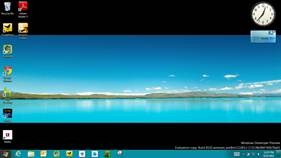
Another challenge to the two user interfaces was duplication of certain tasks. For example, there are two ways to join a network, Metro and Desktop-style. There are two ways to change volume, change tasks, change controls, etc.
This could very well take some training and everything will be fine, as it was for me when Windows first launched and I was bouncing between DOS and Windows.
Metro UI and “Deep” Applications
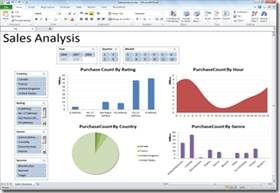
Metro is about beauty, space, and the content. Desktop is all about 100 functions on one screen and quickly bouncing between multiple apps. But what about apps like Photoshop, Microsoft Office, and video editors? I cannot yet imagine how this works Metro-fied on a 22” display, but also understand that in the grand scheme of the global population, it’s the exception, not the norm. But what happens to the exceptions? I am leaving that door open for now.
Web Plug-Ins and Metro
Internet Explorer 10 will not work with plug-ins like Adobe Flash. I understand the experiential, security and performance issues with plug-ins, but I also respect that end users expect their systems to work with every site they deem important. I fully expect major web sites to transition to elements like HTML 5 video, but many in the “long-tail” will not. For example, my local Mexican restaurant uses Flash in the UI and I had to use Desktop IE 10 for this to work. I can do this, but then again I have been in high-tech for over 20 years with 1,000s of hours clawing through hardware and software. What about those who don’t have the experience or the desire? I haven’t heard too many people complaining about the iPad browsers inability to do these things, so I am open on this one.
Touch on Desktop Apps
Applications like Microsoft Office 2010 are optimized to work great with keyboard and mouse, maybe even pen, but not a finger. Fact is, I can’t work without Office as it’s the AMD corporate standard. On the beautiful 11.6” Samsung display, I could easily navigate the larger ribbon icons (i.e., “Paste”), had a difficult time with the smaller icons (i.e., “Format Painter”), and found it extremely difficult to work with text navigation (i.e., “File”- “Open”).

This seems like it could be changed to make Desktop apps friendlier without having to crack the code; but then again, I’m not a software developer.
Various other Questions
- Footprint: How much hard drive space will the OS and baseline apps occupy? This will be especially important for tablets, where extra storage space comes at a premium.
- Metro Apps: Obviously at this stage, only the intern-written Metro apps are available. I’m really interested to get my hands on many more Metro apps, particularly those with depth.
- CPU/GPU and Experience: The developer tablet included a very expensive x86 processor. Will the experience be the same on an ARM-based tablet whose processors power smartphones and tablets?
- Windows Store: Microsoft was transparent on their plans but I need to use it before I can intelligently discuss it.
- OS Updates: With Windows 7, it feels like I am receiving weekly updates that are quite large, take a while to install, and sometimes require a reboot. That won’t fly on a tablet that’s targeted for convenience. I don’t need to do that often on my iPad, Xoom, Transformer, Galaxy Tab or PlayBook. When it does, it’s usually some new cool feature, not a “fix”.
- Smaller than 11.6″: My developer tablet was on an 11.6″ tablet. Will it feel different on a smaller tablet like 10″? Desktop was manageable on 11.6″ at 1366×768 but I believe could be very different on a 10″.
Conclusion
There are very many positive aspects of the Windows 8 Developer Preview. Given the state of Windows 8 Developer Preview, many elements of the experience are unknown as I lay out above. As we get closer to launch, these important pieces of the experience puzzle will be filled in and we will be able to better evaluate the future experience. I have used almost every beta version of Windows since Windows was born and this version is the farthest ahead of anything I have seen. The biggest difference now, is that there are alternatives already in-market for the very products that Windows 8 hopes to replace, and they will also be improving up until launch.
See Pat’s bio here or past blogs here.
Follow @PatrickMoorhead on Twitter and on Google+.