The first time I closed the books for a congregation that met in a rented gym, I learned that church money is not like business money. A $500 deposit is not just $500 — it might be $200 for missions, $200 for the building fund, and $100 the giver never designated. Get that wrong and you have spent restricted money on the wrong thing, which is the fastest way to lose a board’s trust.
I review software for a living, so when I took the treasurer role I assumed I could pick a tool in an afternoon. I could not. Plenty of apps do small-business bookkeeping beautifully and fall apart the moment you need to track designated funds. What actually works, I found, is less about the software and more about discipline: a chart of accounts mapped to your ministries and funds, and a repeatable monthly close. Several free tools can support that, and you do not need a finance degree to run them.
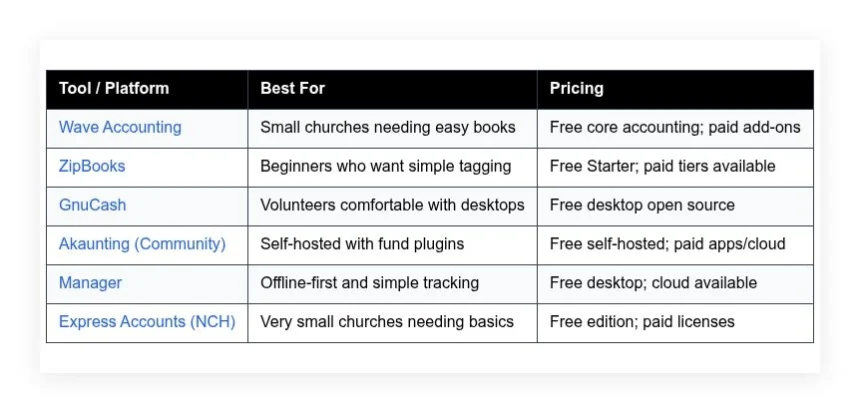
Below is what worked for me, what did not, and the honest tradeoffs on each. No sponsorships. Here is a quick comparison first, so you can spot the right fit at a glance.
Comparison of 6 best free church accounting software in 2026 with pricing and recommended use cases
Scroll down for my detailed take on each option. I will also share which one I picked for a small congregation and what I recommend for beginners on a tight budget.
What is a church accounting software?
Church accounting software is a financial management tool built to record income, expenses, assets, and liabilities, while tracking restricted funds and donations for faith communities. Clear fund tracking helps you honor donor intent, keep the board confident, and make better ministry decisions week after week.
Here is the difference in practice: a generic spreadsheet can show total cash, but a church tool can show $12,450 in Youth Fund, $8,300 in Missions, and $3,120 General. That context changes decisions. The core job is that treasurers and pastors record offerings, bills, and transfers, tie activity to designated funds using tags or classes, reconcile bank accounts, and produce reports that show balances and stewardship over time.
Teams often pair accounting with donor management or a church management system that handles giving statements, pledge tracking, and online donations, with payment processors and payroll rounding out the setup. Not every tool handles fund accounting well, so you need to evaluate features that match your church size, skills, and reporting needs.
How to choose the best church accounting software
Picking finance software feels hard because there are many choices, and each one uses different terms for similar ideas. I put this guide together to help you find a fit for your church today, not some dream future setup — you can always upgrade later if growth demands it.
Most lists you find are written by vendors or media with sponsored slots. I am not sponsored by any platform here. What follows is my plain view based on hands-on testing and the needs I see in real churches. A few questions worth asking before you commit:
- How generous is the free tier and what are the limits on users, accounts, or features?
- How easy is it to record offerings, pay bills, and reconcile monthly without training?
- Can it grow with you, adding donors, funds, and more complex reporting later?
- How will costs rise if you add payroll, payments, or more users over time?
- Does it support fund accounting with classes, tags, or true restricted fund balances?
- What analytics and reports are built in for boards and annual meetings?
- How hard is it to export data and migrate if you change tools later?
- Is it reliable, backed up, and regularly updated for security and compliance?
- Does it integrate with your online giving provider or church management system?
My ranked picks below address these directly so you can move with confidence. Let us get into the list.
6 best free church accounting software in 2026
Here are my top picks for the best church accounting software:
- Wave Accounting
- ZipBooks
- GnuCash
- Akaunting (Community)
- Manager
- Express Accounts (NCH)
Let us see which one is right for you.
1. Wave Accounting
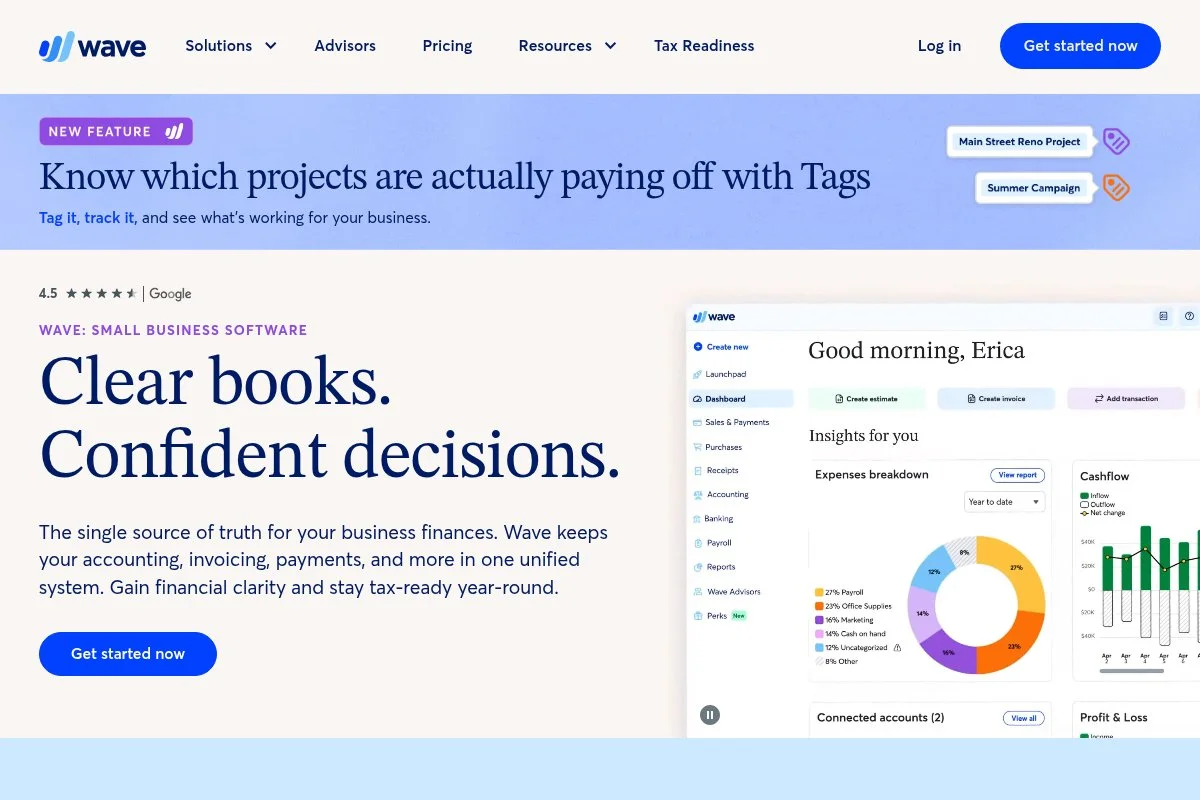
Wave is a free, cloud-based accounting platform designed for small organizations. It has been around for years and is widely used by small businesses and nonprofits for core bookkeeping.
You can start for free. Setup is quick: connect bank feeds, add a chart of accounts, and begin categorizing. Daily work centers on transactions, simple invoicing, and reports. I use its Categories to mimic funds and its Notes to document restrictions. Recent updates improved bank connections, reconciliation flow, and the reports area, which makes monthly closes faster and board-ready statements cleaner than they used to be.
On paid add-ons, Wave offers payroll and online payments — not church-specific, but they can reduce manual work if you turn them on later. I have used Wave in a church setting by mapping funds to expense and income categories and using journal entries for transfers. It is not true fund accounting, but it works for small congregations, and the friendly interface means volunteers pick it up fast when roles rotate each year.
How Wave Accounting works and key features
Wave uses a clean, web-based interface with straightforward menus for Transactions, Sales, Purchases, Accounting, and Reports. Categorizing is quick, and bulk edits save time after importing bank activity. There are no templates to wrestle with, just practical forms for invoices, bills, and journal entries. Advanced users can create custom accounts and export CSVs for deeper analysis.
Reports include Profit and Loss, Balance Sheet, and a customizable Account Transactions report. I use that last one to filter by pseudo fund categories for board packets. Automations include recurring invoices and automatic transaction imports. Beyond accounting, you can enable online payments and payroll as optional services. Support includes a help center and community forum, with live help tied to paid services. Overall, the experience is beginner-friendly and can be adapted for simple fund tracking with some discipline.
Who is Wave Accounting for?
Wave fits small churches, new plants, volunteer-led fellowships, bivocational ministries, and home churches. It works best when you need bank feeds, simple reporting, and light donor tracking outside the system. If you require strict fund accounting with true restricted balances, you might want a church-specific tool later. No advanced technical skill is required.
Wave Accounting pricing
Wave’s pricing centers on a free core accounting product, with optional paid services for payments and payroll. You can start and stay free if you only need bookkeeping.
- Accounting: $0/month, unlimited transactions and users, includes bank feeds, invoicing, bills, and standard reports
- Payments: Usage-based, enable online giving or invoice payments, fees apply per transaction
- Payroll: Paid add-on, availability and pricing vary by location, includes direct deposit and filings where supported
Value is strong for free bookkeeping. Costs rise only if you add payroll or payment processing. Check the site for current payment and payroll pricing in your state or province.
Pros and cons of Wave Accounting
- Pros: Free core accounting, easy interface for volunteers, solid reports, quick bank feeds
- Pros: Flexible categories let you simulate funds without heavy setup
- Pros: Optional payments and payroll if you grow
- Cons: Not true fund accounting, limited donor features
- Cons: Support is lighter unless you use paid services
- Cons: Audit trails and role controls are basic
If you want free, simple books now, Wave is my top pick. If you need native fund accounting and deep donor tools, you should look higher-end later.
Wave Accounting reviews
G2: 4.4/5 star rating (over 1,000 reviews). Capterra: 4.4/5 star rating (over 3,000 reviews). Feedback highlights ease of use and value, with fund accounting as a common limitation.
2. ZipBooks
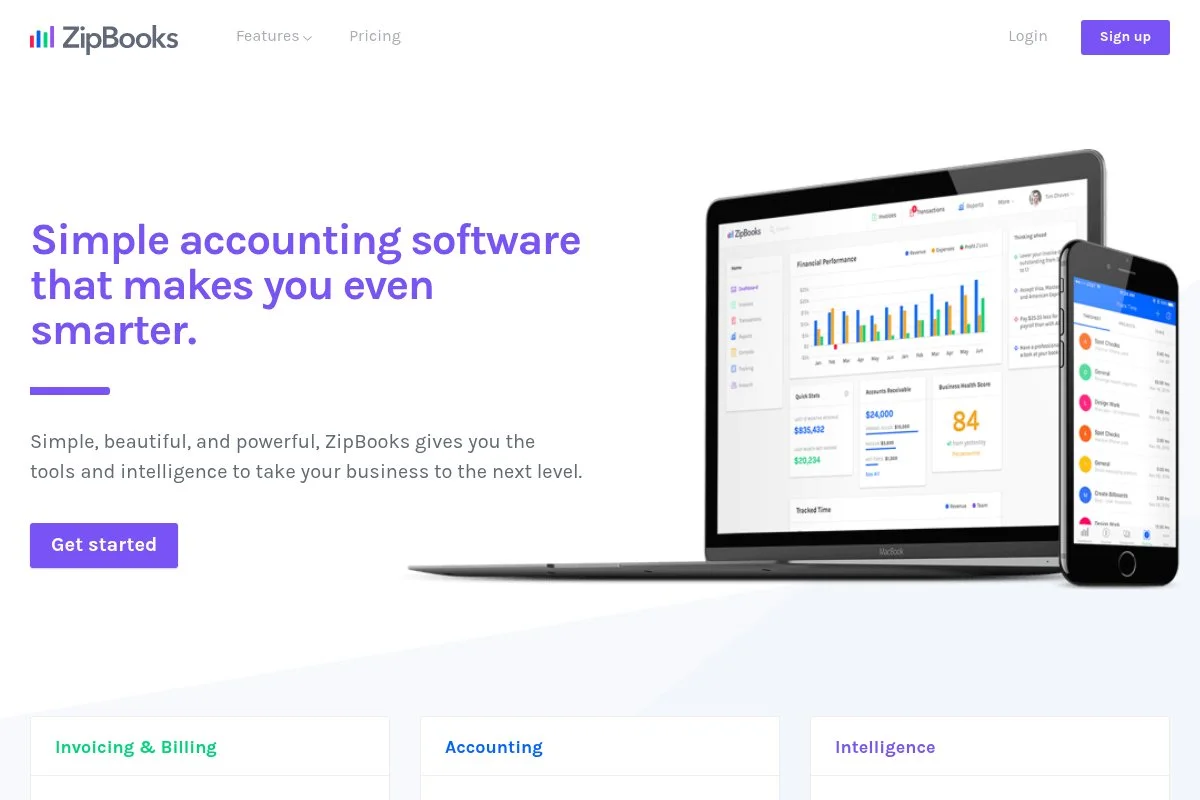
ZipBooks is a modern small-business accounting app focused on simplicity. It has been a popular free option for freelancers and small teams, which translates well to small churches.
You can start on the free Starter plan. Setup takes minutes, and the dashboard surfaces income, expenses, and recent activity. Day to day, you will categorize transactions, send invoices if needed, and run basic reports. Recent updates have focused on stability, bank connections, and smoother reconciliation, which reduces the time between Sunday deposits and solid monthly reports. Paid plans add time tracking, more advanced reports, and saved vendor bills; while not church-specific, you can use categories and tags to emulate fund tracking.
I know pastors who like ZipBooks for its clean look and minimal clutter — one treasurer told me they trained a new volunteer in under an hour. The tidy interface cuts down on mistakes, which helps when leadership changes and you need quick handoffs.
How ZipBooks works and key features
ZipBooks offers a minimal web interface with straightforward navigation. The transaction editor is quick and supports rules to auto-categorize repeat items. You can create custom accounts and tags for ministry funds. Customization is light by design, and advanced users can export to CSV for deeper analysis.
Reports cover Profit and Loss, Balance Sheet, and a transaction list you can filter by tag or account. Automations include recurring invoices and bank rules. Extras include simple invoicing and basic vendor management. Support is email-based with a helpful knowledge base for common tasks. One volunteer treasurer summed it up: they liked that they could not easily break anything, and the categories made sense. That matches my experience with new users — it is beginner-friendly and quick to learn, though power users may want more controls.
Who is ZipBooks for?
ZipBooks suits church plants, small congregations, youth ministries, mission groups, and house churches. It excels when you want clean categorization, simple bank imports, and light reporting. If you need deep fund accounting or advanced donor statements, consider a nonprofit-focused platform. It is beginner-friendly with little technical skill needed.
ZipBooks pricing
ZipBooks uses a freemium model. The free Starter plan covers basic accounting, with paid plans adding advanced features.
- Starter: $0/month, basic bookkeeping for one organization, includes bank importing, invoicing, and simple reports
- Smarter: $15/month, adds time tracking and more reports, includes saved vendor bills and tags
- Sophisticated: $35/month, expands reporting and controls, adds advanced features for growing teams
Pricing is straightforward and competitive. The free tier is generous for small churches, and you can upgrade as complexity grows. Annual discounts are sometimes offered, so check current promos.
Pros and cons of ZipBooks
- Pros: Free Starter plan, clean interface, quick onboarding for volunteers
- Pros: Tags help simulate fund tracking without heavy setup
- Pros: Clear upgrade path as needs expand
- Cons: Not designed for true fund accounting
- Cons: Reporting depth is limited compared to bigger suites
- Cons: Integrations are fewer than larger platforms
ZipBooks is a great pick if you want simple, free accounting with room to grow. If you need strict fund accounting, plan for manual workarounds or a later switch.
ZipBooks reviews
Capterra and G2 both list ZipBooks with generally positive ratings. Public review counts are moderate compared to larger brands. Feedback often mentions ease of use and value for small teams.
3. GnuCash
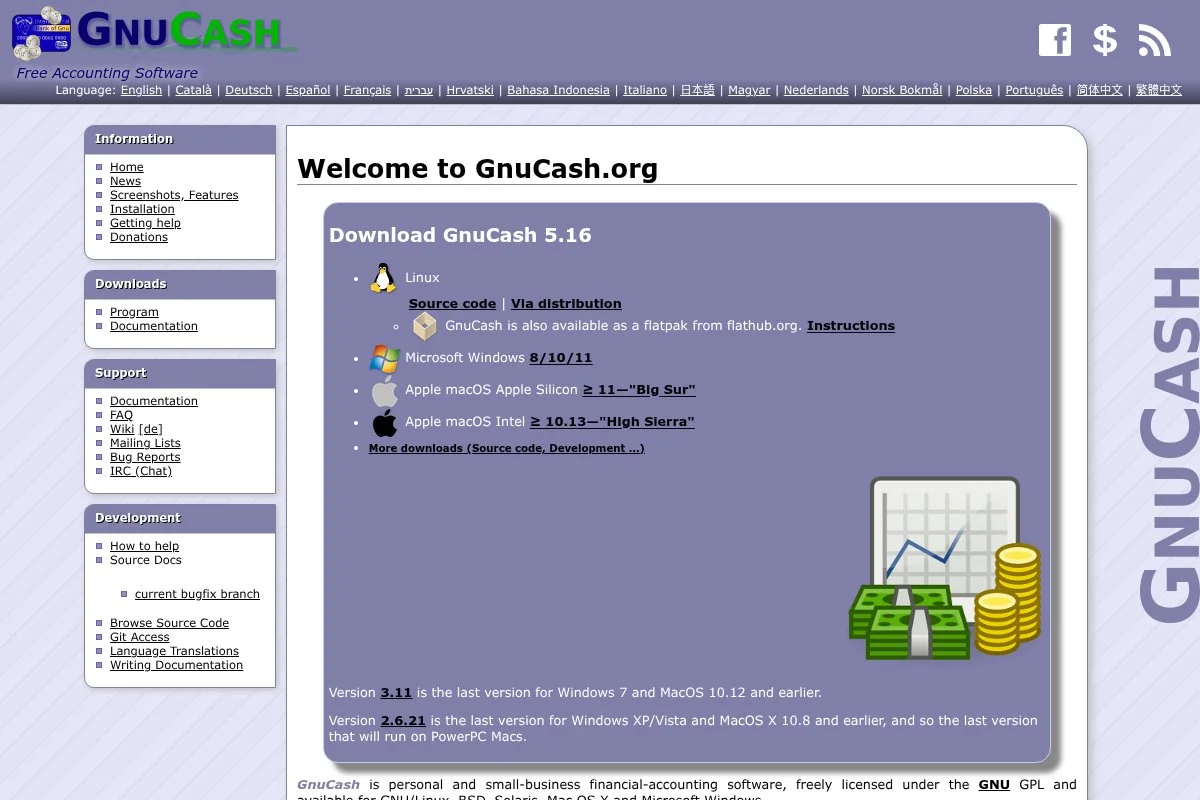
GnuCash is a free, open-source desktop accounting program with double-entry bookkeeping. It has a long history, an active community, and solid reliability on Windows, macOS, and Linux.
Getting started means downloading the app and creating a file for your church. The interface is classic desktop, with tabbed accounts and registers. Daily, you will enter transactions, reconcile bank statements, and run reports. Recent releases have focused on stability, performance, and small usability fixes, and the project ships regular updates, which matters for data safety. Advanced users can extend reports, import QIF/OFX data, and script workflows; with careful account design, you can model funds as separate equity accounts and report balances clearly.
I have used GnuCash to produce fund balance reports that satisfied a cautious board. It takes setup, but once built, it runs smoothly month to month. The extra plus is no recurring fees — for churches with limited internet or strict data rules, local files are a good fit.
How GnuCash works and key features
GnuCash uses a register-style editor that feels like a checkbook with superpowers. You can split transactions, assign accounts, and attach notes. Templates are minimal, but you can customize account trees for ministries and funds. Technical users can import bank files, export CSV, and adjust report settings.
Analytics include Profit and Loss, Balance Sheet, cash flow, and customizable transaction reports. Scheduled transactions help automate recurring entries. It also includes tools for budgets, vendor bills, and simple invoices. Support comes from community docs, a wiki, and user forums — there is no official live support, so patience helps. The experience favors careful bookkeepers; beginners can learn it, but those with some accounting comfort will go faster.
Who is GnuCash for?
GnuCash fits churches that prefer offline software, have a detail-oriented treasurer, and want precise fund balance control. It suits small to mid-size congregations, mission groups, and ministries with limited budgets. If your team rotates often or needs cloud access and live support, pick a hosted tool instead. Basic accounting comfort is helpful.
GnuCash pricing
GnuCash is fully free and open source. There are no paid tiers, user limits, or time trials. You download it, set up your file, and you are done.
- Desktop Application: $0/month, unlimited usage, includes full double-entry accounting, reports, and scheduled transactions
The value is obvious if you want control without cost. Your tradeoff is time spent learning and maintaining your own backups.
Pros and cons of GnuCash
- Pros: Completely free, mature open-source project, very flexible chart of accounts
- Pros: Strong reporting once configured, offline control of data
- Cons: Desktop-only, dated interface, no official live support
- Cons: Setup for funds takes more work than cloud tools
Choose GnuCash if you want zero fees and solid control. If you need easy onboarding for rotating volunteers, try a simpler cloud option.
GnuCash reviews
Mainstream review platforms are limited for GnuCash. Community forums and long-running user guides provide most of the social proof. Feedback highlights reliability and the lack of cost.
4. Akaunting (Community)
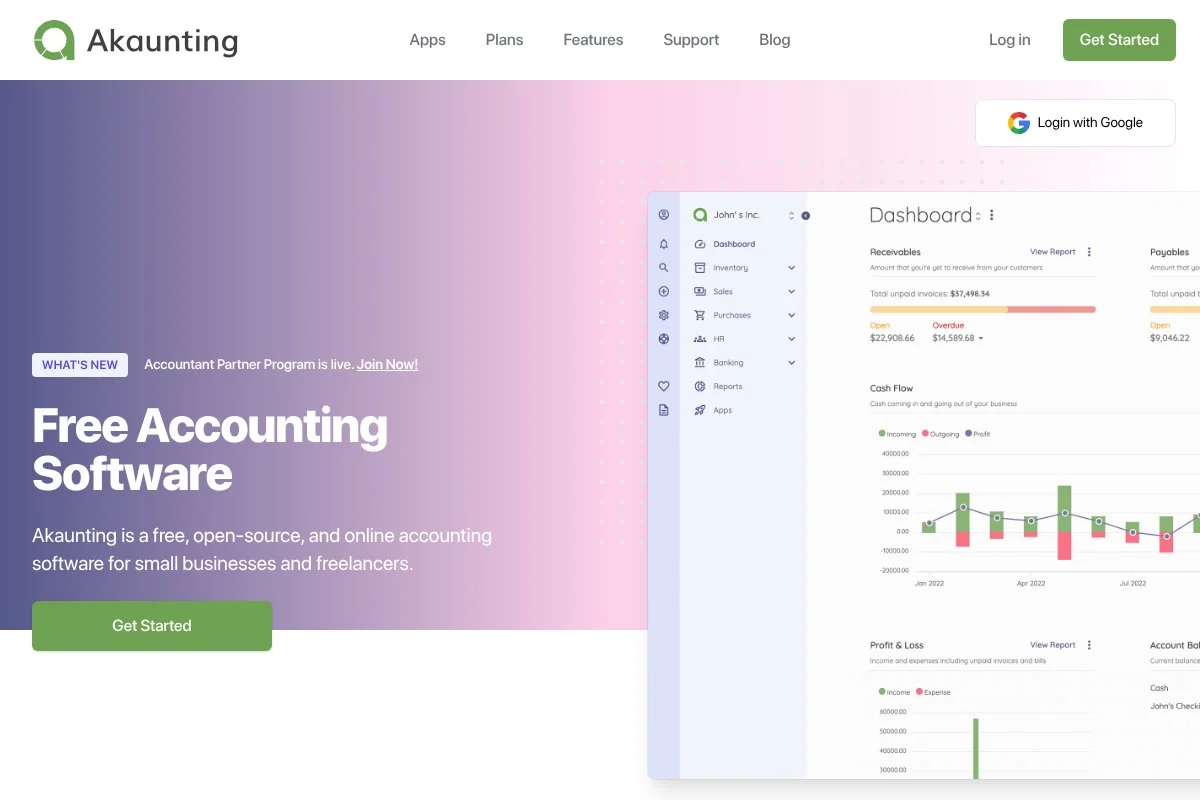
Akaunting is an open-source, web-based accounting platform designed for small organizations. The Community edition is free to self-host, and there is a marketplace of add-ons for extra features.
You can deploy the free edition on your own server or hosting. The interface is modern and accessible through any browser. Daily work includes expenses, income, bank reconciliation, and tagging. Recent development has brought regular releases and marketplace growth, which means more plugins for budgets, fund-style tracking, and integrations. Paid apps and cloud hosting expand capabilities like advanced reporting and automatic backups, so a church can move from DIY to managed hosting later without changing tools.
I like Akaunting for tech-savvy churches that want web access but also want control — it feels more modern than most free options. Documentation and community help are decent, which lowers the barrier for a volunteer admin to keep things running.
How Akaunting works and key features
Akaunting’s interface is a clean web dashboard with sections for Bank, Income, Expense, Accounting, and Reports. It uses simple forms for entries and offers tagging to group activity, which you can align to church funds. You can customize the chart of accounts and install marketplace apps, and technical users can extend it with custom code and integrations through APIs.
Reports include Profit and Loss, Balance Sheet, and detailed transaction listings. Automations are available through recurring entries and bank imports. Add-ons expand functions like budgets, approvals, and multi-currency. Support is community-driven for the free edition, with paid options for cloud hosting. Overall, it balances approachability with flexibility — if you can handle light server management, it is a strong, no-cost option.
Who is Akaunting for?
Akaunting suits churches with a tech volunteer, multi-campus groups wanting web access, and ministries that might add features over time. It excels when you prefer self-hosting and fund-like tracking with tags or plugins. If you do not want server work or plugins, choose a simpler hosted app. Basic technical skill is helpful.
Akaunting pricing
Akaunting offers a free Community edition and optional paid cloud hosting and marketplace apps. You can run the core system at no cost if you self-host.
- Community (Self-Hosted): $0/month, full basic accounting, includes core reports and tagging
- Cloud Hosting: Paid plans, managed updates and backups, includes support and enhanced features
- Marketplace Apps: Paid add-ons, expand reporting, budgets, and integrations
The free path is strong if you have hosting. Costs rise only if you want managed cloud or premium apps. That flexibility is helpful for growing churches.
Pros and cons of Akaunting
- Pros: Free and web-based when self-hosted, modern UI
- Pros: App marketplace adds church-friendly features
- Pros: Good path from free to managed cloud later
- Cons: Setup and updates require technical care
- Cons: Fund accounting depends on tags or add-ons
If you can self-host, Akaunting gives you a flexible, browser-based system at zero software cost. If not, a hosted free app may be easier.
Akaunting reviews
Review sites list a mix of user feedback, but counts vary by edition and hosting. Most praise the modern interface, while some note setup complexity for self-hosting.
5. Manager
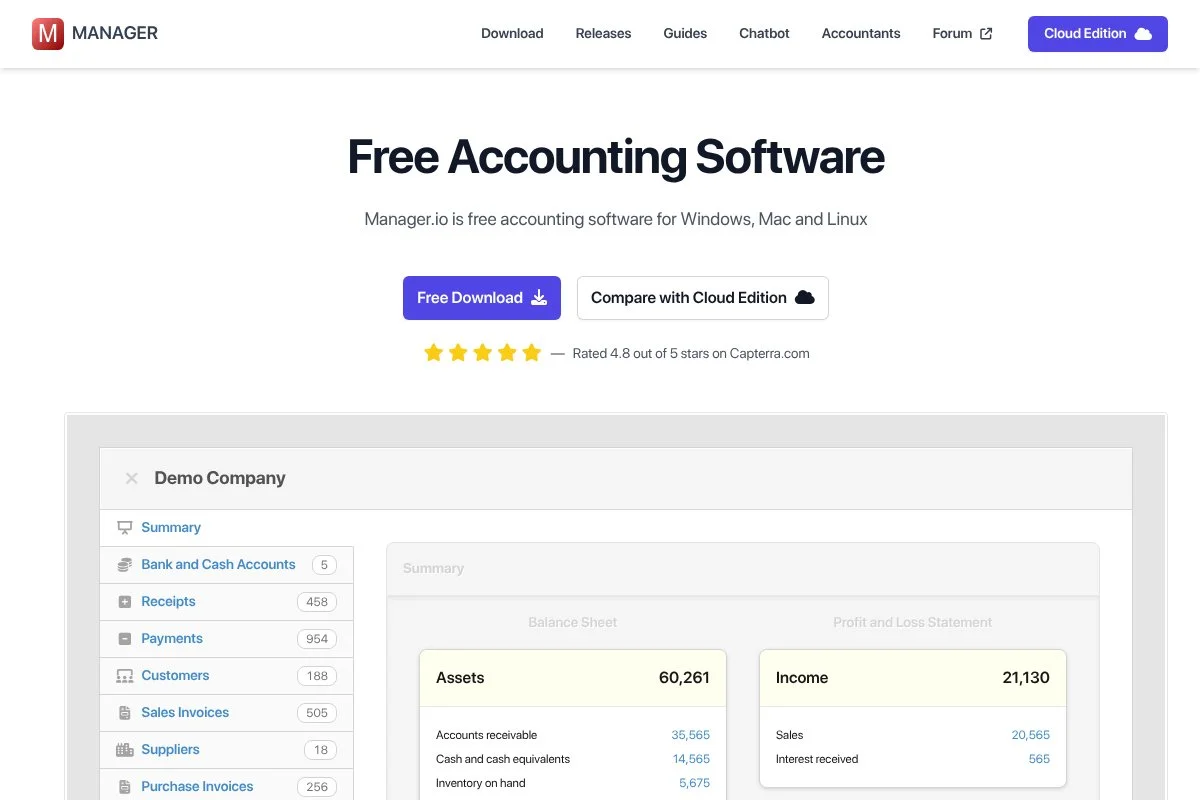
Manager is a lightweight accounting suite available as a free desktop app, with optional cloud and server editions. It focuses on practicality and a straightforward workflow.
You can download the desktop edition for free and start right away. The interface uses modules like Bank Accounts, Cash Accounts, Journal Entries, and Reports. Day to day, you will record deposits, bills, and reconcile accounts. The product has seen steady improvements and frequent builds, which helps squash bugs and keep reports accurate across platforms. Paid cloud adds multi-user access and anywhere availability — useful when a treasurer, pastor, and bookkeeper need to collaborate from different places.
I like Manager’s no-nonsense feel. It keeps options visible without cluttering the screen, which is helpful for volunteer teams. Documentation is practical, and the community forum is active for questions and tips.
How Manager works and key features
Manager’s interface is modular. You enable the features you need, then work through simple forms and lists. The register-style editors make data entry predictable, and you can create custom accounts for ministries and funds. Templates are minimal, and advanced users can export data and use custom fields.
Reports include Profit and Loss, Balance Sheet, General Ledger, and drill-down transaction listings. Automations are basic but include recurring entries. There are built-in tools for invoices, bills, and expense claims. Support is community-driven for desktop, with more direct help for paid cloud. Overall, it is a balanced choice for those who want free offline accounting that can grow into the cloud without retraining.
Who is Manager for?
Manager fits churches that want a free desktop tool now, with the option to move to cloud later. It works for small to mid-size congregations, ministries with privacy needs, and teams with steady treasurers. If you need rich integrations or donor tools, consider a cloud-first app instead. Technical skill is minimal.
Manager pricing
Manager’s pricing is simple. The desktop edition is free. Cloud and server editions are paid for collaboration and central hosting.
- Desktop: $0/month, single-machine install, includes full accounting and reports
- Cloud: $49/month, hosted access from any device, includes multi-user support
- Server: Paid license, self-hosted multi-user access, includes administrative controls
The free desktop option is great value. The cloud plan is a flat monthly price that can be cheaper than per-user tools. If you prefer control, the server edition is an option.
Pros and cons of Manager
- Pros: Free desktop with full accounting, clear modules
- Pros: Smooth path to cloud without changing systems
- Pros: Active community forum for help
- Cons: Desktop-first, fewer integrations than bigger clouds
- Cons: Interface is utilitarian, not flashy
Pick Manager if offline control and simplicity top your list. If you need plug-and-play integrations and donor features, a cloud app may suit you better.
Manager reviews
There are limited listings on major review sites. Community feedback is generally positive on reliability and value, with some users wishing for more integrations.
6. Express Accounts (NCH)
Express Accounts by NCH Software is a desktop accounting program with a free edition for small organizations. It focuses on the basics and keeps the interface straightforward.
You install it on Windows or macOS and set up your chart of accounts. The workflow centers on recording deposits, bills, payments, and reconciling bank accounts, with reports one click away from the sidebar. The software receives periodic updates and supports optional NCH add-ons; it is not church-specific, but you can tailor accounts to represent funds and ministries. Paid licenses add features and capacity, though for many tiny churches the free edition covers the core needs without ongoing fees.
I like it as a step up from spreadsheets when internet access is limited or when you want a local file by policy. It is plain and gets out of the way, which is a plus for low-tech teams.
How Express Accounts works and key features
Express Accounts uses a classic desktop layout with clear sections for Banking, Sales, Purchases, and Reports. Data entry feels like filling in simple forms. You can create custom accounts and categories for funds. There are limited templates, but CSV import and export help with migration and backups.
Reports include income statements, balance sheets, and transaction histories, and you can schedule recurring entries for regular bills. Automation is light. The tool pairs with other NCH apps for tasks like document management. Support is primarily through online help articles, with paid support options for licensed users. Overall, it is basic but steady, which can be exactly what a very small church needs.
Who is Express Accounts for?
Express Accounts fits very small churches, mission teams, and fellowships that want desktop simplicity. It is good for basic bookkeeping, simple reports, and local files. If you want cloud access, automations, or integrations, pick another tool. Minimal technical skill is required.
Express Accounts pricing
Express Accounts offers a free edition for small organizations and paid licenses with more features and capacity. You can stay on the free edition if your needs are light.
- Free Edition: $0/month, basic accounting features, includes core reports and transaction entry
- Paid Licenses: One-time or subscription options, expanded features and support
Value is strong for basic use. If you grow or want support, a paid license is available without moving to a new system.
Pros and cons of Express Accounts
- Pros: Free desktop option, easy to learn, light on system resources
- Pros: Local control of data, quick basic reports
- Cons: No native fund accounting, limited integrations and automations
- Cons: Interface feels dated compared to web apps
If you need the basics without cost and prefer desktop, it is a solid pick. If you expect to scale or collaborate online, a cloud tool is better.
Express Accounts reviews
Major review platforms have limited coverage. User comments often mention ease of use and the value of the free edition, with common wishes for more modern design and integrations.
What is the best church accounting software right now?
If you want the short version: Wave Accounting, ZipBooks, and GnuCash. Each is free to start and works well for different volunteer skills and reporting needs.
Wave is my number one. I use it for small church books when budgets are tight, and this is my genuine opinion, not sponsored. I found Wave years ago while testing tools for small nonprofits, and the setup speed, clean reports, and unlimited free accounting won me over — the big sell was that I could train a new treasurer fast and still produce board-ready statements. On value, many paid tools with similar core features start at a monthly fee; with Wave, free covers bank feeds, invoicing, bills, and reports, and you only pay if you turn on payroll or online payments. That cost control matters when every dollar should go to ministry.
ZipBooks is a close second. It has a friendly interface that new volunteers get right away, so if your team changes often, that ease can save hours of training. Recent polish to bank rules and reconciliation makes month-end smoother. I would pick ZipBooks if I wanted the cleanest beginner experience and did not mind fewer integrations — it is a great fit for plants and small congregations that want to stay focused on the basics.
GnuCash is my third choice, and it is perfect if you want offline control and true double-entry with no fees. It takes more setup to model funds, but the result can be very precise. If you are the detail person on your board, you might even prefer it. I sometimes use more than one tool — keeping GnuCash for historical files and testing while running live books in Wave for speed, which lets me compare reports and keep backups outside the cloud.
Choosing between Wave and ZipBooks is genuinely tough, since both are free and friendly. I stick with Wave because I can move faster at month-end and because it handles unlimited transactions without nudging me to upgrade. Whichever you pick, I hope it fits your church today. May your month-end close be calm, your reports be clear, and your ministries be well funded.
Frequently Asked Questions
Q: Can free accounting software handle true fund accounting?
Most free tools do not provide native fund accounting. I model funds with categories, classes, or equity accounts, then use custom reports. It works, but it takes discipline and documentation.
Q: What reports should a church board see each month?
I share a Profit and Loss by fund, a Balance Sheet showing restricted balances, and a bank reconciliation report. A transaction detail by fund helps answer any follow-up questions fast.
Q: How do I track designated gifts in Wave or ZipBooks?
I create income categories for each fund and mirror them on the expense side. For transfers, I use journal entries. I also add clear notes for restrictions on each deposit.
Q: When should a church move from free to paid software?
I move when manual fund tracking becomes error-prone, when multiple staff need access, or when audits require tighter controls. At that point, paid church-specific tools earn their keep.