
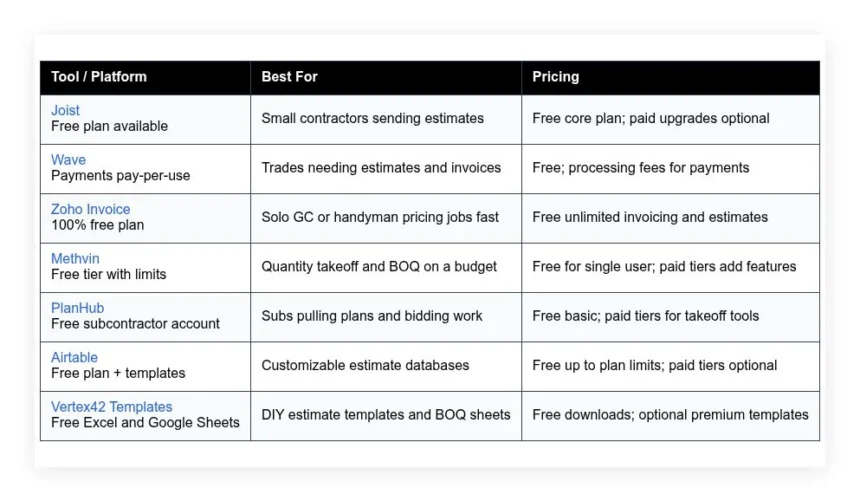
Small contractors need estimates that are accurate, look professional, and go out fast, often without budget for a full estimating suite. This guide compares seven options — Joist, Wave, Zoho Invoice, Methvin, PlanHub, Airtable, and Vertex42 templates — covering what each does well, who it suits, what the free plan includes, and where it falls short.
How we put this list together: we went through each tool’s official website, pricing page, and documentation, and checked what the free plan actually includes and where the paid tiers begin. Prices and plan limits change often, so confirm the details on the vendor’s site before you commit.
My take
After going through these tools, my main takeaway is that free construction estimating software mostly solves the presentation problem, not the estimating problem. Tools like Joist, Wave, and Zoho Invoice make it easy to send a clean, professional quote. Fewer of them help you calculate the right number.
My opinion is that for small contractors, the real accuracy gains come from consistency: saved line items, standard markups, and a checklist of commonly missed costs like demo, haul-off, and permits. Joist’s item library is a good place to build that habit, which is why it tops the list.
For anyone working from plans, I think Methvin is the most interesting tool here because it offers takeoff and estimating together in a free tier. It is not pretty, but measuring quantities directly from PDFs is where real estimating time is saved. PlanHub is valuable too, but as a source of bid work rather than an estimating tool.
Comparison of 7 best free construction estimating software in 2026 with pricing and recommended use cases
Below is a closer look at each tool, followed by our overall recommendations.
What is a construction estimating software?
Construction estimating software is a digital tool that helps contractors build accurate quotes, bills of quantities, and proposals. It streamlines takeoff, pricing, and markup so you can bid work faster and with fewer errors — the same “measure twice, cut once” discipline you hear on every job, applied to the numbers, so you check quantities, track costs, and protect your margin without retyping everything for each job.
The time savings are concrete: a pen-and-paper estimate might take two hours and still miss a line item, while templates and saved assemblies let you produce the same scope in 20 minutes and catch adders for demo, haul-off, and permits. At its core, estimating software lets contractors, subs, and small GCs pull quantities from plans or site notes, apply labor and material rates from a cost library, and produce a clear proposal that clients can approve.
Many teams pair estimating with takeoff tools, accounting apps, digital signatures, and scheduling boards, and the handoff from estimate to invoice and job cost tracking is where time savings multiply. Not every tool handles the same tasks well, so picking the right fit matters — free options can work great, but limits vary a lot.
How to choose the best construction estimating software
Choosing a tool can feel overwhelming — there are many options, similar claims, and hidden limits that only show up after you build your first few quotes. We wrote this to help you match a tool to the way you work; whether you run a one-person shop or manage a small crew, the right fit saves hours.
A few questions worth asking:
- How generous is the free tier, and what features are locked?
- Can you build and send an estimate fast without a long setup?
- Will this scale from five to fifty estimates per month?
- How does pricing change as you add users or projects?
- Does it support assemblies, markups, taxes, and line-item options?
- What analytics are included, like win rates or aging proposals?
- How easy is it to export your data if you switch later?
- Is the app stable, with backups and version history?
- Does it handle construction needs like cost codes and units?
7 best free construction estimating software in 2026
Here are our top picks for the best construction estimating software:
- Joist
- Wave
- Zoho Invoice
- Methvin
- PlanHub
- Airtable
- Vertex42 Templates
1. Joist
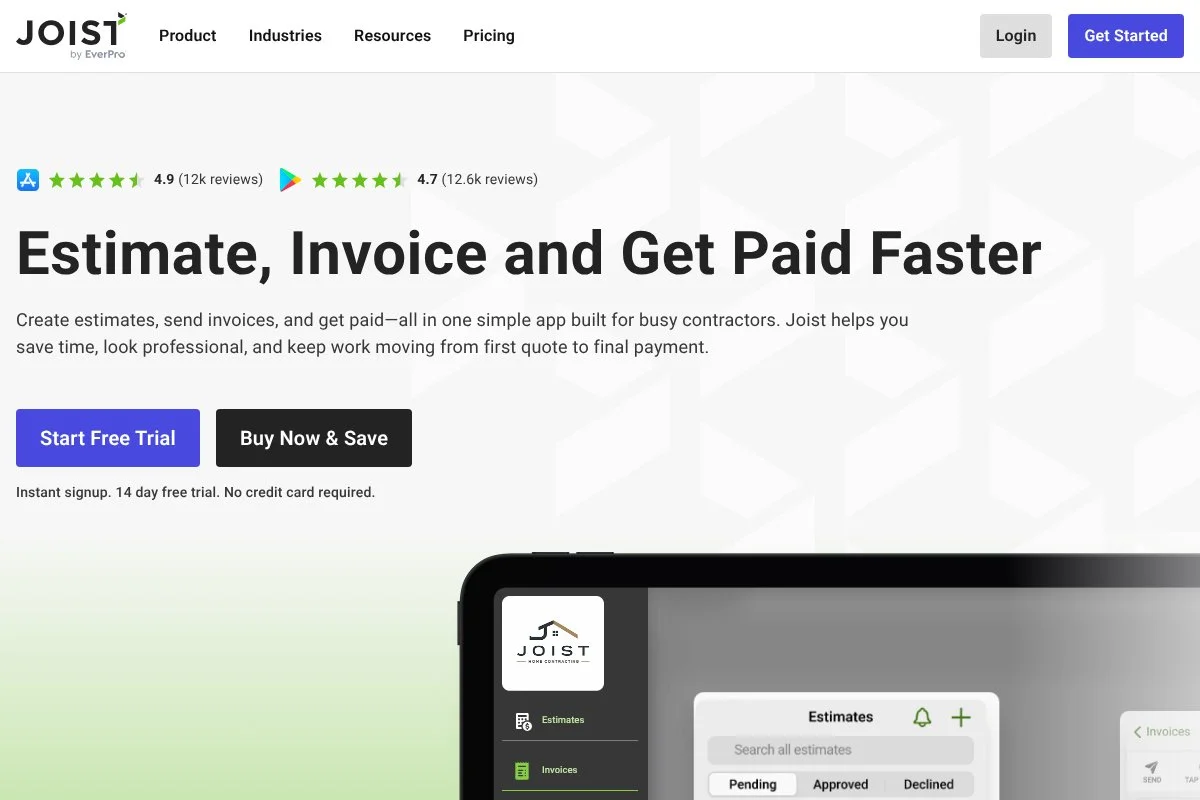
Joist is a contractor-focused estimating and invoicing app built for speed on mobile and web. It has been around for years and is widely used by small trades, from painters to handymen, with a strong presence in the U.S. and Canada, steady updates, and an active community.
You can start on the free plan, and setup takes minutes: add your business info, taxes, and payment options, then build line-item estimates with quantities, rates, and photos, with signatures, change orders, and one-click convert to invoice all handled. Recent updates tightened client communication and payments — the estimate approval flow feels cleaner and attachments on mobile are faster, which matters when you price on-site and want the client to sign before you leave. Paid tiers add detailed reports, advanced client messages, and more customization, so if you grow into recurring work or want deeper analytics, upgrades open that up without changing your workflow.
Joist is ideal for pricing simple jobs that do not need formal assemblies — it gets estimates out fast. We also like the practical design: the item library is simple to maintain, and the PDF output looks clean without fiddling for hours.
How Joist works and key features
Joist centers on a clean estimate editor. You add items with quantity, unit cost, and tax, then apply markups and discounts, and templates let you save common scopes like drywall patches or faucet swaps, with photos and notes for clarity. Customization covers logos, terms, deposits, and payment methods; advanced users can link to payments and automate reminders for approvals and deposits, and reporting covers sent, accepted, and overdue documents plus client history.
There is no heavy coding or integrations needed to get value, and exports to PDF and CSV help if you track job costs elsewhere. Support is responsive by email, the help center has solid step-by-step guides, and the recurring praise from contractors is that they can price a small job in minutes on a phone and get a signature on-site. Overall, Joist is beginner friendly yet fast enough for busy pros who want less admin and more booked work.
Who Joist is for
Best for handymen, painters, flooring installers, small GCs, and maintenance teams. It shines for quick quotes, simple change orders, and on-site approvals. If you need deep assemblies, cost codes, or multi-crew scheduling, you may outgrow it. No technical skill is needed to get started.
Joist pricing
Joist uses a freemium model. The free plan covers core estimating, invoicing, clients, and basic reporting. Paid plans unlock advanced features and more customization. There is no charge to try the basics.
- Free: $0/month, core estimates and invoices, client database, PDFs, and signatures
- Pro: Paid monthly, adds messaging, reporting, and premium features
- Elite: Paid monthly, adds the most automation, insights, and customization
Value is strong at the free level for simple jobs. Upgrades are optional and aimed at busy contractors who want deeper insights. Annual billing discounts are typically available on paid tiers.
Joist pros and cons
Pros:
- Fast mobile estimating with signatures and photos
- Free core plan covers most small-job needs
- Clean PDFs clients understand and approve quickly
- Item library is easy to maintain
Cons:
- Not built for detailed assemblies or cost codes
- Reporting depth lags full-suite platforms
- Advanced features require a paid tier
If you need speed and clarity, start here. If you manage multi-phase projects with BOQs and crews, consider pairing Joist with a takeoff or cost-coding tool.
Joist reviews
App Store and Google Play reviews are broadly positive for ease of use. Third-party B2B review coverage is lighter than big suites, but sentiment from small contractors is strong.
2. Wave
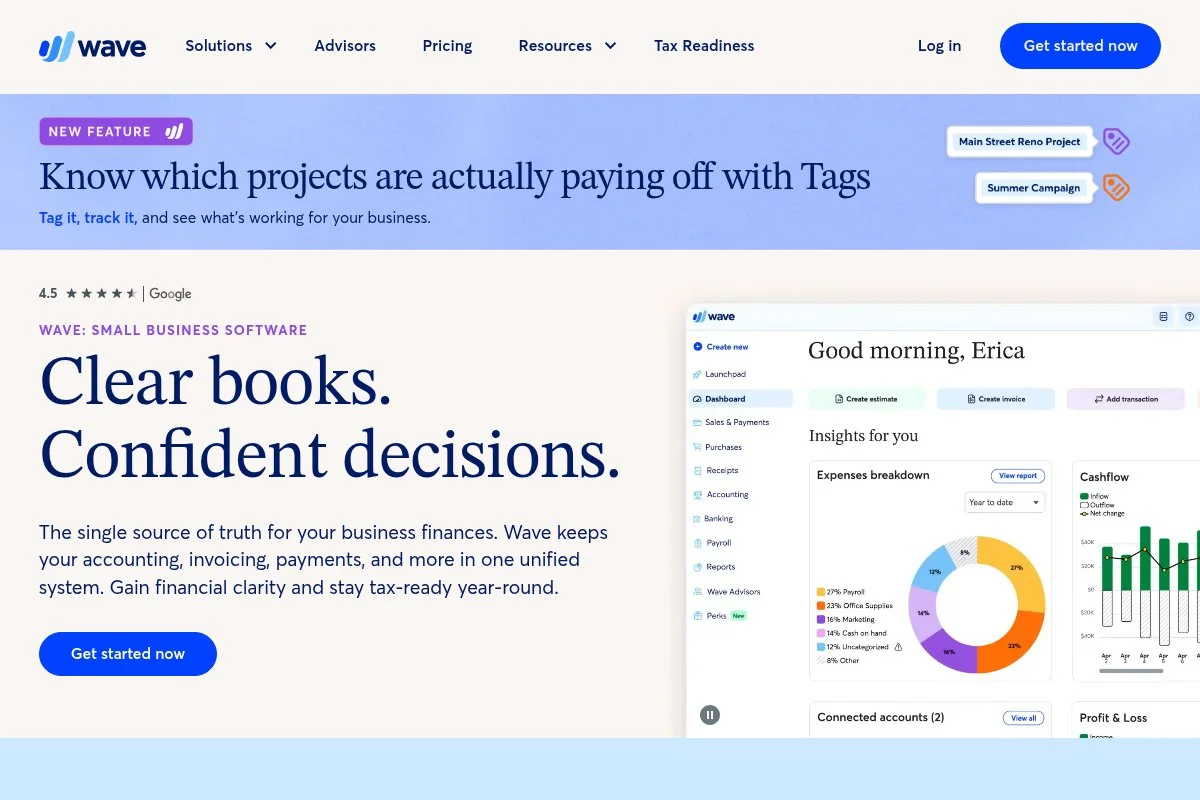
Wave is a free accounting app that includes estimates and invoices, which makes it a handy starter tool for trades. The company has served millions of small businesses and is owned by H&R Block.
You can create estimates right away on the free plan. The editor is simple, with items, taxes, and discounts, and you convert approved estimates to invoices with one click; payments are optional and pay-per-use, so there is no monthly fee to start. Recent polish shows in bank feeds, receipt scanning, and customer statements, which matters when your estimate turns into a project and you want tight books without juggling tools. You will not find construction-specific assemblies or takeoff, but you can build item lists and reuse them, and if you later need payroll or deeper reporting, those are paid add-ons that plug into the same account.
Wave suits side projects that need clean estimates and simple billing — the free price is hard to beat when cash is tight. The interface feels friendly too: clients can accept estimates online, and the PDFs look professional without extra setup.
How Wave works and key features
Wave’s interface is straightforward: create customers, add products or services with prices, then build estimates with taxes and terms. Templates are minimal but cover logos and colors, you can duplicate estimates for recurring scopes, and for advanced users CSV import helps migrate items; reports cover sales, aging, and profit and loss once you invoice, and automations include payment reminders and recurring invoices.
Wave includes invoicing, estimates, basic accounting, and receipt capture. Support is knowledge base first, with live options on paid services like payroll or advisors. Overall, it is beginner friendly and a strong fit if you want estimates tied to clean books.
Who Wave is for
Great for electricians, plumbers, handymen, painters, and solo remodelers who want free estimates and invoices with basic accounting. If you need takeoff, assemblies, or job costing by cost code, you will need other tools. No technical skill required.
Wave pricing
Wave’s core app for estimates and invoices is free. You only pay payment processing fees if you accept online payments. Optional paid services sit on top if you need them.
- Core App: $0/month, estimates, invoices, accounting, receipts
- Payments: Pay-per-transaction, accept cards and bank payments
- Add-ons: Paid services like payroll and experts available
The free value is strong compared to most accounting tools. Since fees are usage-based, costs rise only as you get paid. It is a low-risk way to start formalizing your process.
Wave pros and cons
Pros:
- Free estimates and invoices with accounting
- Clean client experience and easy approvals
- No monthly fee to get started
- Backed by a well-known parent company
Cons:
- No construction takeoff or assemblies
- Limited customization of estimate templates
- Support is basic on the free plan
If you want simple and free, Wave is an easy win. If you need detailed BOQs or cost libraries, look to a more specialized tool.
Wave reviews
Wave has strong user ratings on major review sites for ease of use and value. Feedback highlights free pricing and simple workflows, with some users wanting deeper customization.
3. Zoho Invoice
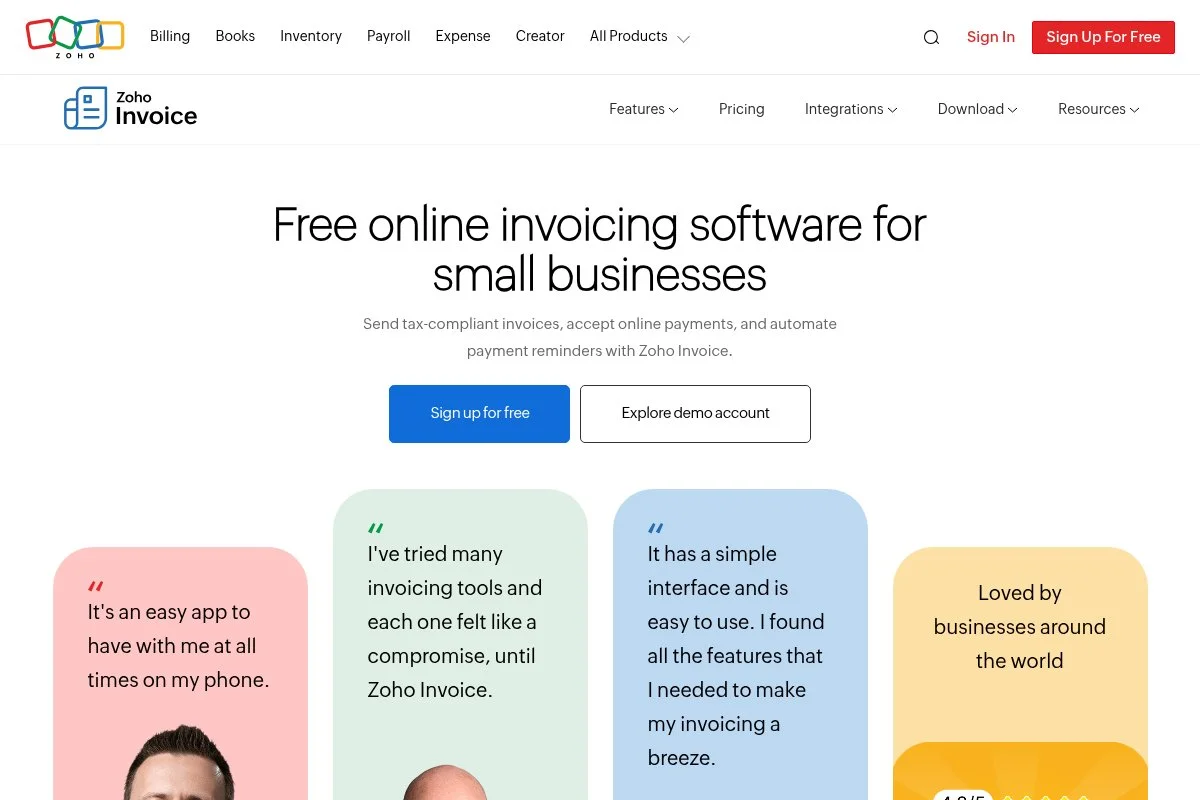
Zoho Invoice is a free invoicing and quoting tool from Zoho, a long-standing software company with a huge suite of business apps. It is stable, polished, and a favorite among solo operators who want professional documents without a bill.
You can create estimates on day one: build items with units, taxes, and discounts, then send for online approval and convert approved estimates to invoices in one click, with the client portal keeping all documents in one place. Recent updates improved automation and document customization — the workflow rules help with automatic reminders and status changes, which saves time when you juggle many small jobs. As you grow, Zoho’s broader ecosystem is there: if you need CRM, time tracking, or inventory, other Zoho apps integrate cleanly, and you can stay free on Invoice while adding paid tools only if needed.
Zoho Invoice is the pick when a client wants a very polished quote with a portal — it feels professional without a steep setup. The little touches stand out too: templates are flexible, and approvals with e-sign feel smooth for homeowners.
How Zoho Invoice works and key features
Zoho Invoice uses a clean web editor with strong template controls. You can customize fields, add terms, and support multiple taxes, the item catalog supports units and prices, and estimates can include optional line items and notes. Automation covers reminders, follow-ups, and status updates, reports summarize sent, accepted, and converted estimates, and integrations with Zoho apps extend time tracking and client management.
There is no coding required, and advanced users can use custom fields and templates to match brand standards. Support includes help docs and community forums, with direct support available. Overall, it is a balanced pick for pros who want free, polished estimates and a client portal.
Who Zoho Invoice is for
Ideal for solo GCs, handymen, and specialty trades that need professional quotes with online approval. Great if you value a client portal and clean PDFs. If you need plan takeoff or assemblies, you will need another tool. Beginner friendly with room to grow.
Zoho Invoice pricing
Zoho Invoice is free. There is no monthly fee for estimates, invoices, or the client portal. You can connect paid payment processors if you want to accept online payments.
- Zoho Invoice: $0/month, unlimited estimates and invoices, client portal, automations
Since the core app is free, the value is excellent. If you expand into other Zoho apps like CRM or Books, those carry separate pricing. You can keep estimates free while only paying for what you add.
Zoho Invoice pros and cons
Pros:
- Truly free with polished templates
- Client portal with online approval
- Automations reduce follow-up work
- Easy path to broader Zoho suite
Cons:
- No built-in takeoff or construction assemblies
- Template depth can be overkill for quick jobs
If you want professional quotes with no bill, this is a great pick. Pair with a takeoff tool if you price from plans.
Zoho Invoice reviews
Zoho Invoice earns high marks on major review sites for value and document quality. Users like the free plan and portal, with some asking for deeper job costing features.
4. Methvin
Methvin is an online estimating and project management tool focused on quantity takeoff, first principles estimating, and BOQ creation. It has been around for years with a loyal user base among cost-conscious contractors.
You can start with a free tier that supports a single user and limited projects. The takeoff viewer lets you pull quantities from PDFs, then push them into estimates, and the interface is utilitarian but effective once you learn the flow. Updates have focused on speed and reliability in the plan viewer and Gantt features, and that stability helps during tight bid windows when you cannot afford crashes or lag. Paid plans add collaboration, larger project limits, and advanced features — for teams building formal BOQs, the upgrades are worth it compared to manual spreadsheets.
We like Methvin for small civil or site work where quantities matter, since the first principles approach helps you price labor and equipment more transparently. Support materials are straightforward, and while the learning curve is real, the free tier lets you practice without pressure.
How Methvin works and key features
Methvin provides a browser-based takeoff tool to measure areas, lengths, and counts on PDFs. Those quantities feed your estimate items with rates for labor, materials, plant, and overhead, and you can organize by cost codes and export BOQs. Templates help with repeat work, the calculator supports composite rates, reporting includes summaries by code and resource, and basic Gantt tools help translate estimates into a rough schedule.
There is no need for coding, but integrations are limited, so plan to export CSV for accounting. Support is delivered through docs and email, with paid tiers getting faster help, and the common verdict is that it does the math you wish a spreadsheet did without babysitting formulas. It is a strong choice if you want takeoff plus estimating in one free-friendly package.
Who Methvin is for
Good fit for civil, landscaping, paving, drywall, and concrete subs who need quantities and BOQs. Works for small GCs building detailed scopes. If you want polished client-facing PDFs, you may prefer a lighter quoting app. Some learning required, but manageable.
Methvin pricing
Methvin offers a free plan with limited capacity, then paid tiers that expand users, projects, and collaboration. Pricing is feature and usage based, not per estimate.
- Free: $0/month, single user, limited projects, PDF takeoff and basic estimating
- Pro/Team: Paid monthly, more users and projects, collaboration, deeper reporting
- Enterprise: Custom, advanced controls and larger limits
For what you get on the free plan, the value is strong. Upgrades are competitive against bigger suites. Annual options usually reduce the monthly rate.
Methvin pros and cons
Pros:
- Free tier includes PDF takeoff and estimating
- Supports cost codes and first principles pricing
- Exports BOQs and summaries
Cons:
- Interface is plain and takes time to learn
- Limited integrations with accounting tools
- Client-facing documents are basic
Pick Methvin if you care more about quantities and math than glossy PDFs. Pair it with a quoting app for client polish.
Methvin reviews
Public review coverage is lighter than mainstream apps. Feedback from trade forums often praises value and takeoff features, with some wishing for a more modern UI.
5. PlanHub
PlanHub is a bid marketplace and planroom that connects GCs and subcontractors. While not a full estimator, its free subcontractor account helps you access drawings, specs, and bid details so you can build your numbers.
Getting started is quick: set up your trade and region, then browse or receive invites, view plans online, download sheets, and track due dates — many subs use PlanHub as their main source of bid leads. Recent improvements include faster plan viewing and better filtering by trade and scope, which saves time hunting for the right projects in a busy week. Paid tiers add integrated takeoff and outreach tools to help you bid more projects, and if you already use a separate takeoff app, the free plan still works well as your pipeline.
We see PlanHub as a feeder for estimates — it gives you drawings and deadlines, and you choose your own takeoff and pricing tools to complete the bid. The project messaging keeps clarifications in one place, which helps avoid scope gaps.
How PlanHub works and key features
PlanHub gives you a planroom where you can open PDFs, search specs, and download sheets. You track opportunities, add notes, and mark bid decisions, and alerts keep due dates top of mind. Templates are minimal since this is more about finding and managing bids — advanced users export plans and use their own takeoff tools, while some paid tiers include built-in takeoff for a single workflow.
Analytics highlight bid volume and status, automations send reminders as deadlines approach, and support includes help docs and email with faster help on paid plans. The common takeaway is that it fills a pipeline so you can stay picky. As a free source for plans and invites, it pairs well with the estimating app you already trust.
Who PlanHub is for
Best for subcontractors who need access to drawings and a steady stream of bid invites. Strong for commercial trades and regional shops. If you want integrated takeoff, consider paid tiers or a separate tool. Beginner friendly.
PlanHub pricing
PlanHub offers a free subcontractor account for access to public projects and invites. Paid tiers expand access, add takeoff, and unlock outreach features.
- Free: $0/month, planroom access, invites, downloads
- Paid Tiers: Monthly, add integrated takeoff and bid tools
As a free lead source, the value is strong. If you rely on it for most of your work, upgrades can save time by keeping takeoff in-platform.
PlanHub pros and cons
Pros:
- Free access to plans and bid invites
- Easy filtering by trade and location
- Keeps deadlines and RFIs organized
Cons:
- Not a full estimator on the free tier
- Quality of projects varies by market
- Some features require paid tiers
Use PlanHub to fill the top of your funnel. Pair it with a takeoff and estimating tool to complete bids.
PlanHub reviews
PlanHub has growing coverage on contractor review sites. Feedback points to strong lead volume and time savings, with some users wanting more built-in estimating on free accounts.
6. Airtable
Airtable is a flexible database app that you can shape into a construction estimating system. It is used by teams worldwide, with templates for projects, assets, and pricing, and the free plan gives you enough to build a practical estimator.
You start with a template or a blank base: set up tables for items, labor, materials, and assemblies, use formulas for markups and taxes, and let interfaces create simple estimate forms and print-ready views. Recent improvements include better interfaces and automations, which helps you build a front-end your crew can use without touching the database guts. Paid tiers increase record limits and add advanced features, so if you grow into multi-user estimating with approvals and dashboards, upgrades are there without moving platforms.
Airtable works for small custom estimators for handyman work and fixture installs, keeping item libraries tidy and reducing spreadsheet errors. Documentation and community examples are plentiful, which speeds learning.
How Airtable works and key features
Airtable blends spreadsheet views with database controls. You define fields for unit cost, labor hours, vendor, and markup, formulas compute totals, overhead, and taxes, and linked tables power assemblies that roll up into estimates. Templates exist for estimating and job tracking and you can customize deeply; power users can add scripts and automations for approvals and PDF generation, and integrations connect to email, forms, and storage.
Reports come from grouped views and dashboards, automations send reminders or status updates, and support includes guides and community with priority support on paid tiers. It is powerful for tinkerers who want control without code-heavy tools.
Who Airtable is for
Great for remodelers, specialty fabricators, and shop teams that want a custom estimator and item library. Works well if you love spreadsheets but need more structure. If you want an out-of-the-box estimator, pick another tool. Some setup skill helps.
Airtable pricing
Airtable has a free plan with record and storage limits. Paid tiers raise those limits and add advanced features like interfaces and automations at larger scale.
- Free: $0/month, limited records, core tables, views, and automations
- Paid tiers: Monthly per-seat, higher limits, advanced interfaces, admin controls
- Enterprise: Custom, security and governance features
For a small estimator, the free tier is enough to get real work done. As your library grows, plan for a paid seat or two to keep performance smooth.
Airtable pros and cons
Pros:
- Flexible database beats fragile spreadsheets
- Free plan is useful for small libraries
- Interfaces can feel like a custom app
Cons:
- Setup takes time and planning
- Not a dedicated takeoff tool
- Record limits can force a paid tier as you grow
If you want control and are willing to build a little, Airtable is excellent. If you want ready-made estimating, pick Joist or Zoho Invoice.
Airtable reviews
Airtable rates highly on major review platforms for flexibility and ease of use. Construction users praise customization, while some wish for native estimating and takeoff features.
7. Vertex42 Templates
Vertex42 offers free Excel and Google Sheets templates, including construction estimate sheets. It is not an app, but it gives you a proven structure if you prefer spreadsheets — many contractors start here and later graduate to apps.
Download a template, customize your company info, and add your items; the worksheets handle quantities, unit costs, taxes, and totals, and you can print or save as PDF for clients. Templates are kept up to date and cover variations like remodeling, job costing, and change orders, making it a low-friction way to formalize your pricing process. If you want more power, pair the template with Google Drive and simple scripts for versioning, or connect to Airtable later without losing your data model.
A Vertex42 sheet is a useful backup when internet is spotty — a local file always opens. The documentation on each template page is clear and helps you avoid formula mistakes.
How Vertex42 Templates work and key features
Each template opens in Excel or Google Sheets with built-in formulas for quantities, unit costs, markups, and taxes. You can customize headers, categories, and line items, and the structure encourages you to capture labor, materials, and adders cleanly. Advanced users can add named ranges, data validation, and simple scripts for automation; reporting comes from summary tabs and print-ready views, and there is no integration layer, so you export PDFs and share by email.
Help pages explain how formulas work and where to edit safely, and since it is a spreadsheet, support is DIY but the guidance is solid. This path suits spreadsheet lovers who want structure without learning a new app.
Who Vertex42 Templates are for
Best for solo contractors, estimators who love spreadsheets, and teams with spotty internet. Great for straightforward scopes and quick BOQs. If you need collaboration, audit trails, or takeoff, a dedicated app is better. Basic spreadsheet skills are required.
Vertex42 Templates pricing
Vertex42 offers many templates for free, with optional premium versions for advanced needs. You pay nothing to start with the standard construction estimate sheets.
- Free Templates: $0, construction estimate, job costing, change order sheets
- Premium Templates: One-time purchase, more features and variations
Compared to paid estimating apps, this path is cost-free and flexible. The tradeoff is manual control and less automation. You can always upgrade later.
Vertex42 Templates pros and cons
Pros:
- Free and fast to start
- Familiar spreadsheet workflow
- Good documentation to avoid formula errors
Cons:
- No native takeoff or client portal
- Limited collaboration and version control
- Easier to break if you change formulas carelessly
Choose this if you want zero cost and maximum control. Move to Airtable or an app later if you need automation and teamwork.
Vertex42 Templates reviews
There are no formal software review profiles, but contractors widely recommend Vertex42 templates in forums for reliability and clarity. Feedback centers on time saved and fewer math mistakes.
What is the best construction estimating software right now?
The short version: Joist for fast, client-ready estimates, Zoho Invoice for polished quotes with a client portal, and Methvin for quantity takeoff plus estimating — with Airtable a smart fourth option if you want a free foundation with room to customize.
Joist is our top pick. From a value angle, Joist’s free core features cover most small-job needs and paid upgrades are optional, not required to send professional estimates; alternatives with similar speed often charge right away or lock exports, which adds cost before you close work.
Zoho Invoice is a close second — 100 percent free and very professional to clients. If you want a portal with approvals and tight document control, Zoho has an edge, and it sets you up to add other Zoho apps later without rebuilding your stack. Its unique strength is polish: documents look consistent, automations are smooth, the portal reduces back-and-forth, and for homeowner-facing remodels Zoho may be the better first pick.
Methvin takes third for free-friendly takeoff plus estimating — if your work starts with quantities from plans, that combination matters, and you can always export client-facing PDFs into a nicer template if needed. Wave pairs well when you want estimates tied to simple books, and Airtable when you want a custom library with assemblies; different tools for different days is normal in construction. Choosing between Joist and Zoho Invoice is a real toss-up: Joist wins on mobile speed, while Zoho may be the better fit if your clients want a portal.
Frequently Asked Questions
Q: What is the best truly free construction estimating software?
For fast quotes, Joist is the pick. For polished documents with a client portal, Zoho Invoice is great. If you need takeoff, start with Methvin’s free tier.
Q: Can I do plan takeoff for free?
Basic takeoff is possible with Methvin’s free plan. Otherwise, download plans from PlanHub and measure in a low-cost viewer or with manual counts, then price in your estimator.
Q: How do I build assemblies and cost libraries without paying?
Use Airtable or a Vertex42 template. Set up linked tables or tabs for labor, materials, and markups. Save common scopes and reuse them across jobs.
Q: When should I upgrade to a paid estimating tool?
Upgrade when you feel friction. Signs include messy change orders, missed adders, or hours lost copying data. If a paid tier saves more time than it costs, it is worth it.