
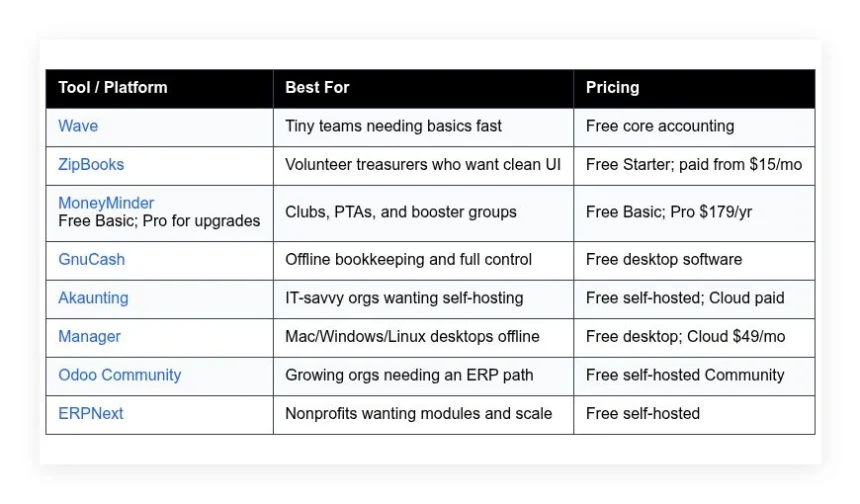
Small nonprofits need books that a volunteer treasurer can keep clean and a board can trust, ideally without spending program money on software. This guide compares eight options — Wave, ZipBooks, MoneyMinder, GnuCash, Akaunting, Manager, Odoo Community, and ERPNext — covering what each does well, who it suits, what the free plan includes, and where it falls short.
How we put this list together: we went through each tool’s official website, pricing page, and documentation, and checked what the free plan actually includes and where the paid tiers begin. Prices and plan limits change often, so confirm the details on the vendor’s site before you commit.
My take
The research made it clear that true nonprofit fund accounting is rarely free. Restricted funds, grant tracking, and program-level reporting are usually what paid nonprofit platforms charge for. The free options either simulate funds with categories, like Wave and ZipBooks, or require real technical setup, like ERPNext and Odoo.
My opinion is that most small nonprofits should be honest about which camp they are in. If you are volunteer-run with a few restricted gifts, Wave with a well-documented category structure is enough. If you manage several grants with reporting requirements, the time spent setting up ERPNext properly will pay off at audit time.
The thing I would not compromise on is the handoff. Volunteer treasurers change often, and a setup that only one person understands is a real risk. Whatever tool you choose, write down how funds are tracked. And keep donor management in a separate system rather than forcing your accounting tool to do both jobs.
Comparison of 8 best free nonprofit accounting software in 2026 with pricing and recommended use cases
Below is a closer look at each tool, followed by our overall recommendations.
What is a nonprofit accounting software?
Nonprofit accounting software is a bookkeeping and reporting tool built to track donations, grants, program expenses, and restricted funds. Its purpose is simple: keep accurate books and produce clear, compliant reports.
For nonprofits, that means separating funds by purpose, proving donor intent, and showing boards where every dollar went. A spreadsheet can total expenses, but a good accounting tool can tag the same expense to a program and a restricted grant. That saves hours each month and reduces audit stress.
The core job is to let staff and volunteers record income and expenses, categorize by funds or classes, import bank data, and generate statements that tie to your bank. Many groups pair accounting with donor management or CRM tools for acknowledgments, along with budgeting spreadsheets, receipt capture apps, and payment processors. Not every tool handles fund accounting equally well, so picking the right fit matters.
How to choose the best nonprofit accounting software
There are a lot of choices, and they can feel similar at first glance. It is normal to feel overwhelmed, especially if you are a volunteer treasurer juggling real work. We wrote this to help you match your stage and skills. If you know your reporting needs and growth plans, the right tool becomes obvious.
A few questions worth asking before you commit:
- How generous is the free tier, and what are the limits?
- Can a volunteer quickly enter expenses, tag funds, and reconcile?
- Will it scale if you add programs, grants, or staff next year?
- What happens to pricing as transactions, users, or features grow?
- Does it support fund or class tracking for restricted money?
- Are reports and dashboards clear enough for your board?
- How hard is it to export everything if you switch later?
- Is there a track record of reliability and regular updates?
- Can it integrate with your donation platform or CRM without hacks?
Our ranked list below calls these out so you do not have to guess.
8 best nonprofit accounting software in 2026
Here are our top picks for the best nonprofit accounting software:
- Wave
- ZipBooks
- MoneyMinder
- GnuCash
- Akaunting
- Manager
- Odoo Community
- ERPNext
1. Wave
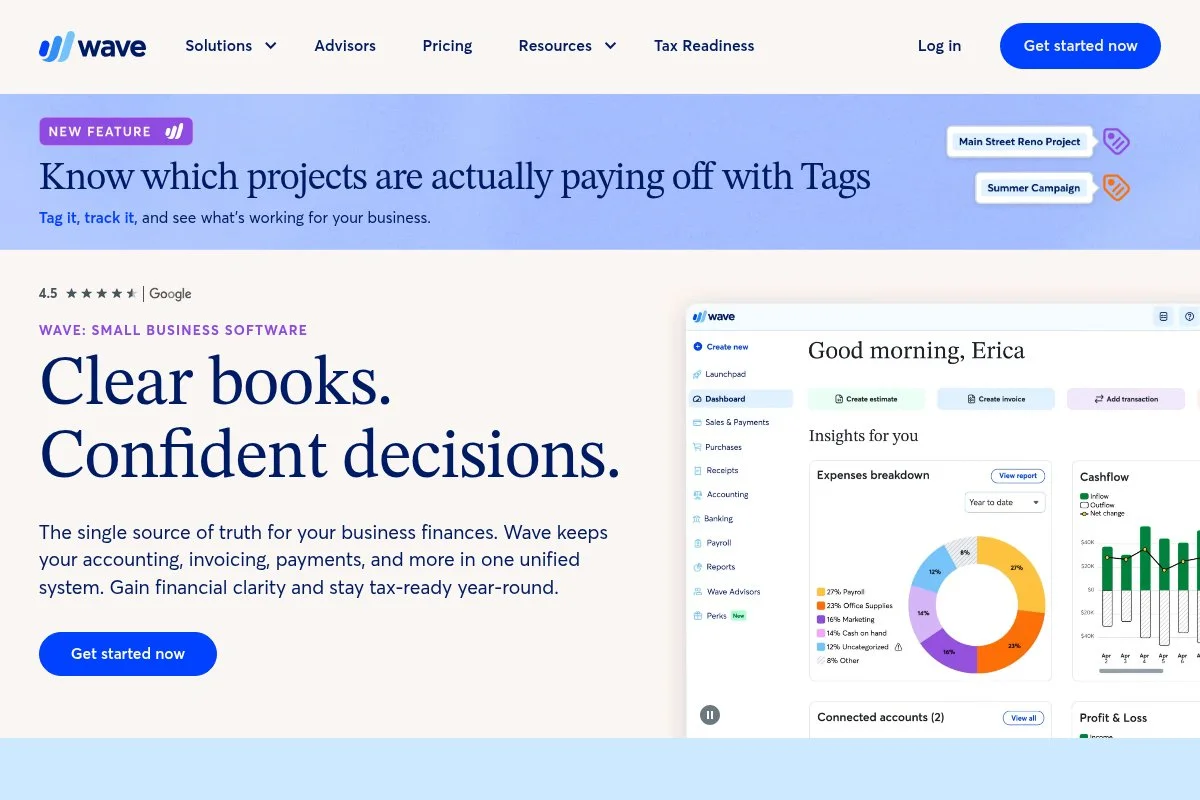
Wave is a free, cloud-based accounting platform designed for small organizations and freelancers. The company has served millions of small businesses and is owned by H&R Block, which gives it staying power and a strong support footprint.
Getting started costs nothing. You can create a chart of accounts, connect a bank feed, and import transactions without training. Daily work centers on the Transactions screen, simple categorization, and quick invoice or receipt entries. Recent updates have focused on reliability, faster bank connections, and payroll in supported regions. While payroll is not free, the core ledger, invoicing, and receipts remain free, which is rare in 2026.
The speed from zero to reconciled books is hard to beat, and for volunteer-run groups that matters more than fancy features. The reports are clean too — profit and loss by category and balance sheet are easy to share with a board, and with careful use of categories you can simulate fund tracking.
How Wave works and key features
Wave’s interface is straightforward. The transaction list is the hub, with simple edit panels and a tidy chart of accounts. There are no confusing submenus, which keeps volunteers productive. Templates include invoices and customer statements, and more advanced users can set income and expense categories and map bank rules to speed up coding.
Reporting includes profit and loss, balance sheet, cash flow, aging, and tax reports. You can tag transactions with notes to mimic classes or funds. Automation shows up in bank rules and recurring invoices. Support includes help docs and a community forum, with paid support options tied to add-ons. Overall, it is beginner-friendly, yet flexible enough for small nonprofits that want tidy books without cost.
Who Wave is for
Best for small nonprofits, PTAs, church ministries, booster clubs, volunteer committees, and new 501(c)(3)s. It shines for basic bookkeeping, simple events, and light invoicing. If you need strict fund accounting or grant budget rollups, you may outgrow it. No advanced tech skills needed.
Wave pricing
Wave’s core accounting is free. You only pay for optional services like payroll, payments, and bookkeeping help. There is no time-limited trial for the ledger.
- Accounting: $0/month, unlimited transactions, includes invoicing and basic reports
- Payments: pay-per-transaction, accepts cards and bank payments in supported regions
- Payroll: monthly fee varies by state and features
Compared to competitors, this is generous. Most rivals lock reports or bank feeds behind paid plans. If you need payroll, compare total costs with ZipBooks or a dedicated payroll provider.
Pros and cons of Wave
- Pros: Free core accounting, easy setup, clean reports, solid bank feeds
- Pros: Good enough to simulate funds using categories and notes
- Pros: No user limits on the free ledger
- Cons: No native fund accounting or grant budgets
- Cons: Payments and payroll not available in every country
- Cons: Advanced audit trails are limited compared to paid suites
If you want free, fast, and simple, Wave is hard to beat. If you need strict fund accounting, look lower in the list for self-hosted options.
Wave reviews
G2 and Capterra list Wave with a 4+ star average. Public ratings change often, but user feedback consistently praises ease of use for small teams.
2. ZipBooks
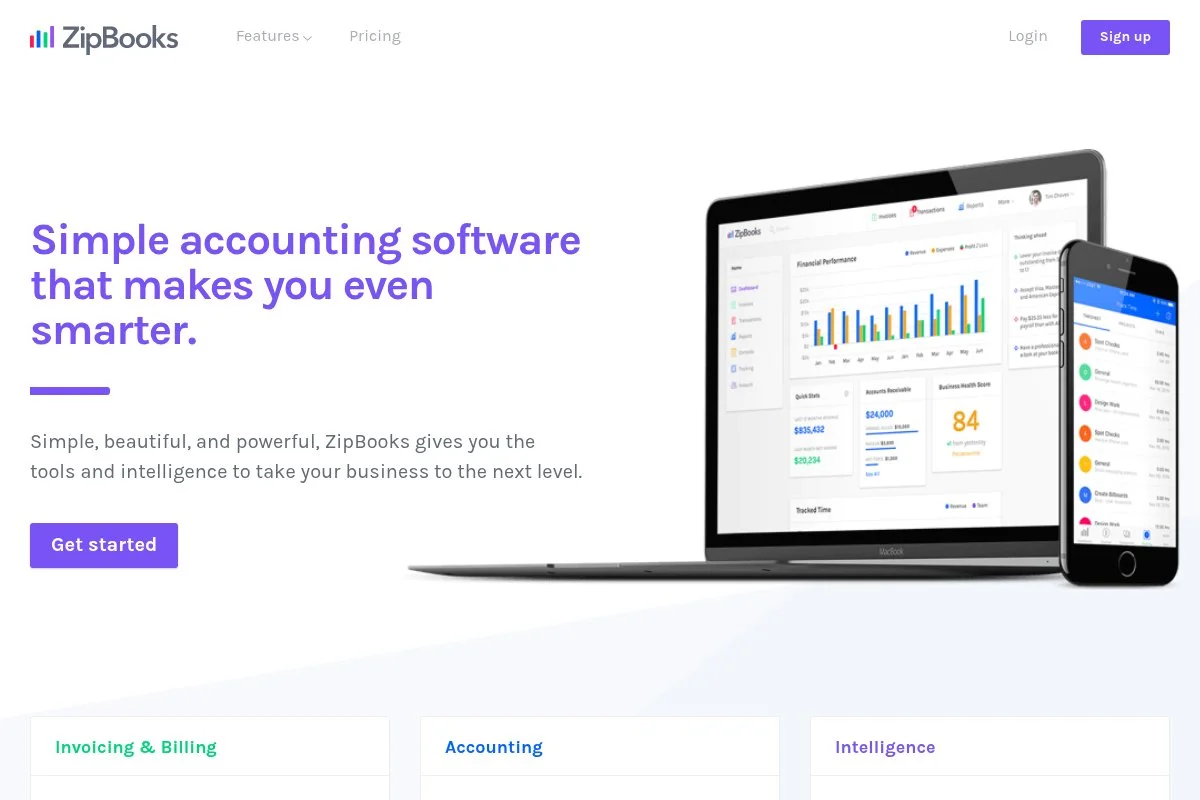
ZipBooks is a cloud accounting app aimed at small teams that want a friendly interface. It has been active for years and is known for its free Starter plan and straightforward design, which makes handoffs to volunteers easy.
The free tier includes basic invoicing, vendor tracking, and expense categorization. You can link a bank account and start reconciling in minutes. The dashboard shows income, expenses, and receivables at a glance. On paid plans, features expand to smarter reporting, time tracking, and more advanced automation. While not nonprofit-specific, you can adapt tags and categories for funds and grants.
We recommend ZipBooks to groups that want an approachable UI with fewer distractions. It is close to Wave in spirit, but some will prefer ZipBooks’ layout for volunteer workflows. The support documentation is clear and practical, and the accountant directory can help a board find outside help for year-end.
How ZipBooks works and key features
ZipBooks uses a clean, minimal interface with a tidy left nav. The transaction screen and reconciliation flow are simple for non-accountants. Templates cover invoices and estimates with light customization. Advanced users can set up account categories, saved vendors, and bank rules.
Reporting covers income statements, balance sheets, and basic tax summaries. Tags and notes help simulate program or fund tracking. Automation includes recurring invoices and simple reminders, with time tracking and projects on paid plans. Support is delivered through docs and email, with responsive feedback for common issues. It is easy for beginners but has enough structure for a steady monthly close.
Who ZipBooks is for
Great for small charities, arts groups, after-school programs, and chapters with rotating treasurers. It shines if you value a tidy dashboard and quick reconciliation. If you need deep fund accounting or complex grant schedules, consider ERPNext or Odoo Community. Beginner friendly.
ZipBooks pricing
ZipBooks offers a free Starter plan and then paid tiers that add features. Pricing is feature-based rather than per-transaction.
- Starter: $0/month, basic invoicing and expense tracking, simple reports
- Smarter: $15/month, adds time tracking and more advanced reports
- Sophisticated: $35/month, adds smart tagging, saved documents, and advanced automation
- Accountant: custom, multi-client management
Value is solid if you stay on Starter. The jump to paid is reasonable compared to big suites. Annual billing can reduce monthly costs on higher tiers.
Pros and cons of ZipBooks
- Pros: Free Starter plan, clean UI, fast reconciliation
- Pros: Easy for volunteer treasurers to learn
- Pros: Paid tiers priced fairly for small orgs
- Cons: No native fund accounting tools
- Cons: Fewer integrations than large competitors
- Cons: Reporting depth may require a paid tier
ZipBooks is a strong pick if you want simplicity with a smooth upgrade path. Heavy grant tracking needs a different tool.
ZipBooks reviews
On popular review sites, ZipBooks holds a 4+ star average and is praised for ease of use. Counts and scores shift, but feedback is steady on the free plan’s value.
3. MoneyMinder
MoneyMinder focuses on clubs, PTAs, and booster organizations with volunteer treasurers. The company has served community groups for years and speaks directly to common chapter needs like budgets, dues, and activity reports.
The Basic version is free and handles essentials. Setup is guided with nonprofit-friendly categories, and the prebuilt budget and activity templates mirror what boards ask for. Upgrading to Pro unlocks bank imports, integrated receipt storage, and stronger reporting. While not a full fund accounting suite, MoneyMinder maps closely to how clubs actually work.
We recommend it for chapters and small booster groups that pass the books every year. The free tier gives structure, and Pro is priced yearly to match volunteer budgets. Support stands out — the team answers the exact questions a new treasurer has during handoff season, which saves real time.
How MoneyMinder works and key features
MoneyMinder uses a guided web interface with tabs for income, expenses, budgets, and activities. Templates reflect common nonprofit categories and events like fundraisers. Customization covers categories, payees, and budgets, and bank imports and reconciliations are part of Pro.
Reports include budget versus actual, activity summaries, and year-end statements that boards recognize. Automation is light but useful, with recurring items and saved payees. Additional tools include volunteer resources, checklists, and sample policies. Support is responsive by email with practical help docs. Overall it is beginner-friendly, built around common club workflows more than generic small business needs.
Who MoneyMinder is for
Ideal for PTAs, PTOs, booster clubs, youth sports leagues, and neighborhood associations. Great for budget-to-actual reporting and activity tracking. If you need strict fund accounting or integration-heavy workflows, choose an ERP-style tool. Minimal technical skill required.
MoneyMinder pricing
MoneyMinder uses a simple model: a free Basic version for essentials and a Pro plan with an annual fee. Pricing is not tied to transaction counts.
- Basic: $0/year, manual transactions, basic budgets and reports
- Pro: $179/year, bank imports, receipt storage, stronger reporting
Compared with generic accounting apps, this is a good value for clubs that prefer a yearly fee and prebuilt reports. It keeps volunteers from paying monthly out of pocket.
Pros and cons of MoneyMinder
- Pros: Free Basic fits many clubs, nonprofit-first templates
- Pros: Yearly pricing that matches volunteer budgets
- Pros: Strong resources for new treasurers
- Cons: Limited fund accounting depth
- Cons: Fewer integrations than general accounting tools
- Cons: Advanced reporting requires Pro
If you are a PTA or booster club, MoneyMinder is hard to beat for fit. Larger charities will want more depth.
MoneyMinder reviews
Mainstream review sites have lighter coverage, but community groups frequently recommend MoneyMinder for treasurer handoffs. Feedback highlights clear reports and responsive support.
4. GnuCash
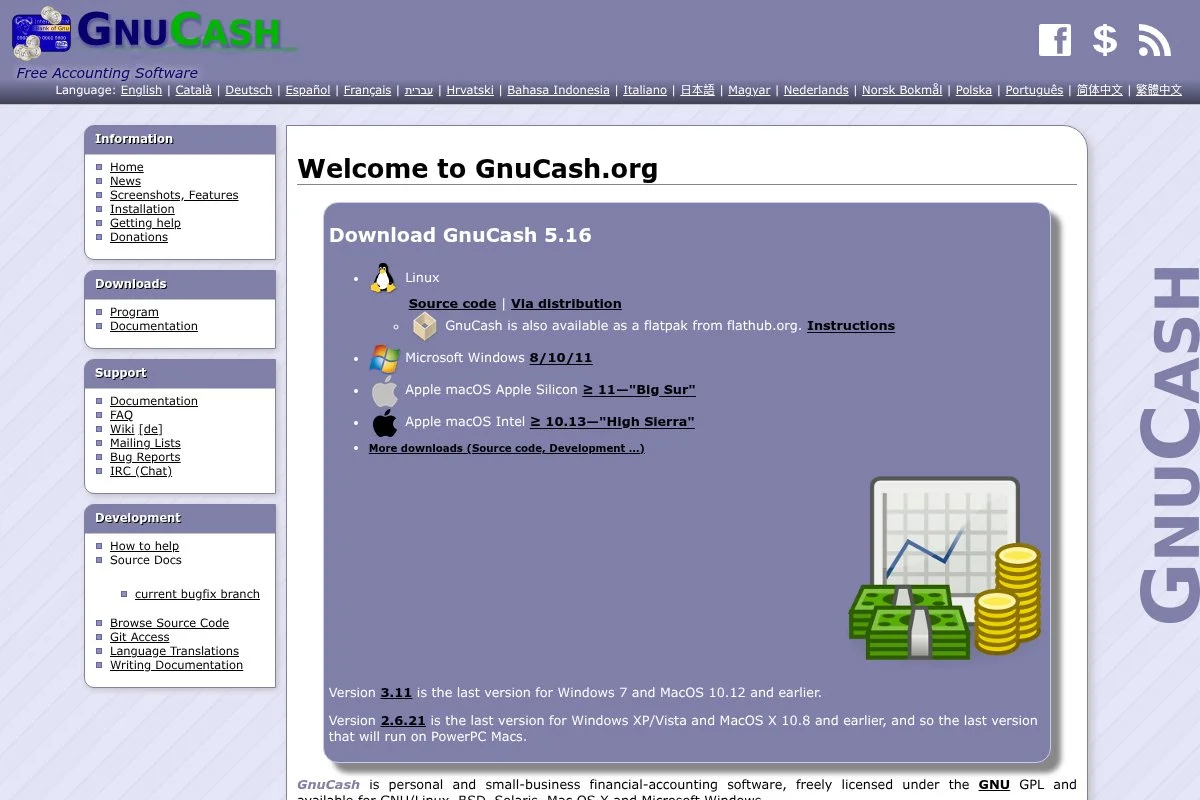
GnuCash is a free, open-source desktop accounting program with double-entry bookkeeping. It has been maintained by a global community for decades, which makes it a stable choice for organizations that prefer offline control.
Setup takes patience, but you gain full control of your chart of accounts and reporting. Classes and accounts can mimic funds, which works well once the rules are documented. Advanced users can design custom reports and split transactions with precision, import QIF/OFX files from banks, and run full double-entry audits for year-end.
GnuCash suits organizations that prefer offline books. It is not flashy, but it is dependable and free. The open-source community provides documentation and forums, and you will find help for edge cases that commercial help desks may not cover.
How GnuCash works and key features
GnuCash uses a traditional desktop interface with register-style transaction entry. There is no drag-and-drop — the power comes from precise splits, accounts, and scheduled transactions. You build templates through your chart of accounts and saved transactions, and imports support common bank formats, though mapping takes care.
Reporting covers income statements, balance sheets, cash flow, and custom queries. Automation appears as scheduled transactions and memorized splits. There are no built-in integrations. Support is community-driven with manuals and forums. For groups that value data control, the experience is powerful once set up, though beginners will want documentation and a simple workflow guide.
Who GnuCash is for
Best for small nonprofits that want offline control, foundations that avoid cloud apps, and international groups with limited internet. Strong for double-entry purists and audit trails. Not ideal for teams that need multi-user cloud access. Moderate accounting skill helps.
GnuCash pricing
GnuCash is free, open-source software. There are no paid tiers or user limits. Your costs are time and any local IT help you want.
- Desktop: $0, full double-entry, unlimited transactions
Compared to paid suites, this is unmatched value for offline needs. You trade hosted convenience for total control. Backups are your responsibility.
Pros and cons of GnuCash
- Pros: Free forever, full double-entry, offline control
- Pros: Highly customizable chart of accounts and reports
- Cons: No built-in cloud or multi-user support
- Cons: Setup and imports require patience
- Cons: No native donor or payment integrations
Choose GnuCash if control and cost trump convenience. Skip it if you need cloud collaboration without IT help.
GnuCash reviews
Open-source tools like GnuCash see fewer mainstream ratings, but community forums show steady praise for reliability and cost savings.
5. Akaunting
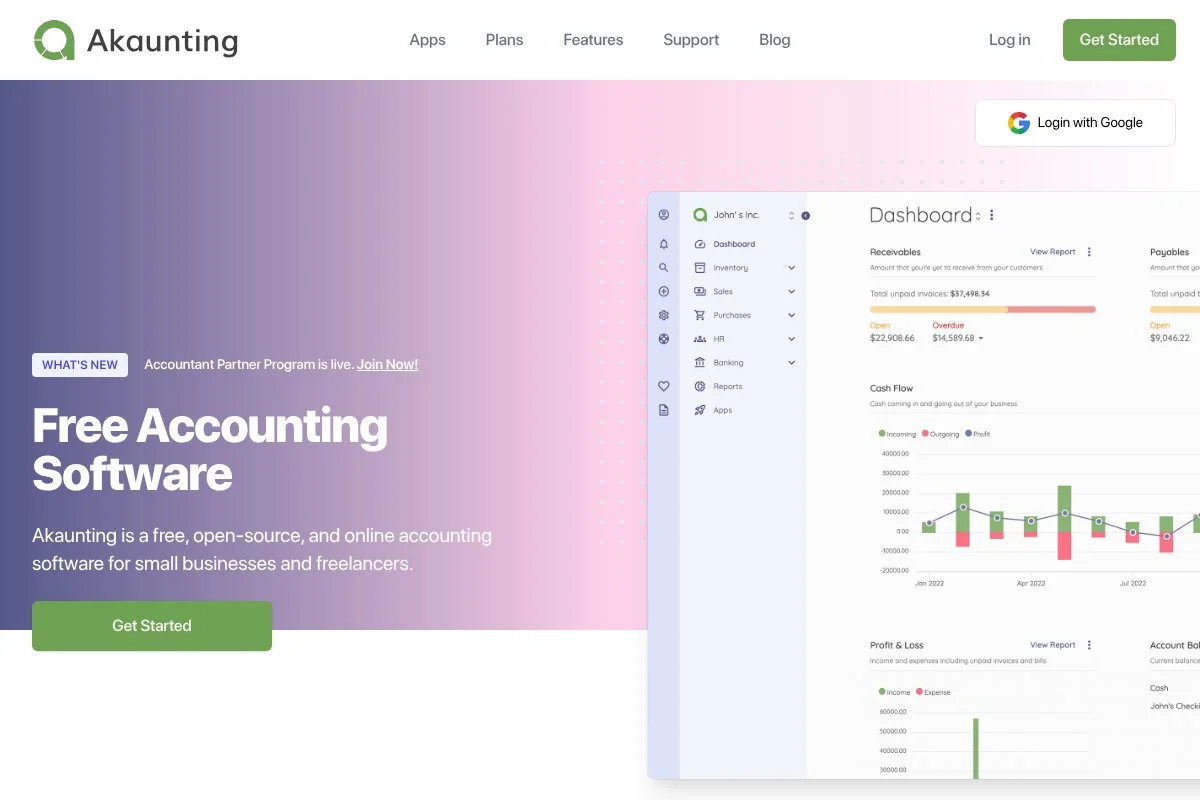
Akaunting is an open-source accounting platform that you can self-host or use in the cloud. It has an active developer ecosystem and an app marketplace for add-ons, which gives it flexibility for different nonprofit needs.
You can start free by installing the self-hosted version. The interface feels modern with a web dashboard, bank feeds via apps, and basic invoicing. Setup is smoother if you have light IT support. Recent releases improved performance and introduced more extensions, and on paid cloud or with select apps you can expand automation, receipts, and integrations. It is not a fund accounting specialist, but tags and categories can stand in for funds.
We like Akaunting for orgs that want web-based accounting without vendor lock-in. You can start on a free server and move to managed hosting later. Documentation is solid, and the community forum is helpful for installation and plugin questions.
How Akaunting works and key features
Akaunting’s interface is a standard web app with a left nav and clean tables. It offers invoices, bills, categories, and simple bank reconciliation. You can customize taxes, currencies, and accounts. Templates cover invoices and basic documents, and advanced users can add apps for bank feeds, payment gateways, and reporting. There is API access for integrations if you self-host.
Reports include P&L, balance sheet, and aging. Automation expands through marketplace add-ons. Extra tools come from extensions for inventory, projects, or multi-company setups. Support includes docs, community forums, and paid cloud support. Overall, it balances beginner access with room to grow if you have some technical help.
Who Akaunting is for
Good for nonprofits with light IT skills, global teams that want self-hosted web access, and orgs wary of vendor lock-in. Works for general bookkeeping and simple fund tagging. If you need strict fund rules or deep grant reporting, consider ERPNext. Basic technical skill helps.
Akaunting pricing
Akaunting offers a free self-hosted edition and a paid cloud service. Pricing depends on hosting and any marketplace apps you add.
- Self-hosted: $0, core accounting features, community support
- Cloud: paid plans vary by features and support
- Marketplace apps: free and paid options
For cost control, self-hosting is the lowest price. If you prefer managed updates and support, cloud is easier. Budget for any paid apps you may need.
Pros and cons of Akaunting
- Pros: Free self-hosted option, modern web UI
- Pros: App marketplace for add-on features
- Cons: Fund accounting requires workarounds
- Cons: Quality of third-party apps varies
- Cons: Self-hosting requires IT help for backups and updates
Choose Akaunting if you want web access plus control. If you need strict nonprofit features out of the box, look to ERPNext.
Akaunting reviews
Public ratings on major sites show a 4-star neighborhood with praise for flexibility. Exact scores change, but users like the self-hosted choice.
6. Manager
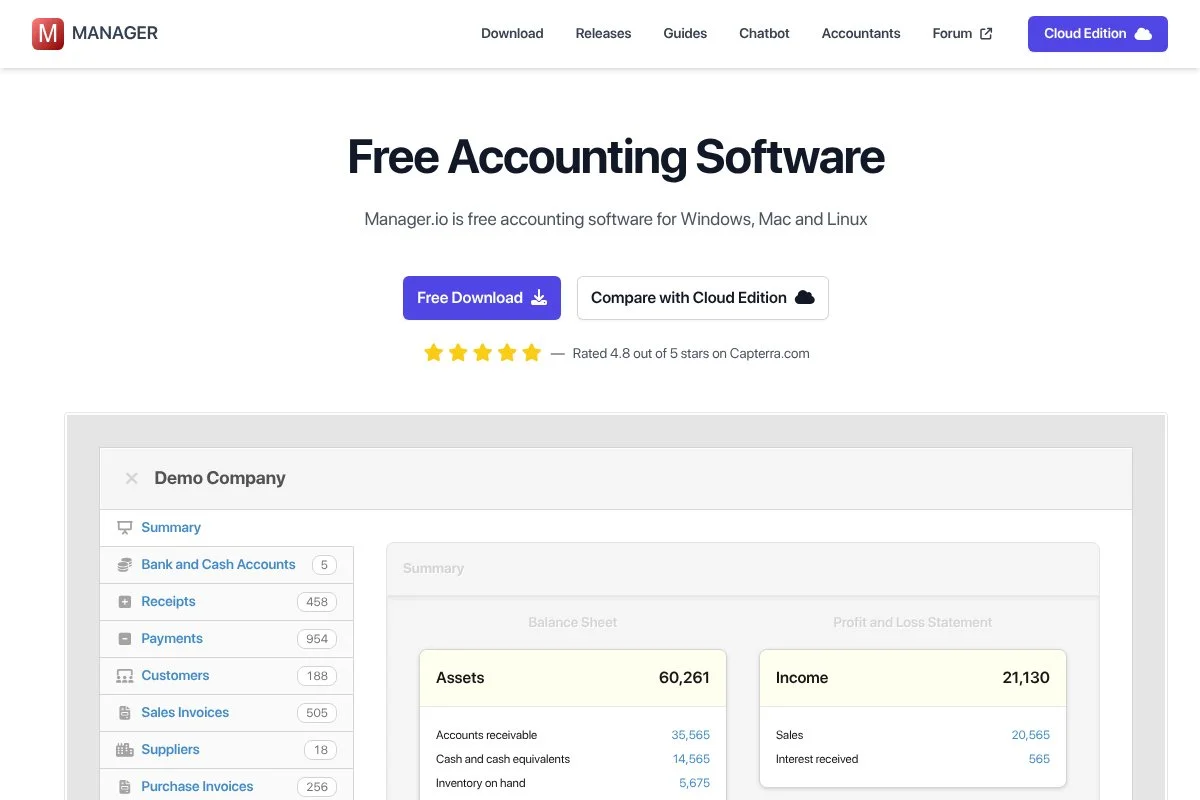
Manager is a desktop accounting app for Windows, Mac, and Linux with a clean, modular design. It has a long track record and offers free desktop use, plus optional cloud and server editions.
The free desktop version sets up quickly. Modules like receipts, payments, and bank accounts are easy to toggle on, and the interface is consistent, which helps volunteers learn fast. Recent versions improved performance and reporting clarity. The cloud edition adds multi-user access and hosting, which is useful for distributed boards, and advanced features include custom fields, multi-currency, and audit trails. While not nonprofit-specific, you can configure tracking codes for funds or programs.
We like Manager for groups that want desktop speed with a path to cloud if they grow. The free tier is capable for most small orgs, and docs plus a user forum provide practical help for self-setup.
How Manager works and key features
Manager uses a tidy desktop UI with modules you enable as needed. The primary experience is entering receipts and payments, reconciling accounts, and running P&L and balance sheet reports. Customization options include custom fields, tracking codes, and tailored reports. Imports support bank statements. There is no template-heavy system, but forms are clear and printable.
Analytics are basic, focusing on core financials. Automation is light, with recurring transactions. Additional tools show up as modules like fixed assets and inventory. Support comes via docs and community, with email for paid editions. It is straightforward for day-to-day bookkeeping once configured.
Who Manager is for
Best for small charities, clubs, and chapters that want a stable desktop app. Good for volunteers who prefer local files and occasional cloud sync via the paid edition. If you need integrations or deep analytics, it is not the right fit. Beginner friendly after setup.
Manager pricing
Manager offers a free desktop edition and optional paid cloud or server options. Pricing is based on hosting and users rather than transactions.
- Desktop: $0, full features for a single machine, local files
- Cloud: $49/month, hosted, multi-user access
- Server: one-time license, self-hosted multi-user
The free desktop is strong value. Cloud makes sense for boards that need shared access without DIY hosting. Weigh cloud costs against moving to a web-based free tool.
Pros and cons of Manager
- Pros: Free desktop with rich modules
- Pros: Clean interface, quick local performance
- Pros: Upgrade path to cloud or server
- Cons: Limited integrations
- Cons: Collaboration requires the paid cloud or server
- Cons: Reporting is functional but basic
Choose Manager if you want desktop control now and optional cloud later. Teams wanting built-in web access should consider Akaunting.
Manager reviews
Manager sees limited coverage on big review sites, but the free desktop edition is a strong value.
7. Odoo Community
Odoo Community is the free, open-source edition of Odoo’s business suite. It includes accounting and can expand into inventory, CRM, projects, and more. The global community and partner network make it a serious long-term option.
Self-hosting is free, but setup takes technical skill. Once running, the web interface is polished with modules for journals, bank reconciliation, and reporting. It feels like a real ERP, which is the point. Odoo ships frequent updates, and even the Community edition benefits from ongoing improvements and partner-built modules. Advanced features include multi-company, multi-currency, and tight links between accounting and other modules; tracking categories can be adapted for funds and programs.
We recommend Odoo Community to orgs with IT help that may grow into logistics, events, or CRM. You start free and only add paid hosting or partner help if needed. Documentation is extensive, and many partners publish nonprofit templates and how-tos.
How Odoo Community works and key features
Odoo uses a modern web interface with modular apps. The Accounting app covers journals, bank sync via modules, reconciliation, and reports. Templates exist for invoices and statements. Customization is deep: chart of accounts, taxes, tracking categories, and workflows. Advanced users can leverage the API and studio-like tools in some builds.
Reporting spans P&L, balance sheet, cash flow, and analytical tags. Automation comes through scheduled actions and integrated flows with other apps like CRM or Projects. Support is community-driven unless you hire a partner. Overall, it is powerful for teams that can handle initial setup; beginners will want a partner or patient admin.
Who Odoo Community is for
Best for mid-sized nonprofits, international NGOs, and orgs with in-house IT. Great when you need accounting plus CRM, events, or inventory. If you lack technical help, setup can be tough. Not ideal for a solo volunteer treasurer.
Odoo Community pricing
Community edition is free when self-hosted. Costs show up with hosting, maintenance, and any partner services. The paid Odoo Online edition is separate and subscription-based.
- Community (self-hosted): $0, accounting and core apps, community support
- Hosting/partners: paid, varies by provider and scope
Value is strong if you want an ERP path without license fees. Budget time or consulting for setup and training. This is a long-term platform decision.
Pros and cons of Odoo Community
- Pros: Free ERP-grade platform, modular growth
- Pros: Deep customization and integrations
- Cons: Technical setup, ongoing admin needed
- Cons: Some features only in paid Enterprise
- Cons: Overkill for very small orgs
Pick Odoo Community if you plan to grow into more than accounting. If you just need simple books, Wave is easier.
Odoo Community reviews
Odoo overall holds strong 4+ star averages on major sites for its breadth. Community-specific ratings vary, but users praise flexibility once configured.
8. ERPNext
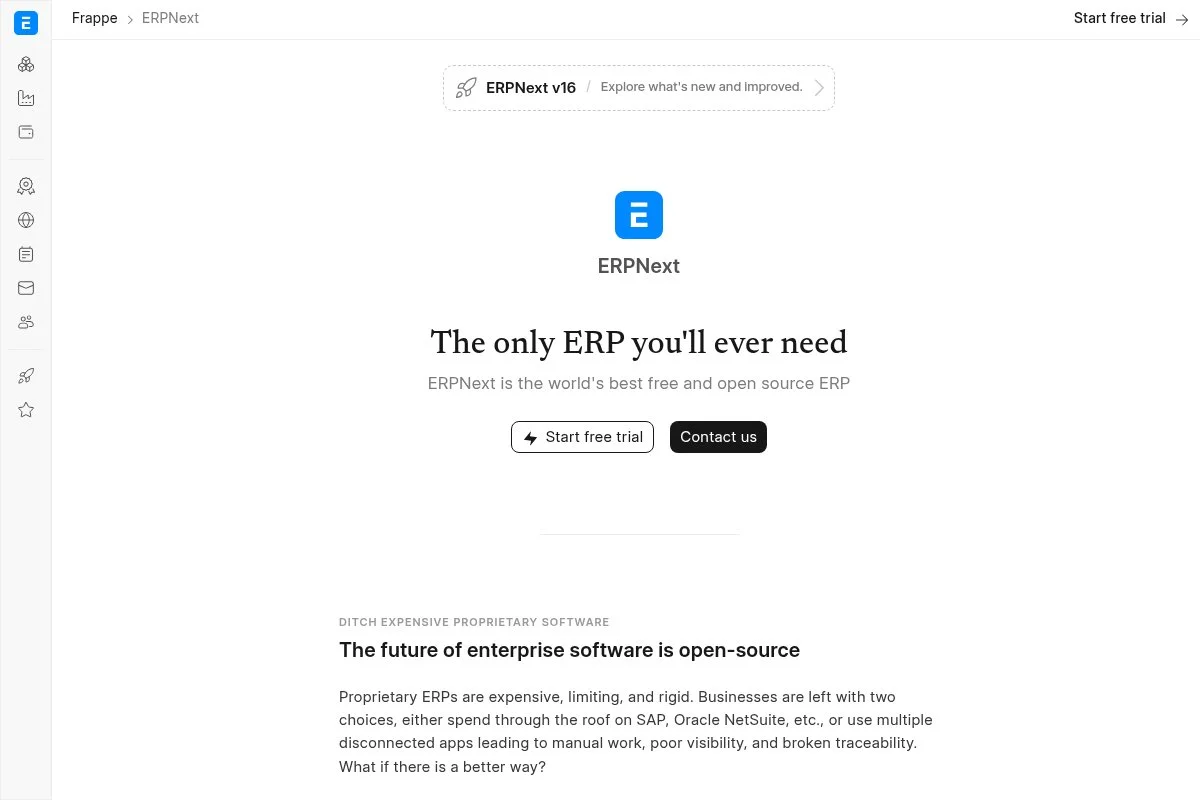
ERPNext is an open-source ERP with strong accounting and a dedicated Nonprofit module. It is built by Frappe and a global community, and has powered thousands of organizations that want control without license fees.
Self-hosting is free. Setup takes planning, but once live, you get a full web suite with GL, cost centers, and donor or member tracking. We appreciate the Nonprofit app that gives structure to programs and donations. Recent releases improved performance, UI polish, and desk customizations, and advanced features include cost centers, dimensions, approval workflows, and deep reporting. Compared with general tools, ERPNext gets you closer to fund-style reporting out of the box.
We suggest ERPNext for nonprofits that want real internal controls and budget accountability. It takes effort, but the payoff is structure and scale. Docs are thorough, community forums are active, and many partners have nonprofit experience you can tap if you prefer help.
How ERPNext works and key features
ERPNext uses a modern web desk with modules. Accounting handles journals, bank reconciliation, and dimensions that act like funds or programs. Templates exist for invoices, payment entries, and donation receipts. Customization is deep with custom fields, print formats, and server scripts. Integrations run through REST APIs and community apps.
Reporting covers financials, budget variance, and dimensional analysis. Automation includes workflows, scheduled jobs, and document approvals. Extra tools include CRM, projects, HR, and the Nonprofit module for memberships and donations. Support is through docs, forums, and paid partners or hosting. It is powerful for admins and finance leads, and beginners can use it with a guided setup and a few training sessions.
Who ERPNext is for
Best for nonprofits that need fund-like dimensions, grant budgets, and controls. Good for NGOs, multi-program charities, and education foundations. If you have no IT help and need plug-and-play, choose Wave or MoneyMinder. Some admin skill required.
ERPNext pricing
ERPNext itself is free to self-host. Costs appear with cloud hosting, support plans, or partner implementation. Pricing varies by provider and scope.
- Self-hosted: $0, full ERP features, community support
- Managed hosting: paid, varies by users and resources
- Partner services: paid, for implementation and training
Value is strong for orgs that would otherwise pay for fund accounting suites. Budget for setup and training to realize the benefits.
Pros and cons of ERPNext
- Pros: Free self-hosted ERP, nonprofit module
- Pros: Dimensions mimic fund accounting well
- Pros: Scales across departments and programs
- Cons: Setup and admin skill required
- Cons: Overkill for very small groups
- Cons: Interface depth can be overwhelming at first
Pick ERPNext if you want real structure and controls without licenses. If you only need basic books, keep it simple with Wave or ZipBooks.
ERPNext reviews
ERPNext earns positive feedback across community channels and tech review sites with 4+ star averages. Users highlight flexibility and the value of open source.
What is the best nonprofit accounting software right now?
If you want the short version: Wave for most small nonprofits, ERPNext when you need fund-style controls and room to grow, and MoneyMinder for PTAs and booster clubs with rotating treasurers.
Wave is our top pick. The killer factor is the combination of zero cost and genuinely usable reports. It scales nicely for small orgs because the ledger stays free, where alternatives often charge right when you want to run your first proper reports. If you later add payroll or payments you pay, but you decide when — and that control matters in lean years.
ERPNext is our second choice. If your board wants real fund-like tracking, approvals, and grant budgets, ERPNext delivers structure that general tools cannot. Recent polish and the nonprofit module make it compelling for NGOs with IT help or a partner, and its unique strength is dimensions and workflows across the whole org — accounting, projects, CRM, and HR in one place. For a multi-program nonprofit with restricted grants, ERPNext may be the better first choice.
MoneyMinder is our third pick. For PTAs, PTOs, and booster clubs, it maps to real workflows and offers a free Basic plan. The yearly Pro price matches how chapters budget, and the reports match what principals and boards expect.
One last thing worth saying: you do not have to pick just one. Accounting can live in Wave while donor management lives in a separate CRM — that split keeps books simple and acknowledgments organized. The real decision is usually Wave versus ERPNext, and it comes down to capacity. Wave makes the most sense when volunteer time is tight and needs are basic. ERPNext is the better fit when accountability, approvals, and program budgets are mission-critical.
Frequently Asked Questions
Q: What makes accounting software “nonprofit-friendly”?
We look for fund or class tracking, budget versus actual reports, and clear audit trails. Donor-friendly receipts and easy exports also help during grants and audits.
Q: Can I do true fund accounting for free?
Yes, but it takes setup. ERPNext and Odoo Community can model funds with dimensions or tags. With Wave or ZipBooks, you can simulate funds using categories and careful documentation.
Q: Which free tool is easiest for volunteers?
Wave and ZipBooks are the easiest to learn. MoneyMinder is also friendly for PTAs and clubs because its templates mirror common chapter reports.
Q: When should a nonprofit move off free software?
Move when reconciling takes too long, your board needs fund-level reports you cannot produce, or audits reveal gaps. At that point, consider ERPNext or a paid nonprofit suite.