
A few years back I inherited a content archive that had grown into a swamp — orphaned pages, redirect chains, broken links no one had touched in years. My job was to clean it up, and my constraint was that I could not go back to finance for another SaaS subscription. So I set out to prove that a free stack on my Mac could crawl the site, surface the problems, and track the fixes.
It turned out to be harder than expected, but not because the tools were weak. The friction was Mac-specific: plenty of things call themselves free, then wall off the useful features, and some tools that hum on Windows feel clunky on macOS. What I learned watching lean teams outperform bigger ones is that they run consistent audits, fix technical blockers early, and keep a short list of tools they know cold. You do not need the priciest suite to rank — you need the right handful, working together.
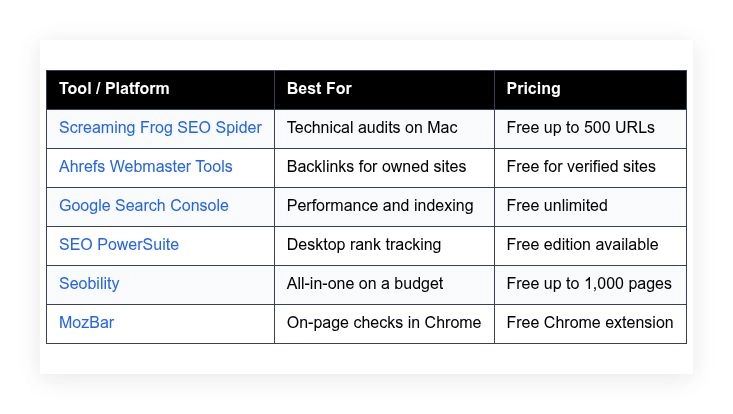
This is the stack that actually worked for me on a Mac, opinionated and based on hands-on use. I am not selling anything. Here is a quick summary to spot the fit at a glance.
Comparison of 6 best free Mac SEO software in 2026 with pricing and recommended use cases
Scroll down for detailed opinions on each option. I will share which one I use daily and point out the easiest free picks for beginners.
What is a Mac SEO software?
Mac SEO software is a set of desktop apps and web tools that run well on macOS, aimed at improving search visibility, traffic, and conversions. They surface technical issues, reveal intent, and give you direct data instead of guesses — and the payoff is real: one fix that lifts a page from position 12 to 5 can double clicks, worth far more than a social post that fades in a day.
At their core, these tools let site owners and marketers crawl pages, track rankings, study backlinks, analyze content, and monitor performance from logs and search engines to drive measurable growth. People often pair them with keyword research tools, analytics platforms, and writing assistants, with spreadsheets turning findings into weekly action items. Not every option is equal, so it pays to pick the right fit for your goals and workflow.
How to choose the best Mac SEO software
There are plenty of choices, so the decision can feel heavy — the same task can take minutes in one tool and an hour in another. I wrote this to help you match a tool to your actual needs, not someone else’s checklist. Your site size, budget, and skills matter more than hype.
Most lists you see are written by vendors or by media with sponsored placements. I am not sponsored by any platform here. This is a straight take based on hands-on use and honest tradeoffs. A few questions worth asking:
- How generous is the free tier, and what exactly is limited?
- Can I complete core tasks fast, like a crawl or on-page check?
- Will this scale with more pages, keywords, or sites?
- How does cost grow as usage increases over six to twelve months?
- Does it cover my must-have features without workarounds?
- Are analytics and error reports clear, accurate, and exportable?
- How hard is it to migrate data or leave if needed?
- What reliability safeguards exist, like crawl controls or credits?
- Any Mac-specific quirks, like Java requirements or Apple Silicon support?
My ranked picks below address each point so you can choose with confidence. Let us get into the list.
6 best Mac SEO software in 2026
Here are my top picks for the best Mac SEO software:
- Screaming Frog SEO Spider
- Ahrefs Webmaster Tools
- Google Search Console
- SEO PowerSuite
- Seobility
- MozBar
Let us see which one is right for you.
1. Screaming Frog SEO Spider
Screaming Frog SEO Spider is a desktop crawler designed for technical audits. The company is UK-based and widely respected by SEO teams, agencies, and in-house marketers.
You can start free and crawl up to 500 URLs. Setup on macOS is quick, and the main interface is a fast table view with filters — daily tasks include finding broken links, auditing titles and meta descriptions, and flagging non-indexable pages. Recent versions added smoother Apple Silicon support, JavaScript rendering improvements, and tighter integrations with Google Analytics and Search Console, which means better crawl accuracy and more context in your reports. On the paid license, custom extraction, scheduling, crawl comparison, and data visualizations unlock deeper insights, and log file analysis and API sources help with large sites and migration work.
I use Screaming Frog weekly — it is my first pass on any site audit because it is fast, precise, and does not get in my way. I also appreciate the documentation and frequent updates; the team listens and ships practical features instead of fluff.
How Screaming Frog SEO Spider works and key features
The interface is a grid with tabs for URLs, images, directives, and more. Filters make it easy to isolate 404s, non-indexable pages, slow assets, or duplicate titles, and you can render JavaScript when needed. Templates are not part of the workflow, but you can save crawl configurations; power users can add custom extraction with CSSPath, XPath, or regex, and connect to APIs for Analytics and Search Console data.
Reports include response codes, canonical chains, redirects, hreflang, and structured data validation, and you can export CSVs and create bulk task lists for devs and writers. Automation comes with scheduling on the paid plan — it can run crawls, compare results, and push exports on a timetable. Support is handled through guides and an active knowledge base. Overall, it is beginner friendly at small scale and powerful for advanced users as your site grows.
Who Screaming Frog SEO Spider is for
Best for in-house marketers, technical SEOs, content leads, freelancers, and agencies. It shines for site audits, migration prep, page-speed checks, and on-page cleanup. Custom extraction helps eCommerce and media sites pull product or schema data. If you need a pure backlink index or keyword tool, pair it with other options. No coding is required for basics, but advanced features reward power users.
Screaming Frog SEO Spider pricing
Screaming Frog uses a freemium model with one paid annual license that unlocks advanced features. The free plan is generous for small to mid-size audits.
- Free: $0/month, crawl up to 500 URLs, core audit features
- License: £259/year, unlimited URLs, scheduling, custom extraction, crawl comparison, JavaScript rendering at scale, API integrations
For value, the free tier is enough for tight cleanups. The license pays for itself on the first large audit. If your budget is limited, start free and upgrade when you need automation.
Screaming Frog SEO Spider pros and cons
Pros:
- Fast desktop crawler with accurate filters
- Free plan covers 500 URLs, great for small sites
- Deep technical insights and exports
- Fair annual pricing for heavy users
Cons:
- Interface can feel dense on first use
- No native backlink index or keyword database
- Advanced automation requires the paid license
If you audit sites on a Mac, start here. If you only need basic keyword ideas, choose another tool first.
Screaming Frog SEO Spider reviews
G2 and Capterra carry strong feedback for Screaming Frog from SEO pros. Public ratings are consistently positive across industry forums and communities.
2. Ahrefs Webmaster Tools
Ahrefs Webmaster Tools is a free set of features designed for site owners. Ahrefs is known for its backlink index and has been a staple for SEO teams for years.
You verify your domain and get access to Site Audit and Site Explorer data for your sites. Setup is quick with DNS, HTML file, or tag verification, and daily tasks include monitoring backlinks, fixing issues, and tracking health scores. Ahrefs keeps improving its web interface and crawl coverage, and AWT benefits from ongoing index updates and better reporting, which means fresher link data and clearer technical suggestions. Paid Ahrefs plans add full keyword research, content explorer, competitor gap tools, and API access for content strategy and link outreach at scale.
I use AWT to monitor verified properties without paying for a full seat — it is a strong companion to a desktop crawler. I also like the clarity of backlink loss and gain reports, which help me act fast when important links change.
How Ahrefs Webmaster Tools works and key features
The interface is clean and web based. Site Audit runs scheduled crawls and highlights errors, warnings, and notices, and you can click through issues to see affected URLs and fixes. Templates appear as prebuilt issue types, so setup stays light; advanced users can filter by depth, status, and types of resources, and integrations include verification with multiple methods.
Analytics cover health score, core web issues, internal links, backlinks, referring domains, and top pages, and automation comes from scheduled audits and email alerts. Ahrefs also provides extra tools like link intersect, limited in free form for your sites, and support includes a help center and active blog content. The overall feel is beginner friendly for verified sites, yet useful for advanced link checks.
Who Ahrefs Webmaster Tools is for
Great for site owners, content teams, solo creators, and small businesses who want link and technical insights for their domains. It excels at backlink tracking and site health reporting. Agencies can use it to monitor client properties after verification. If you need full competitor research or deep keyword data, the paid Ahrefs suite fits better. No technical skill required for basics.
Ahrefs Webmaster Tools pricing
AWT is free for verified sites. It sits under the larger Ahrefs ecosystem, which has paid plans for wider research and analysis.
- AWT Free: $0/month, verified sites only, Site Audit and limited Site Explorer data
- Ahrefs paid plans: pricing varies by tier and credits, adds full keyword, content, and competitor research
As a free companion, AWT offers strong value, especially for link monitoring. If you grow into broader research, the paid plans scale features and data depth.
Ahrefs Webmaster Tools pros and cons
Pros:
- Free backlink and health data for verified sites
- Clear reports and scheduled audits
- Solid link index for tracking gains and losses
Cons:
- Limited competitor research in free tier
- Data access tied to verification
- Credit limits on deeper exploration
Pick AWT if you want reliable link and crawl checks for your own sites without paying for a full suite.
Ahrefs Webmaster Tools reviews
Ahrefs receives strong feedback on G2 and other review sites for data quality. AWT benefits from that foundation, with positive mentions across SEO communities.
3. Google Search Console
Google Search Console is Google’s free hub for site performance and indexing. Every SEO stack should include it, Mac or not.
Setup is quick with DNS, HTML, or GA verification. The main panels show clicks, impressions, average position, and coverage status, and I use it to see which queries move the needle and what indexing issues block progress. Over time, Google has added better reporting for page experience, sitemaps, and indexing controls, and the URL Inspection tool helps confirm if fixes worked. There are no paid tiers; for advanced needs, you can export data to BigQuery or pair it with other tools.
I check GSC daily when testing new titles or fixing internal links — it gives me the closest view to what Google actually sees. I also love the query and page filters, which help me find low-hanging fruit quickly.
How Google Search Console works and key features
The interface is simple. You get a Performance report for queries and pages, a Pages report for indexing, and Enhancements for items like sitelinks search box or breadcrumbs. There are no templates to set up — you verify a property and data starts flowing, and power users can slice by country, device, and date ranges, then download CSVs.
Analytics include clicks, impressions, CTR, position, coverage errors, and sitemaps status, and automation comes from email alerts and scheduled exports through connectors. You can submit sitemaps, request recrawls, and confirm fixes via URL Inspection. Support includes official docs and help forums. Overall, it is essential, free, and beginner friendly, with enough depth for serious analysis when paired with exports.
Who Google Search Console is for
Perfect for anyone who runs a site: bloggers, storefronts, startups, agencies, and newsrooms. It excels at performance tracking, indexing control, and spotting queries to target. If you need competitor data or backlink discovery, combine it with a crawler or link tool. No technical skill is required for the basics.
Google Search Console pricing
GSC is free for unlimited use across all verified properties. There are no paid upgrades.
- Free: $0/month, full access to performance, indexing, and enhancements
The value is unmatched for site owners. For deeper analysis, export data or connect to other tools.
Google Search Console pros and cons
Pros:
- Free access to search performance straight from Google
- Clear indexing and coverage reporting
- Handy URL Inspection and sitemap tools
Cons:
- No competitor or backlink discovery
- Data sampling and limits on exports
- Interface can feel slow on large date ranges
Every site should use GSC. Pair it with a crawler and a link tool for a complete setup.
Google Search Console reviews
GSC is not typically rated on G2 or Capterra. It is widely adopted and trusted by site owners and SEO teams.
4. SEO PowerSuite
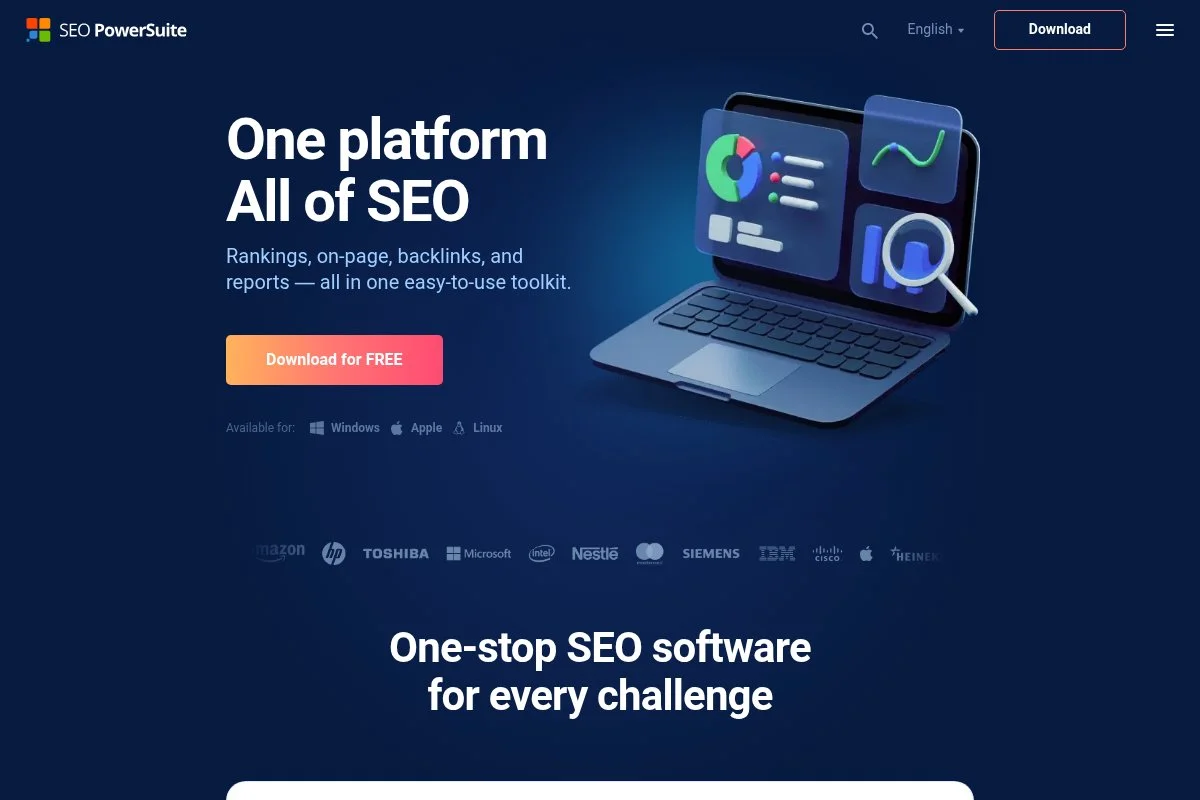
SEO PowerSuite is a desktop bundle for Mac, Windows, and Linux. It includes Rank Tracker, WebSite Auditor, SEO SpyGlass, and LinkAssistant, and has been active for years, well known among budget-conscious teams.
You can download a free edition and start right away. The interface is classic desktop style with tabs and panels, and daily tasks include rank tracking, site audits, backlink checks, and on-page optimization suggestions. Recent updates focused on performance, SERP features tracking, and better reporting templates, and Apple Silicon compatibility improvements make it smoother on modern Macs. Paid tiers unlock scheduled tasks, watermark-free exports, and advanced data limits, with project management and white-label reporting for agencies and freelancers.
I like using Rank Tracker for quick position checks without a monthly subscription — it is handy for side projects. The documentation is clear, and the onboarding tips help new users settle in fast.
How SEO PowerSuite works and key features
Each app has a focused interface. Rank Tracker covers keywords and SERP features, WebSite Auditor crawls pages and flags issues, SEO SpyGlass analyzes backlinks, and LinkAssistant manages outreach lists. There are built-in templates for reports and audits that you can customize, and advanced users can tweak crawl settings, add proxies, and connect Google accounts.
Analytics include visibility scores, keyword positions by device and location, on-page factors, and link profiles, with scheduling available on paid tiers. Extras include content editor suggestions and TF-IDF style analysis in WebSite Auditor, and support comes via guides and email. Overall, it strikes a balance between beginner friendly modules and power features for growing sites.
Who SEO PowerSuite is for
Good for freelancers, small agencies, local businesses, and bloggers who want desktop tools without monthly fees. It excels at rank tracking and site audits. White-label reports help client work. If you want cloud dashboards or deep competitor link data, a web suite might fit better. Basic use needs no coding.
SEO PowerSuite pricing
SEO PowerSuite uses a free edition with limits and two paid yearly licenses. Pricing is per user and varies by feature depth and reporting.
- Free: $0/month, limited data, restricted exports, core features for testing
- Professional: $299/year, full features for single user, scheduled tasks, basic reporting
- Enterprise: $499/year, advanced exports, white-label reports, client reporting features
Compared to cloud suites, the upfront price can be cheaper long term. Annual billing is standard, and occasional promos lower cost. For light use, the free edition is enough to learn the workflow.
SEO PowerSuite pros and cons
Pros:
- Four desktop tools in one suite
- Free edition for testing and small tasks
- Strong rank tracking and reporting options
Cons:
- Interface feels dated compared to web apps
- Learning curve across multiple modules
- Heavy tasks can feel slow on older Macs
If you want a desktop-first toolkit with low ongoing cost, it is a solid pick. Web-first teams may prefer a cloud tool.
SEO PowerSuite reviews
Feedback on G2 and forums highlights good value for the price, especially for freelancers. Reviews mention the tradeoff of power features with a more classic UI.
5. Seobility
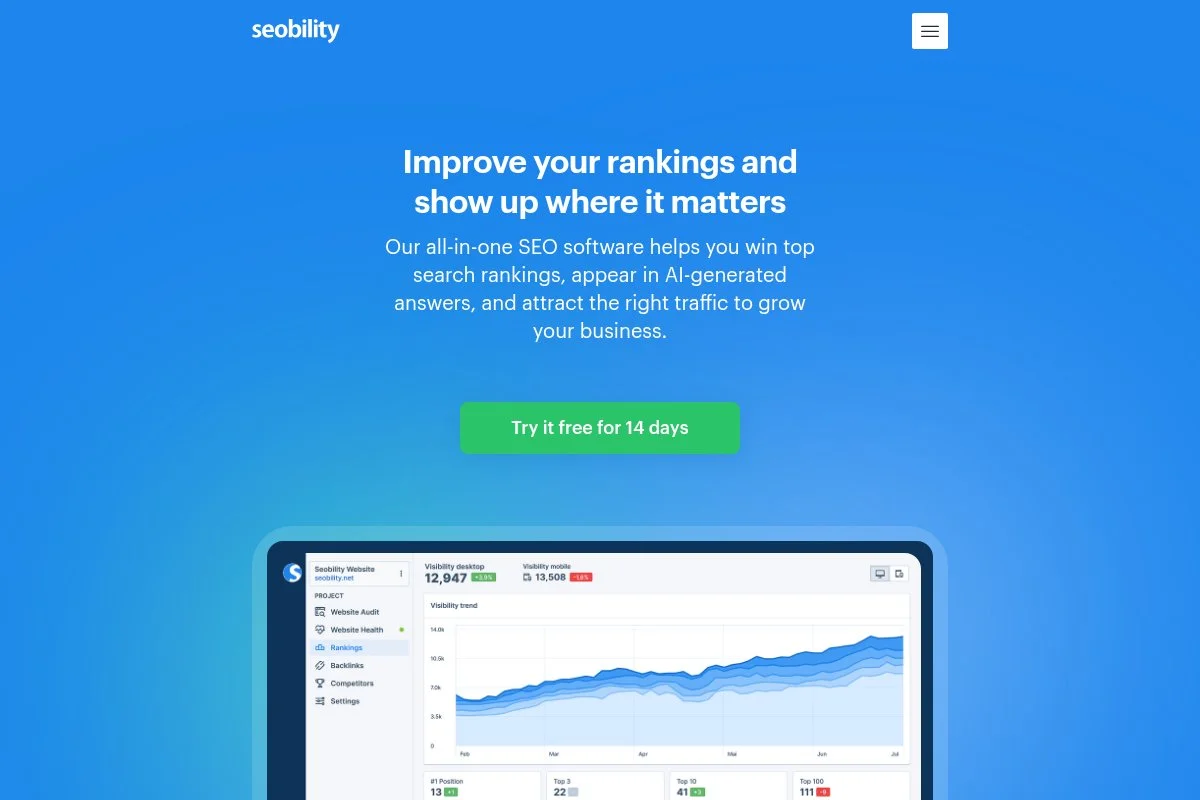
Seobility is an all-in-one web app focused on site audits, keywords, and monitoring. It is a favorite for small businesses and beginners looking for simple dashboards.
The free plan is easy to start with and runs in any Mac browser, and the interface walks you through errors, on-page checks, and basic backlink views. Seobility has improved reports and added helpful hints that explain why issues matter, and the keyword database and rank tracking have seen steady updates. Paid plans expand project limits, crawl depth, and keyword tracking, with PDF reporting and white-label options for client-facing users.
I like Seobility for quick, guided audits when someone is just getting started — it reduces guesswork. Their tips and explanations are clear, which helps new team members learn faster.
How Seobility works and key features
The interface is straightforward with tabs for Onpage, Backlinks, and Rankings. You add a project, run a crawl, and review prioritized issues. There are simple report templates and you can customize branding on higher tiers; advanced users can set crawl rules and analyze internal linking suggestions.
Analytics include on-page health scores, keyword positions, and link summaries, and automation covers scheduled crawls and email alerts. Extras include a TF-IDF-like content assistant and basic SERP monitoring, with support through docs and email. Overall, it is friendly for beginners yet useful for quick audits on small to mid-size sites.
Who Seobility is for
Best for local businesses, bloggers, creators, and small agencies who want an easy web dashboard. It shines at guided audits and rank tracking with clear tips. If you manage very large sites or need a deep backlink index, choose a more advanced suite. No technical expertise is required.
Seobility pricing
Seobility uses a freemium model with clear tiers based on projects and limits.
- Free: $0/month, 1 project, crawl up to 1,000 pages, basic rank tracking
- Premium: about $50/month, more pages and keywords, PDF reports, white-label options
- Agency: higher-tier plan for multiple projects, expanded limits, team features
The free plan is generous for one small site. Pricing is middle-of-the-road for all-in-one tools, and annual billing often offers savings.
Seobility pros and cons
Pros:
- Guided audits and clear explanations
- Free plan covers one small site nicely
- Simple dashboards for ranks and issues
Cons:
- Backlink data is lighter than premium suites
- Can feel limiting on larger sites
- Advanced exports require paid tiers
If you want a friendly start without steep costs, Seobility fits well. Heavy enterprise needs call for other tools.
Seobility reviews
Seobility holds positive feedback on G2 and other review sites for ease of use. Users often highlight value for smaller sites.
6. MozBar
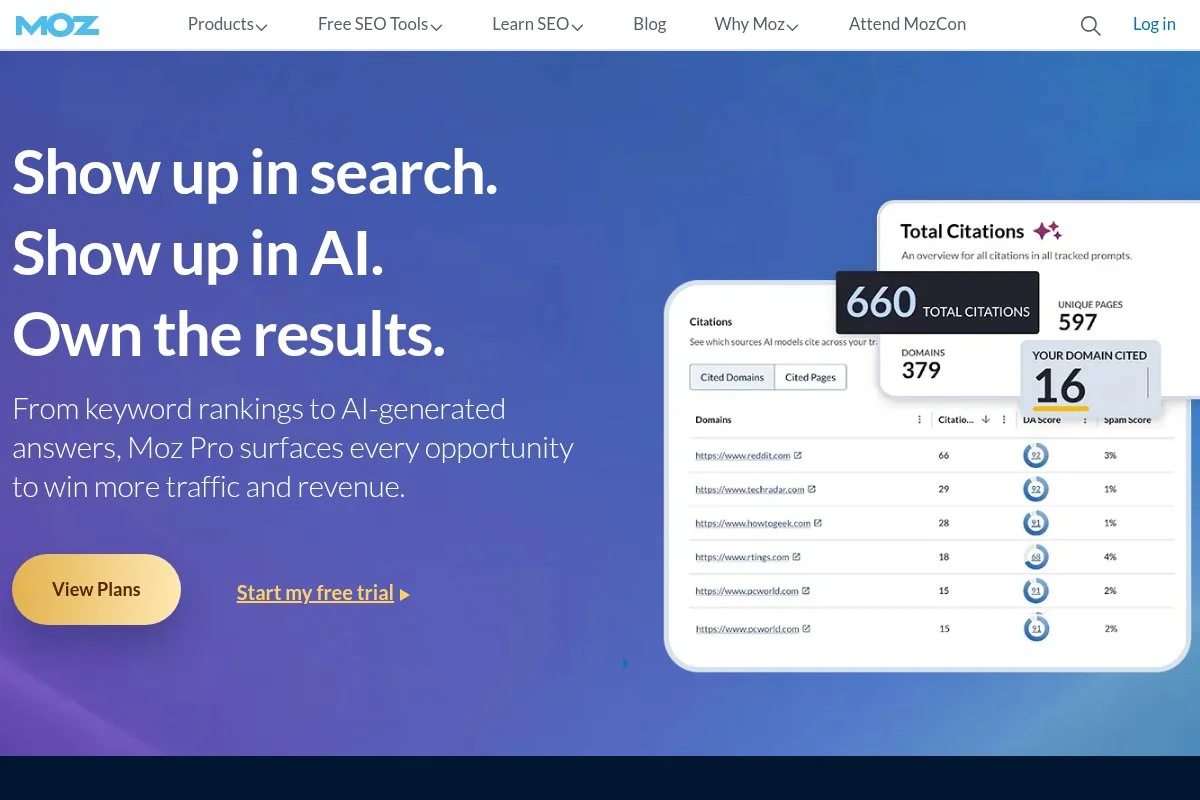
MozBar is a free Chrome extension for quick on-page and SERP insights. Moz has been a fixture in SEO education and tooling for a long time.
You install it in Chrome on your Mac and sign in with a free Moz account. Daily use includes scanning page titles, meta descriptions, headings, and link metrics as you browse. Recent changes focused on stability and compatibility with modern Chrome updates, and it remains a handy companion for quick checks. Paid Moz plans add deeper keyword research, site audits, and link analysis for teams that need broader strategy tools.
I keep MozBar installed for fast, in-context checks during editorial reviews — it saves me clicks. The overlay is light and does not get in the way when I am in a rush.
How MozBar works and key features
MozBar adds a toolbar to Chrome with on-page data. You can see title tags, meta descriptions, headings, and link highlights, and on SERPs it shows quick metrics like Page Authority and Domain Authority from Moz’s index. There are no templates — it is a browser overlay — and advanced users can toggle link types, export SERP results, and compare pages side by side with a Moz Pro account.
Analytics stay light, geared for quick decisions, and automation is not the goal here; the strength is speed. Extra tools come from the Moz Pro suite if you subscribe, and support includes docs and community content. Overall, it is beginner friendly, fast, and useful as a free add-on to any stack.
Who MozBar is for
Great for editors, writers, link prospectors, local SEOs, and students. It shines for on-page checks and quick SERP scans while researching. The Authority metrics help prioritize outreach targets. If you need deep audits or crawler-level insights, pair it with other tools. No technical skill required.
MozBar pricing
MozBar is free with a Moz account. The broader Moz suite is sold as separate subscriptions.
- MozBar Free: $0/month, on-page checks and basic SERP metrics
- Moz Pro: paid plans starting at monthly tiers, adds Keyword Explorer, Site Crawl, Link Explorer, and reports
As a free utility, MozBar is great value. If you already pay for another suite, keep MozBar for its quick checks.
MozBar pros and cons
Pros:
- Instant on-page and SERP context in Chrome
- Free and easy to set up
- Helpful Authority metrics for quick triage
Cons:
- Limited analytics depth
- Best as a companion, not a main tool
- Some features tied to Moz Pro
If you want fast checks while browsing, it is a keeper. For full audits, use it alongside a crawler and GSC.
MozBar reviews
MozBar draws steady positive feedback from marketers for speed and convenience. It is widely used in classrooms and content teams.
What is the best Mac SEO software right now?
The short version: Screaming Frog SEO Spider for the crawl, Ahrefs Webmaster Tools for links, and Google Search Console for performance. Each covers a key piece of the puzzle on a Mac without forcing you into heavy costs.
Screaming Frog sits at number one for me. I use it weekly, and this is not sponsored. I found it while cleaning up a large archive, and the first crawl surfaced broken links, duplicate titles, and redirect chains in minutes — the speed, filters, and exports sold me right away. On value, the free 500-URL limit is perfect for small sites and page-level fixes, and when you need more, the annual license stays reasonable compared to monthly cloud suites that can run well over a thousand dollars a year per seat. One license can handle frequent audits without runaway costs.
Ahrefs Webmaster Tools is my close second. It delivers trusted link data and scheduled health checks for verified sites, so if backlinks drive your strategy or you need to monitor link loss and gains, AWT gives you that view for free. Its unique strength is the quality of link insights — if I ran a campaign where outreach and competitor gaps were front and center, I might lean into the broader Ahrefs suite, but for owned sites AWT hits a sweet spot.
Google Search Console is my third pick, and I would never run a site without it — it is the source of truth for performance and indexing, and if you only need to understand queries, fix coverage issues, and measure changes, GSC alone can guide months of smart work. On my Mac I use all three: Screaming Frog for the crawl, GSC for performance trends, AWT for link checks. Choosing between them is hard because they serve different jobs, but I keep Screaming Frog at number one because it helps me fix problems fastest, turning audits into clear task lists that keep teams moving. Build your stack, run your first crawl, and start fixing what matters.
Frequently Asked Questions
Q: Do I need paid tools for SEO on a Mac?
Not to start. With Screaming Frog’s free tier, Google Search Console, and Ahrefs Webmaster Tools, you can audit, fix, and track a lot. Upgrade only when limits slow you down.
Q: What is the easiest free SEO tool for beginners on Mac?
Seobility is a friendly starting point. It explains issues in plain language. Pair it with Google Search Console to see what queries and pages are already working.
Q: How do I audit a small site for free?
Run Screaming Frog up to 500 URLs to find broken links and on-page issues. Check Google Search Console for indexing problems and low CTR pages. Fix titles and internal links first.
Q: Will these tools work on Apple Silicon Macs?
Yes. Screaming Frog and SEO PowerSuite run on modern Macs, and the web tools work in any browser. If you use older Java-based apps, check for current Apple Silicon support notes.