Vocal synthesis tools let you sketch melodies and full vocal lines without booking a session singer, and several of them are free. This guide compares eight options — Synthesizer V Studio Basic, OpenUTAU, UTAU, DeepVocal, Sinsy, NNSVS + ENUNU, DiffSinger, and Emvoice One — covering what each does well, who it suits, and where it falls short.
How we put this list together: we went through each tool’s official website, pricing page, and documentation, and checked what the free plan actually includes and where the paid tiers begin. Prices and plan limits change often, so confirm the details on the vendor’s site before you commit.
My take
The thing the research made clear is how much the vocal synthesis landscape has shifted. Classic UTAU used to be the default free option, but AI-based engines like Synthesizer V now produce far more natural results with much less tuning.
My opinion is that for most producers, Synthesizer V Studio Basic is the right starting point simply because of the time it saves. Getting an expressive line from UTAU usually means hours of parameter work, while AI voices get you most of the way out of the box.
That said, I do not think UTAU and OpenUTAU are obsolete. The community voicebank ecosystem is huge and has a distinct character that some genres actually want. Before you build a project around any voice, check its license terms carefully. Commercial use rules vary voice by voice, and that is the detail most likely to cause problems after a release.
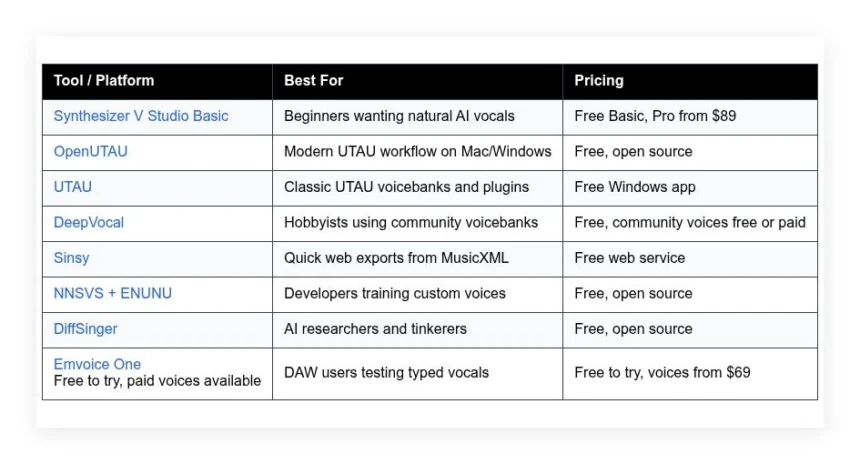
Comparison of 8 best free Vocaloid software in 2026 with pricing and recommended use cases
Below is a closer look at each tool, followed by our overall recommendations.
What is a Vocaloid software?
Vocaloid software is a type of singing synthesis tool that turns notes and lyrics into a sung vocal. You enter a melody, set phonemes and timing, then render audio for your track.
With a singer in software, you can write, revise, and export at any hour. That independence saves days on each draft.
Think about it like this. Waiting on a demo singer might cost a week and a few hundred dollars. The right synthesis tool lets you cut that to minutes at zero cost for practice projects.
At its core, this category serves producers, composers, and creators who input MIDI or piano roll notes with lyrics, adjust tone and expression, then export vocal stems for mixing.
Many users pair these tools with a DAW like Reaper, Logic, or Ableton, along with EQ, compression, and de-esser plugins. Some also use pitch correction and room reverb to blend vocals.
Not every option feels the same, so picking carefully matters. The editor, voices, and learning curve shape how fast you finish songs.
How to choose the best Vocaloid software
We get it, the choices feel like a maze. Each tool looks similar at first, yet the setup, voices, and export steps can be very different.
We wrote this guide to help you match the tool to your style, not the other way around. Your workflow and budget should drive the pick, not hype.
Here are some questions you should ask when looking for a Vocaloid software:
- How generous is the free tier, including exports and voice choices?
- Can you enter notes and lyrics quickly without extra steps?
- Will this scale if you add longer songs or more tracks later?
- How does the cost grow if you upgrade voices or features?
- Does it include tuning tools for vibrato, timing, and style?
- What analytics or metering help you judge levels and timing?
- How hard is it to migrate projects or import UST/MIDI files?
- Is it stable under load and are renders clean at 44.1 or 48 kHz?
- Does it support the phonemes and languages you need?
That is a lot, but the ranking below keeps those in mind. The picks below should save you time and a few headaches.
8 best Vocaloid software in 2026
Here are our top picks for the best Vocaloid software:
- Synthesizer V Studio Basic
- OpenUTAU
- UTAU
- DeepVocal
- Sinsy
- NNSVS + ENUNU
- DiffSinger
- Emvoice One
1. Synthesizer V Studio Basic
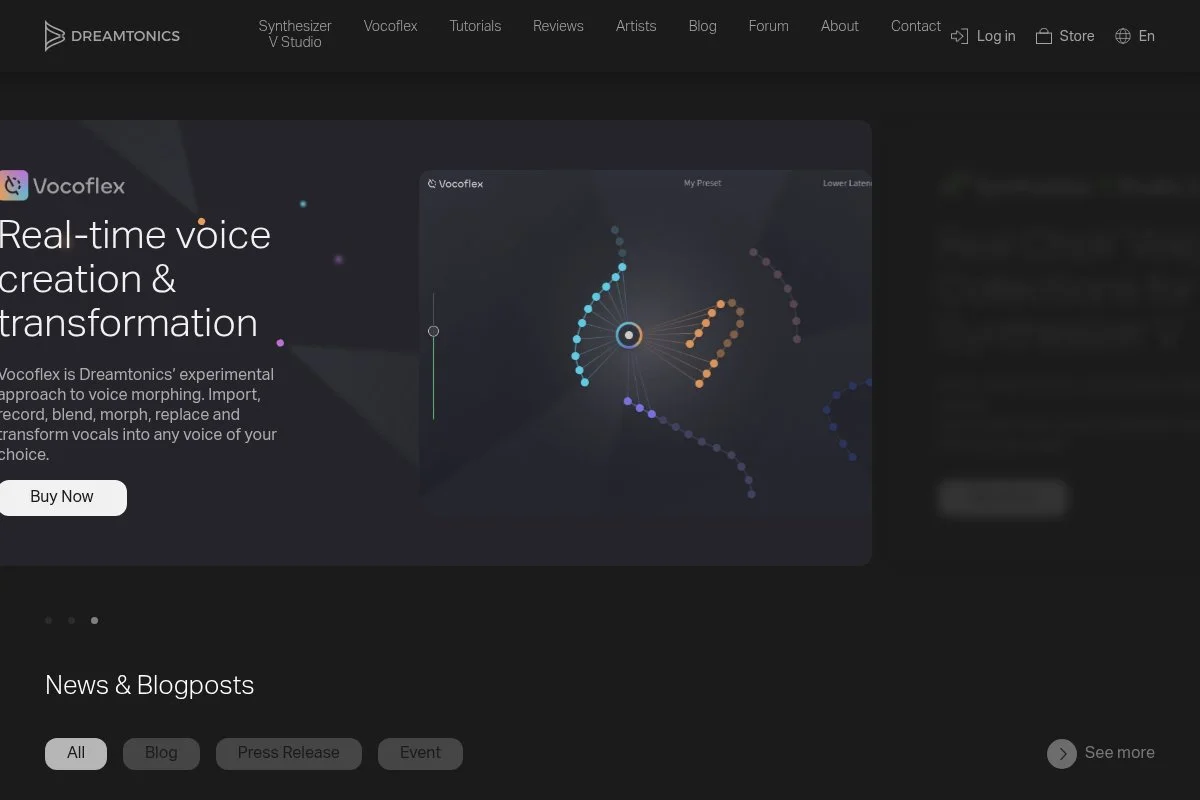
Synthesizer V Studio, from Dreamtonics, is a modern singing editor focused on natural AI vocals. The company is led by Kanru Hua, who has a deep background in singing synthesis research. It has become a favorite for producers who want realistic tone without heavy manual tuning.
The Basic edition is free, so you can start without a credit card. Setup is simple, then you add a Lite voice and start typing lyrics over MIDI notes. The piano roll lets you set phonemes, pitch curves, and vibrato with smooth tools.
Recent versions added AI voices, improved pitch rendering, and cross-lingual options on select voicebanks. Auto Pitch Tuning gives a fast starting shape that you can refine. These upgrades make quick demo vocals very achievable.
On paid tiers, you unlock advanced editing, larger projects, and commercial-grade voicebanks. Features like Vocal Modes, instant breath controls, and cross-lingual support push it into pro use. Many rivals do not match that blend of speed and realism.
Synthesizer V Studio Basic is the fastest route to a clean guide vocal.
One more thing we like: the documentation is clear, with helpful tooltips in the app. The learning curve feels kind, even for a first timer.
How it works and key features
The editor centers on a smooth piano roll with lyric entry per note. You can drag timing, set phonemes, and draw pitch curves directly. Templates are not the focus, though Lite voicebanks provide quick styles and languages to try.
Power users can fine tune phoneme timing and use note parameters for breathiness, tension, and clarity. It supports ReWire-style workflows by exporting stems for any DAW. You will see levels and timing visually, which helps set gain before mixing.
There is no heavy automation engine, but Auto Pitch Tuning gives a consistent starting shape. The tool also supports basic harmonies via copy and shift. You will find community guides for more advanced phrasing tricks.
Support comes from the official manual and an active community on forums and YouTube.
Overall, it feels friendly for beginners and still flexible for advanced users who want to dig into parameters.
Who it is for
Best for composers, indie producers, YouTubers, game audio folks, and hobbyists who want quick, realistic demos. It shines for pop, EDM toplines, and melodic sketches. Cross-lingual voices help multilingual creators. If you need deep UTAU plugin workflows or custom resamplers, OpenUTAU or UTAU may suit you better. No heavy technical skill required to start.
Synthesizer V Studio Basic pricing
Dreamtonics offers a free Basic edition and a paid Pro upgrade. Pricing scales by features and voicebanks, not subscribers. You can also add paid AI voicebanks from various publishers.
- Basic: $0/month, personal use, includes core editor and support for Lite voices.
- Studio Pro: from $89 one-time, advanced editing, larger projects, and pro features.
- AI Voicebanks: priced separately by publishers, with Lite versions often free to try.
Value is strong because the free tier is genuinely useful. Pro is a fair one-time price for the added controls. Some voicebanks run extra, so check bundles and occasional sales. Annual billing is not relevant since licensing is typically one-time.
Pros and cons
- Pros:
- Free Basic sounds good with AI Lite voices.
- Fast piano roll editing and auto pitch tools.
- Cross-lingual options on select voicebanks.
- One-time Pro pricing, not a heavy subscription.
- Cons:
- Some premium voices cost extra.
- Limited automation beyond pitch and phonemes.
- Lite voices can have usage limits.
If you want speed and natural tone for free, start here. If you need deep plugin chains inside the editor, look to UTAU ecosystems.
Synthesizer V Studio Basic reviews
No listings on G2 or Capterra. Community feedback on KVR Audio, Reddit, and YouTube is strong, often praising tone quality and workflow.
2. OpenUTAU
OpenUTAU is a free, modern editor for UTAU-style voicebanks. It gives you a fresh interface, cross platform support, and easier setup than classic UTAU. The project is community driven and widely adopted by UTAU users who wanted a smoother workflow.
Getting started is simple: install, point it at your voicebank folders, and import UST or MIDI. The main timeline and phoneme editor make tuning less tedious. Daily tasks include phoneme timing, pitch curve drawing, and batch rendering.
Recent builds improved compatibility with multiple resamplers and added better pitch handling. Mac support has matured, which matters for many creators. These changes make it a realistic UTAU replacement for new projects.
Advanced users can load custom resamplers, try auto tuning plugins, and manage complex multi-track projects. You can also use plugin scripts for repetitive edits. That flexibility is not common in beginner-only tools.
OpenUTAU is the pick when you need specific UTAU voicebanks with a cleaner UI. It fits a DAW bounce routine and keeps projects organized.
We also appreciate the active GitHub and Discord help. Community fixes and tips arrive fast when something breaks.
How it works and key features
The interface is a clear piano roll and phoneme lane with drag edits. It imports UST, MIDI, and supports common UTAU formats. There are no built-in style templates, but the editor remembers settings and offers batch tools.
Power users can select resamplers, adjust flags, and script tasks. There is no fancy analytics, yet visual timing and waveform views help with alignment. Automation is handled through pitch curves and plugin scripts.
It exports WAV stems for any DAW and can manage multiple tracks quickly. Support is community based, with guides, FAQs, and sample projects online. Answers often turn up quickly in GitHub issues.
Overall, it strikes a balance: friendly for UTAU starters, strong enough for long pieces if you learn its tools.
Who it is for
Great for UTAU creators, cover artists, fan voicebank users, and students learning phonemes. It shines when you want classic UTAU timbres with a cleaner editor. If you need AI realism without manual tuning, Synthesizer V may fit better. Technical skill helps, though beginners can learn basics in a weekend.
OpenUTAU pricing
OpenUTAU is free and open source. There are no paid tiers. Your only costs are optional third party voicebanks or plugins, which may be free or paid depending on licenses.
- OpenUTAU: $0, full editor, UST/MIDI import, resampler support.
Compared to paid suites, this is high value if you rely on UTAU voices. There is no annual plan to consider. Budget for voicebanks if you want specific languages or styles.
Pros and cons
- Pros:
- Free, cross platform, and actively developed.
- Cleaner workflow than classic UTAU.
- Works with many existing voicebanks and resamplers.
- Good community support and guides.
- Cons:
- Setup can still be technical for new users.
- Not as natural out of the box as AI engines.
- Limited built-in automation or analytics.
If you want UTAU flexibility with a nicer editor, this is a smart pick. If you demand instant realism, try Synthesizer V first.
OpenUTAU reviews
No G2 or Capterra listings. Community sentiment on GitHub and Discord is positive, especially on Mac support and stability.
3. UTAU
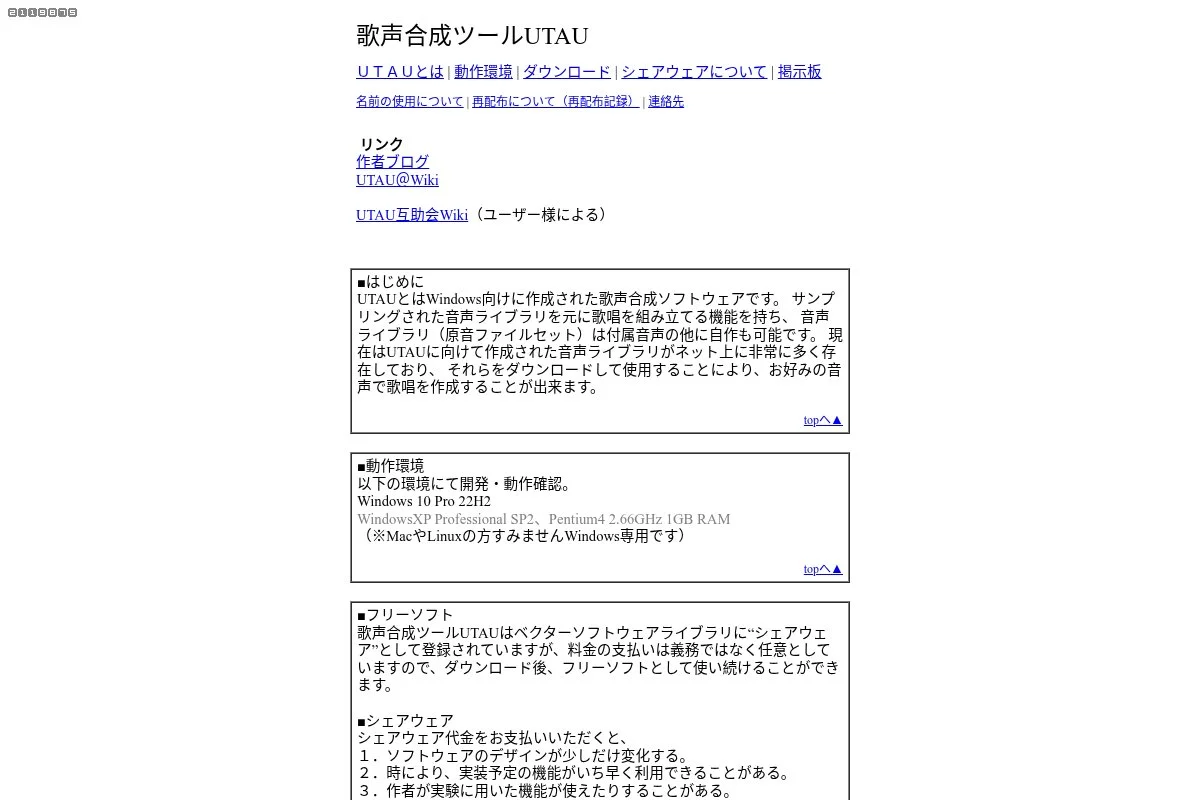
UTAU is the classic Windows singing synth by Ameya/Ayame. It laid the groundwork for many community voicebanks and techniques. Its age shows in the interface, but it remains a fixture for fan-made vocals.
Starting is free. Install, add a voicebank, and load a UST or type notes. You will work in a piano roll with lyric input per note and tweak resampler flags to shape tone.
While the core app changes slowly today, the ecosystem keeps growing. New voicebanks, resamplers, and plugins still appear. This keeps UTAU viable for covers and stylized tracks.
Power comes from plugin scripts and custom resamplers. You can chain tools to clean consonants, control vibrato, or retime phonemes. Few free tools match that plugin depth.
UTAU remains useful for legacy projects and certain voicebanks. It is stable and predictable once you learn its quirks.
The community wiki and tutorials are plentiful. If you search a problem, someone has solved it since 2012.
How it works and key features
UTAU uses a straightforward piano roll with lyrics on notes. There is no fancy template system, but you can save and reuse settings. You will adjust flags and resampler choices to change character.
Advanced users add custom code through plugins and batch tools. Analytics are minimal, so you will judge mostly by ear and waveform. Automation is per-note pitch bends and vibrato.
It exports WAV stems and handles long tracks with patience. Support is entirely community based through guides and forums. Many voicebanks include readme tips for best results.
Overall, it is powerful for those who learn it, though the UI feels old next to newer editors.
Who it is for
Best for cover artists, retro UTAU fans, students exploring phonemes, and tinkerers who enjoy plugins. It excels with stylized, characterful vocals and Japanese lyric work. If you want AI realism fast, other tools fit better. Some technical comfort helps.
UTAU pricing
UTAU is free for Windows. There are no official paid tiers, though some voicebanks carry their own licenses and terms. You may choose to donate to creators of banks and tools.
- UTAU: $0, core editor, plugin support, resampler control.
Value is high if you want classic voicebanks and full control. The tradeoff is time spent on setup and tuning compared to modern AI tools.
Pros and cons
- Pros:
- Free with a huge community of voicebanks.
- Plugin system allows deep customization.
- Predictable workflow for experienced users.
- Cons:
- Windows focused, dated interface.
- Steeper learning curve than newer editors.
- Less natural without heavy tuning.
Choose UTAU if you value its ecosystem and do not mind older UX. Otherwise, OpenUTAU gives you a fresher take with similar power.
UTAU reviews
No major software review site listings. Long-standing community guides and videos support its reputation as the classic free option.
4. DeepVocal
DeepVocal is a free singing synth with its own voicebank format. It gained attention for cleaner consonants and a friendlier workflow than classic UTAU. The community maintains voicebanks in multiple languages.
After installing, add voicebanks and start typing lyrics over notes. The editor offers familiar piano roll controls, phoneme tweaks, and pitch curves. You can export stems for mixing right away.
Development has slowed in recent years, but the tool remains usable. Community voices and tutorials keep it relevant for covers and demos. If you hit a snag, there is usually a workaround online.
Advanced features include detailed phoneme settings and batch exports. Some voices include add-on expressions that expand style options. That level of control is helpful for longer pieces.
DeepVocal is handy when a specific community voice fits the song. It is stable enough for drafts and quick experiments.
The strength here is accessible quality with no cost. If you already know UTAU, the transition feels natural.
How it works and key features
You work in a piano roll with lyrics per note and phoneme displays. Customization lives in note parameters and voicebank settings. There are no style templates, though individual voices ship with guides.
Technical users can tweak dictionary entries, adjust timing, and fine tune pitch bends. There is no deep analytics, but waveform and timing views guide edits. Automation comes from pitch curves and saved presets.
Stems export to WAV and slot into any DAW. Support is community heavy, including Discord groups and video walkthroughs. Expect to learn by example projects.
In short, it is straightforward for beginners and flexible enough for hobby power users.
Who it is for
Great for hobbyists, cover artists, and students trying multilingual voices. It excels when a DeepVocal-specific bank fits your style. If you want up-to-date AI timbre control, look at Synthesizer V. Basic technical skill helps, but it is learnable.
DeepVocal pricing
DeepVocal is free. Voicebanks are a mix of free and creator-licensed downloads. There are no official paid tiers for the editor itself.
- DeepVocal: $0, full editor and voicebank support.
Value is strong for no-cost drafts. Just plan time to locate quality banks and confirm usage terms for your projects.
Pros and cons
- Pros:
- Free with accessible quality.
- Good community voice options.
- Predictable export workflow to DAWs.
- Cons:
- Development pace is slow today.
- Fewer voices than UTAU overall.
- Docs vary by voicebank creator.
Pick DeepVocal if a specific bank draws you. If you need broader voices and plugins, OpenUTAU may be better.
DeepVocal reviews
No major listings on G2 or Capterra. Community forums and YouTube demos provide most user feedback.
5. Sinsy
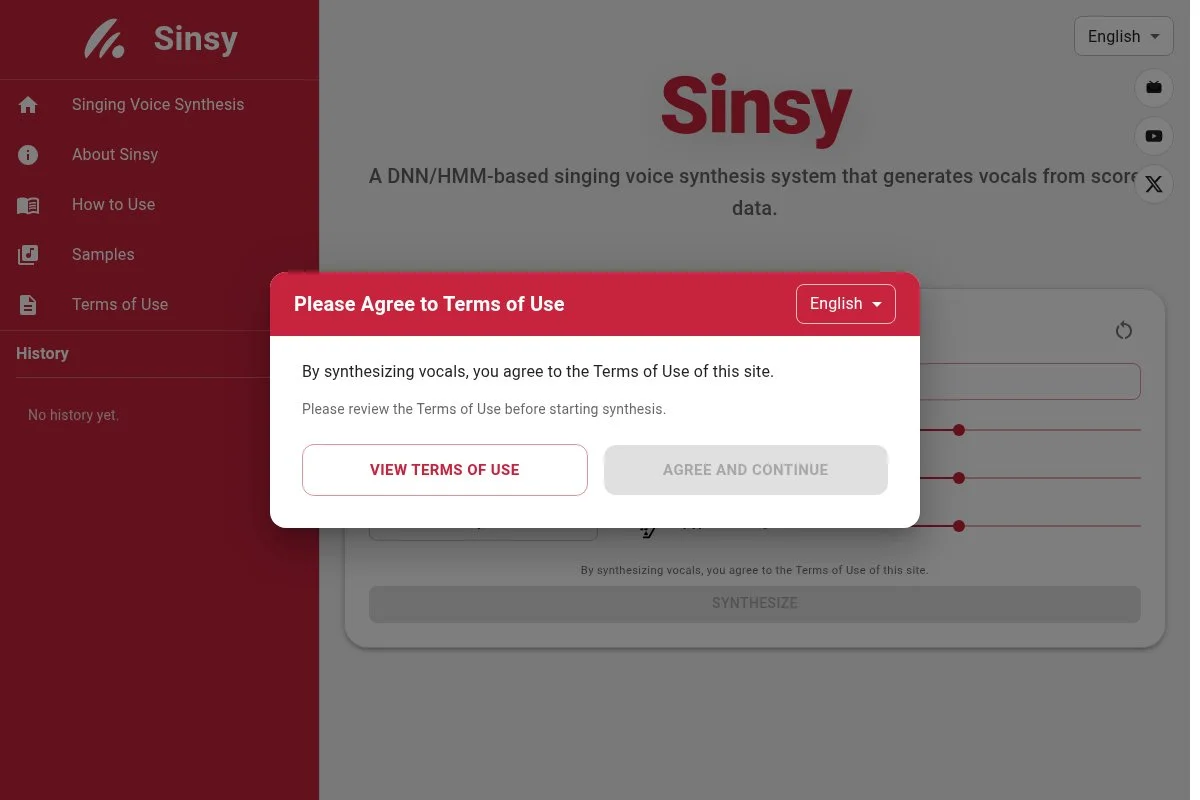
Sinsy is a free web singing synthesis service from Nagoya Institute of Technology. You upload MusicXML and get a vocal WAV in return. It uses HMM-based synthesis with simple controls.
There is no install. Export MusicXML from your notation tool, choose a voice, and render. It is ideal for quick checks of melody and lyric fit without setting up a full editor.
While the engine is older than modern AI tools, it remains useful for drafts. Updates are infrequent, but the site stays online and functional.
You will not find premium features here. The strength is speed and zero setup. For classroom demos and melody testing, that is enough.
Sinsy produces a vocal sketch from notation in minutes. It is not pretty, but it is fast.
The service also helps teach note-to-phoneme basics. You can hear how small timing changes affect clarity.
How it works and key features
Sinsy accepts MusicXML, then returns a WAV with the chosen voice. There is no in-app piano roll or template library. You control results by editing your score and lyrics in a notation app.
There is no advanced coding or plugin path. Analytics are minimal, though the waveform preview helps with quick checks. Automation is limited to how your MusicXML sets dynamics and tempo.
It is a single-purpose tool. Support is light, with a basic site FAQ and academic papers describing the system. Your best bet is trial and error with short clips.
Overall, it is beginner friendly if you already write in notation, and very fast for rough demos.
Who it is for
Perfect for students, arrangers, choir directors, and composers who live in notation apps. It excels at sanity checks on melody and lyrics. If you need detailed tuning or modern timbre, use Synthesizer V or OpenUTAU. Zero technical setup required.
Sinsy pricing
Sinsy is free to use on the web. There are no paid tiers and no software to install. The only “limit” is render time and file size based on the service capacity.
- Sinsy Web: $0, upload MusicXML, render a WAV.
As a no-cost sketch tool, value is high. It is not meant for production polish, so plan to export and process elsewhere.
Pros and cons
- Pros:
- Free, no install, very fast results.
- Works directly from notation software.
- Great for teaching and drafts.
- Cons:
- Older synthesis style, less natural.
- No piano roll editing or plugins.
- Limited voices and controls.
Use Sinsy as your quick sketch pad. For final vocals, switch to a dedicated editor.
Sinsy reviews
No entries on G2 or Capterra. It is referenced often in academic and music forums for its simple workflow.
6. NNSVS + ENUNU
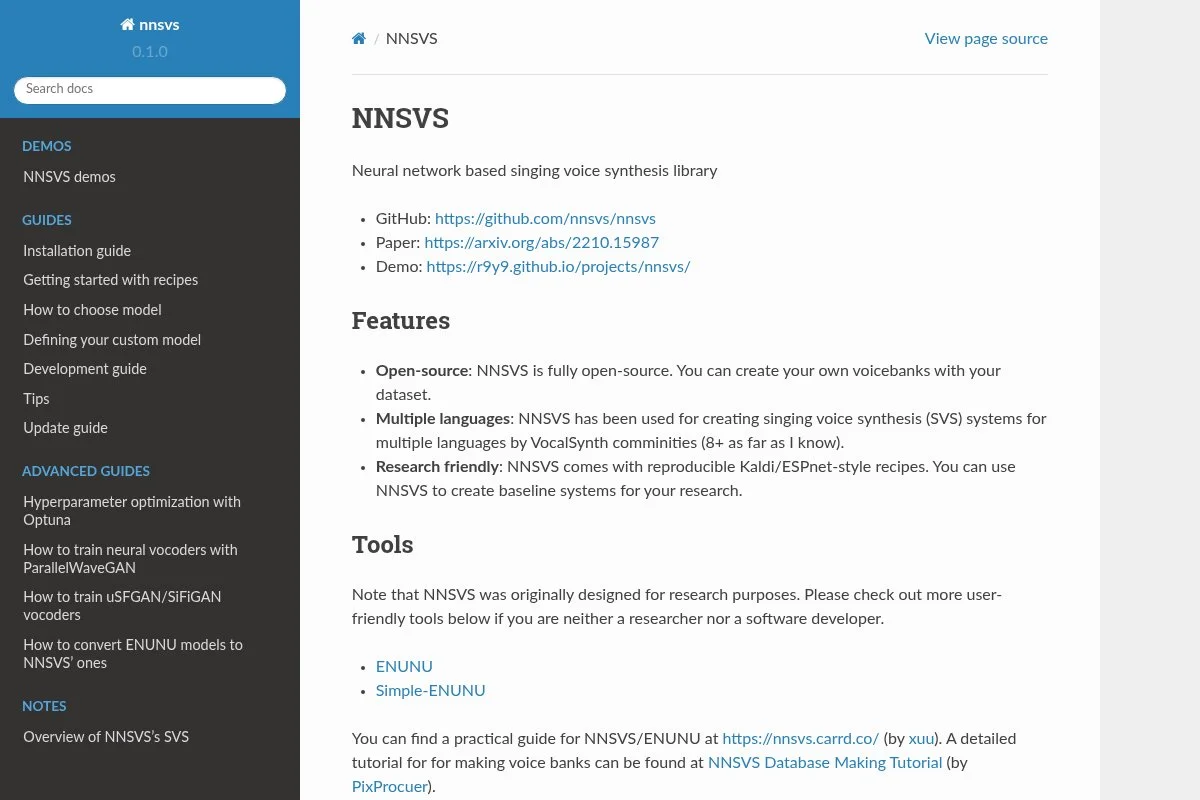
NNSVS is an open source neural singing synthesis toolkit. ENUNU is a runtime that plugs trained voices into UTAU-style editors. Together, they let developers train and use custom neural voice models.
Setup is technical. You will work with Python, datasets, and training scripts. Once a model is ready, ENUNU helps you render lines from UST or OpenUTAU with neural quality.
Recent work improved documentation and examples for training pipelines. Community models keep appearing, which lowers the barrier for non-coders to test neural voices.
Advanced users can tune model configs, add features, and customize inference. This is closer to research than a turn-key editor. The payoff is control over the final sound.
If you want to learn the guts of singing synthesis, this is a deep path.
The project maintainers and Discord are helpful. You will still need patience and a decent GPU for training.
How it works and key features
You prepare datasets with aligned lyrics and notes, then train a neural model in Python. ENUNU loads that model to render singing from UST or similar inputs. There are no templates, though example configs help you get started.
Advanced users can insert custom code, swap architectures, and test new loss functions. Analytics are training logs and validation metrics. Automation includes batch training scripts and render jobs.
There is no built-in DAW integration, so you export WAV stems. Support is community run through docs, GitHub issues, and chat. Expect a learning curve measured in days, not hours.
Overall, it is powerful for developers and researchers, not a beginner workflow.
Who it is for
Best for AI developers, audio researchers, advanced hobbyists with GPUs, and teams building custom voices. It excels at training and deploying neural singing models within UTAU-style editors. If you need a simple editor, use Synthesizer V or OpenUTAU. Technical skill is required.
NNSVS + ENUNU pricing
Both are free and open source. Costs come from compute time and any dataset licensing. There are no paid tiers or commercial support contracts.
- NNSVS Toolkit: $0, training scripts, docs, examples.
- ENUNU Runtime: $0, neural inference for UTAU-style editors.
Compared to paid AI suites, this is unmatched for flexibility. The tradeoff is time and technical work to reach production quality.
Pros and cons
- Pros:
- Free and highly flexible for custom voices.
- Integrates with UTAU workflows via ENUNU.
- Active research-minded community.
- Cons:
- Complex setup and training pipeline.
- Requires datasets and GPU resources.
- No simple drag-and-drop editor.
If you want full control and can code, it is a great path. Otherwise, stick with an out-of-the-box editor.
NNSVS + ENUNU reviews
No ratings on G2 or Capterra. GitHub stars, papers, and community demos are the best reference for quality.
7. DiffSinger
DiffSinger is an open source singing synthesis system built on diffusion models, maintained by the OpenVPI team. It targets higher fidelity phrasing and timbre through modern AI techniques. Researchers and advanced hobbyists use it for custom voice projects.
Setup involves Python, dependencies, datasets, and training. Once configured, you can render lines from note and phoneme inputs. It is not a click-and-go editor, but the results can be very clean.
The project keeps moving with new recipes, pretrained examples, and tooling improvements. That activity helps shorten the path from dataset to usable voice.
Advanced features include multi-stage modeling and flexible inference settings. You can test tradeoffs between speed and quality. That level of control is rare outside research code.
DiffSinger is a useful reference for what modern models can do. For day-to-day production, easier editors are the better choice.
The documentation has improved, and the issues list is active. Expect to read and experiment.
How it works and key features
You prepare note and lyric data, train a diffusion-based model, then render through scripts. There are no templates. Configuration files and examples stand in for presets.
Advanced users can edit model graphs, add custom code, and tune inference schedules. Analytics are training curves and sample audio checks. Automation is through shell and Python scripts.
Export is WAV, which you then mix in your DAW. Support is through GitHub discussions and community forks. It is powerful, but only if you are comfortable with code.
Overall, it is best for advanced users who want state-of-the-art control rather than a friendly UI.
Who it is for
Ideal for AI tinkerers, graduate students, and audio developers. It excels at pushing model quality and testing research ideas. If you need a quick vocal sketch, use Synthesizer V or Sinsy. Strong technical skill and patience are required.
DiffSinger pricing
DiffSinger is free and open source. Costs are your compute and any dataset rights you need to secure. There are no paid plans.
- DiffSinger: $0, full codebase for training and inference.
Compared to commercial AI tools, the value is in flexibility. The downside is setup time and the need for reliable hardware.
Pros and cons
- Pros:
- Free access to a modern AI approach.
- Highly configurable training and rendering.
- Active open source community.
- Cons:
- Complex environment setup.
- No GUI editor or templates.
- Training requires quality datasets.
Pick DiffSinger if you want control at the model level. Otherwise, stick with editor-first tools.
DiffSinger reviews
No mainstream review site ratings. Developer and user feedback lives on GitHub and research posts.
8. Emvoice One
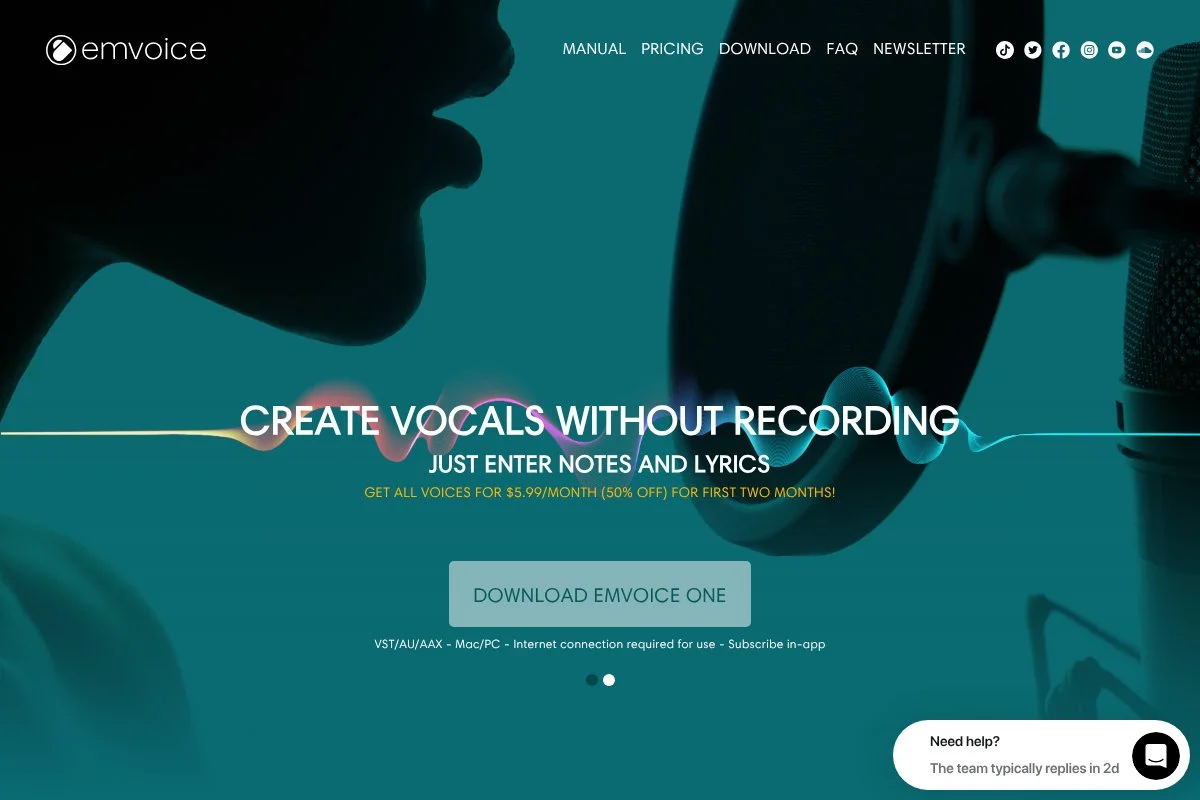
Emvoice One is a vocal plugin for your DAW that lets you type lyrics and place notes in a piano roll. It is cloud assisted and ships with commercial voices like Lucy, Keela, and others. Producers use it to sketch or finish leads without a live singer.
You can try it free. Install the plugin, pick a voice, and start drawing notes. The interface is clean, and lyric entry is fast for quick ideas inside your DAW.
Recent updates have focused on stability and voice quality. The team adds new voices over time, which expands style choices. It feels more polished now than in early releases.
Premium features are tied to purchased voices and full export. The paid version unlocks full range and commercial use. That split keeps the trial useful but limited.
Emvoice works well as a DAW-friendly scratchpad. It is good for topline experiments before committing to another editor.
Support and tutorials are straightforward. The learning curve is short if you already use a DAW daily.
How it works and key features
Inside your DAW, Emvoice opens a piano roll where you place notes and type lyrics. It has a minimal interface with quick tools for note length and phrasing. There are no templates, but phrase editing is quick.
There is no custom code path. Analytics are basic meters and visual notes. Automation is handled by DAW lanes, so you can ride levels and effects as usual.
It includes additional tools by virtue of being a plugin: you can stack EQ, compression, and reverb in your DAW chain. Support is provided through docs and a help center.
Overall, it is beginner friendly for DAW users, though the free tier is limited for full songs.
Who it is for
Best for producers, songwriters, and content creators who want typed vocals directly in a DAW. It excels at quick toplines and hooks. If you need deep phoneme control or AI modes, Synthesizer V offers more. Minimal technical skill required if you use a DAW.
Emvoice One pricing
Emvoice offers a free trial and paid voices. Pricing is per voice, with the plugin available to download at no cost. Full export and range require purchased voices.
- Free Trial: $0, limited range and functionality for testing.
- Paid Voices: from $69 per voice, unlocks full use and export.
Compared to editors with free voices, this can cost more as you add voices. The upside is tight DAW integration. Watch for sales if you plan to buy multiple voices.
Pros and cons
- Pros:
- Works inside your DAW, fast for ideas.
- Clean interface and simple lyric entry.
- Free to try before buying voices.
- Cons:
- Free tier has limited range and export.
- Costs add up if you want several voices.
- Less detailed phoneme control than editor-first tools.
Use Emvoice if you want DAW-native sketching. If you need deeper control with no cost, start with Synthesizer V Basic.
Emvoice One reviews
No entries on G2 or Capterra. You will find user reviews on KVR Audio and YouTube, which vary by voice and workflow preference.
What is the best Vocaloid software right now?
Our top picks today are Synthesizer V Studio Basic, OpenUTAU, and UTAU. For most beginners and busy producers, Synthesizer V Studio Basic is the best starting point. OpenUTAU is next for a modern UTAU workflow. UTAU stays valuable if you rely on classic plugins and legacy voicebanks.
Why is Synthesizer V our top pick? The main reason is the free Basic edition paired with Lite voices that sound good.
On value, it scales well. You can stay free for sketches and still deliver useful stems. If you choose to upgrade, the one-time Pro license is fair compared to a subscription. Many paid suites push you into monthly fees and pricey expansion packs. Here, you can buy only the voices you need when you need them.
OpenUTAU earns the runner-up spot because it keeps the UTAU ecosystem alive with a clean editor and cross platform support. If your project depends on specific UTAU voicebanks or resamplers, it is the smoother path. Recent stability on macOS makes it far more practical on laptops.
Its standout strength is flexibility. You can bring old UST projects forward, run multiple banks, and script tedious edits. If your work leans on stylized UTAU voices, OpenUTAU is the better first pick.
UTAU is our third choice because it is the root of so many community voices. If you do not need modern polish and you value plugin depth, it still delivers. The barrier to entry is low in cost, though higher in learning time.
Should you use more than one? Yes. A common split is to sketch fast lines in Synthesizer V, then rebuild parts in OpenUTAU for a specific character voice. Keeping both installed covers most use cases.
Choosing between these is not simple. Synthesizer V stays on top because it gets to a believable demo fastest.
Frequently Asked Questions
Q: Is there a truly free Vocaloid editor I can use without limits?
Yes. OpenUTAU, UTAU, DeepVocal, NNSVS, and DiffSinger are free. Synthesizer V Studio Basic is also free, though some Lite voices have usage limits. Emvoice is free to try with restrictions.
Q: Which free option sounds the most natural out of the box?
For quick realism, we suggest Synthesizer V Studio Basic with AI Lite voices. It needs less manual tuning than UTAU-style tools. Final polish still comes from mixing in your DAW.
Q: Can I use these vocals commercially?
It depends on the voicebank license. Read each voicebank’s terms. Some Lite or community voices are for non-commercial use, while paid voices usually allow commercial projects.
Q: What hardware do I need to run these tools?
Editors like Synthesizer V, OpenUTAU, UTAU, and DeepVocal run on typical laptops. AI toolkits like NNSVS and DiffSinger benefit from a dedicated GPU for training. Exports are fine on CPU if you keep projects small.