
Recruiting gets all the attention, but I have watched more than one great hire sour in the first week because nobody ordered the laptop, the I-9 went missing, or the access requests sat in someone’s inbox. A strong offer means nothing if day one is chaos. The fix is rarely more headcount — it is a repeatable system with clear owners, checklists, and reminders that fire on their own.
Here is what took me too long to accept: most teams do not need an expensive HR suite to get that. A solid free plan with templates, e-signatures, and task automation covers roughly 80 percent of what onboarding actually requires, and it works for contractors and remote teammates too. The trick is picking a tool that does not lock the basics behind a paywall or hand you a blank canvas you have to build yourself.
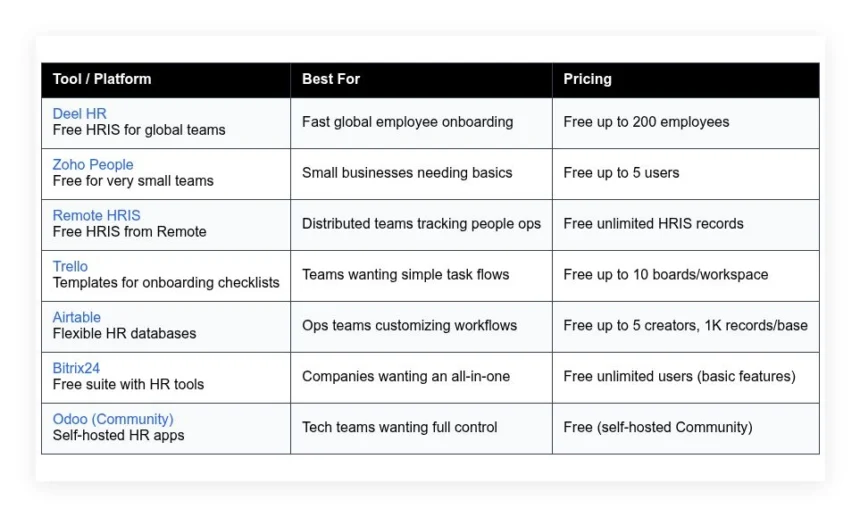
Below are the free onboarding tools that worked for me and for founders I trust — what each does well, where it falls short, and who it fits. Start with the table for a quick snapshot, then read on for the detail.
Comparison of 7 best onboarding software in 2026 with pricing and recommended use cases
Scroll on for my detailed notes on each option. I also share which one I picked and which free plans are best for beginners.
What is an onboarding software?
Onboarding software is a category of HR or operations tools that help companies welcome new hires, collect required documents, and guide them through early tasks and training. With checklists, deadlines, and clear owners, you reduce mistakes and create consistency across locations and roles.
Think of it as moving from a loose shared spreadsheet to a structured system: where a spreadsheet tracks 20 fields loosely, onboarding software tracks 100 with reminders and e-signature, so nothing slips. At its core, it lets HR and managers assign steps, collect data from new hires, route approvals to IT and finance, and confirm completion so employees start productive and confident.
Teams often pair onboarding tools with e-signature services, identity management, learning systems, and ticketing tools to cover equipment, access, and training. Not all tools are the same, so it pays to look closely at limits, automation, and how well they fit your hiring mix.
How to choose the best onboarding software
There are many options, and they start to blur together. It is normal to feel overwhelmed by features, limits, and pricing pages. I wrote this to help you find a fit for your team size, hiring pace, and budget — you do not need to overbuy to get reliable results.
Most guides are written by vendors or by media running sponsored lists. I am not sponsored by any platform here. What follows is my honest take based on hands-on use. A few questions worth asking before you commit:
- How generous is the free tier, and what features are locked?
- Can I set up core flows fast, like e-sign, tasks, and access?
- Will it scale from 5 to 200 hires without a rebuild?
- How does pricing grow as I add people, locations, or data?
- Does it cover the experience I want for day one and week one?
- What analytics can I track, like completion rates and time to ready?
- How hard is it to export data and migrate if I switch later?
- What quality checks exist, like required fields and approvals?
- Does it handle global needs like local formats, docs, and tax IDs?
My picks below answer these points in plain language so you can decide quickly. Let us get into the list.
7 best onboarding software in 2026
Here are my top picks for the best onboarding software:
- Deel HR
- Zoho People
- Remote HRIS
- Trello
- Airtable
- Bitrix24
- Odoo (Community)
Let us see which one is right for you.
1. Deel HR
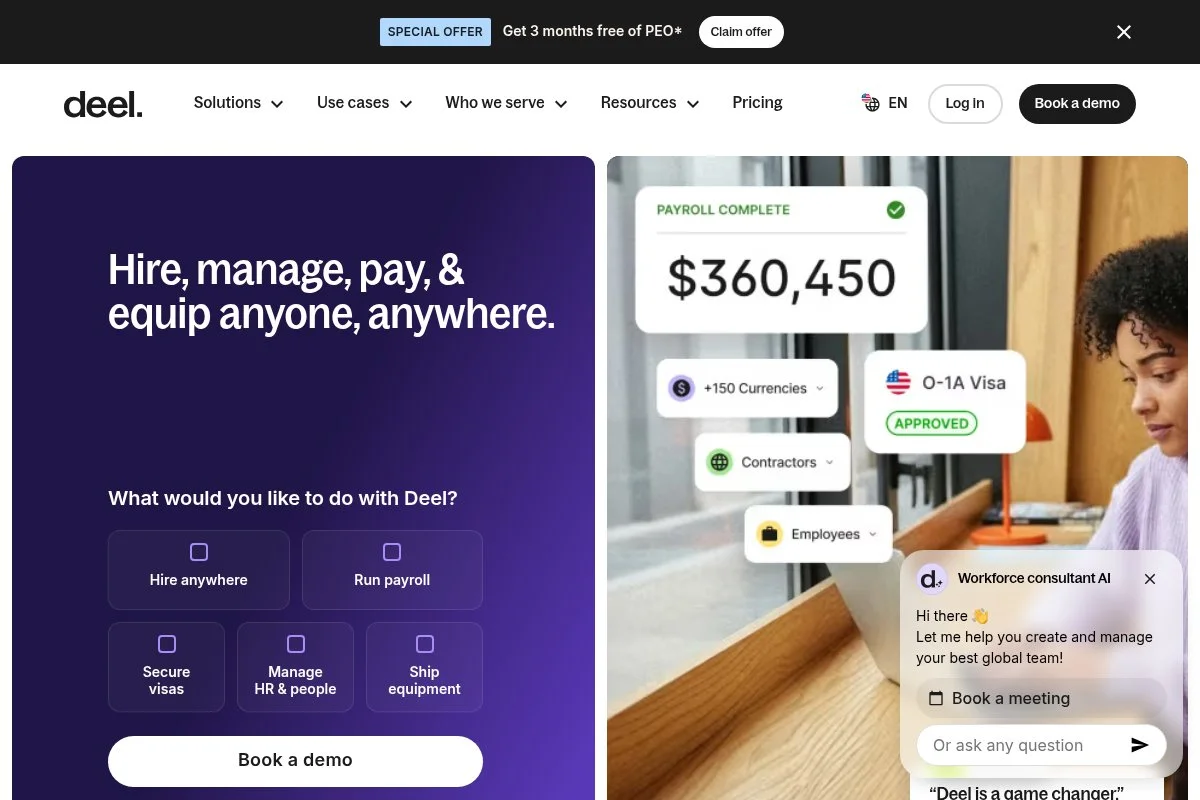
Deel HR is an all-in-one HRIS designed for distributed teams, built by the same company known for global payroll and EOR. Deel’s global compliance focus and rapid product cadence make it a serious option for startups hiring across borders.
The free HR plan lets you get started quickly. Setup is guided, with fields for personal details, job info, and equipment, and day to day I use task templates, document collection, and manager checklists to keep week one on track. Recent updates tied HR, EOR, and contractors closer together, which helps mixed teams run one onboarding flow while handling local docs where needed and reduces the back-and-forth with finance and legal. On paid tiers, Deel adds advanced time off, custom roles, HR analytics, and workflows that trigger off hire dates or role changes; add payroll or EOR and you can centralize everything from offers to payslips.
I use Deel HR for standardizing our new hire steps across countries — not sponsored, I picked it after testing six tools and seeing how fast we could go live with real approvals and tasks. I also like the help content: their guides are practical, which cuts setup time for small teams without a dedicated HR ops lead.
How Deel HR works and key features
The interface is clean and form-driven. You create positions, invite hires, and assign an onboarding template, and templates include tasks, due dates, owners, and document requests with e-signature. Customization is solid — you can add custom fields, adjust task logic, and connect tools like Google Workspace or Slack, and advanced users can push data through integrations or export for BI tools.
Analytics cover onboarding progress, time-to-complete, and pending docs, and automation can trigger reminders and route steps to IT, finance, or managers based on start date or location. Beyond onboarding, Deel HR offers people directories, org charts, PTO, and basic HR files. Support is responsive via chat, with a growing library of how-tos; one people ops lead told me they shipped their first hires the same week, which matches my experience. Overall, it balances beginner-friendly setup with enough depth to handle global teams.
Who Deel HR is for
Best for startups, remote-first companies, agencies hiring contractors, and small HR teams supporting global hires. It shines when you need e-sign, task templates, and local compliance in one place. If you want deep LMS or complex provisioning, pair it with a training or IT tool. Technical skill is not required.
Deel HR pricing
Deel HR uses a freemium model tied to headcount and features. There is a free plan for core HR and onboarding, then paid tiers add analytics, permissions, and advanced workflows.
- Deel HR Free: $0/month, up to 200 employees, includes core HRIS, onboarding templates, document collection, e-sign, and basic time off.
- Deel HR Paid: Pricing varies by feature set, adds advanced analytics, custom roles, and workflow automation.
- Add-ons: Deel Payroll and EOR are billed separately if you need global hiring and payroll.
Value is strong for small and mid teams, since the free plan covers real onboarding work. Costs rise if you add payroll or advanced features. Annual contracts can reduce paid rates. If you scale to thousands, model costs against a full HR suite.
Deel HR pros and cons
- Pros: Generous free plan, fast global onboarding, strong document handling, simple templates.
- Pros: Clear upgrade path into payroll and EOR if you grow.
- Pros: Helpful support content speeds setup.
- Cons: Deep analytics and permissions require paid tiers.
- Cons: Not a full LMS, so training may need another tool.
- Cons: Complex provisioning may require IT integrations outside Deel.
If you hire across borders or mix employees and contractors, start here. If you need heavy training or custom SSO flows, layer tools alongside it.
Deel HR reviews
G2 and Capterra list high marks for Deel’s HR and global hiring tools, with ratings above 4/5 and many detailed write-ups. Counts change often, but sentiment skews positive on ease and speed.
2. Zoho People
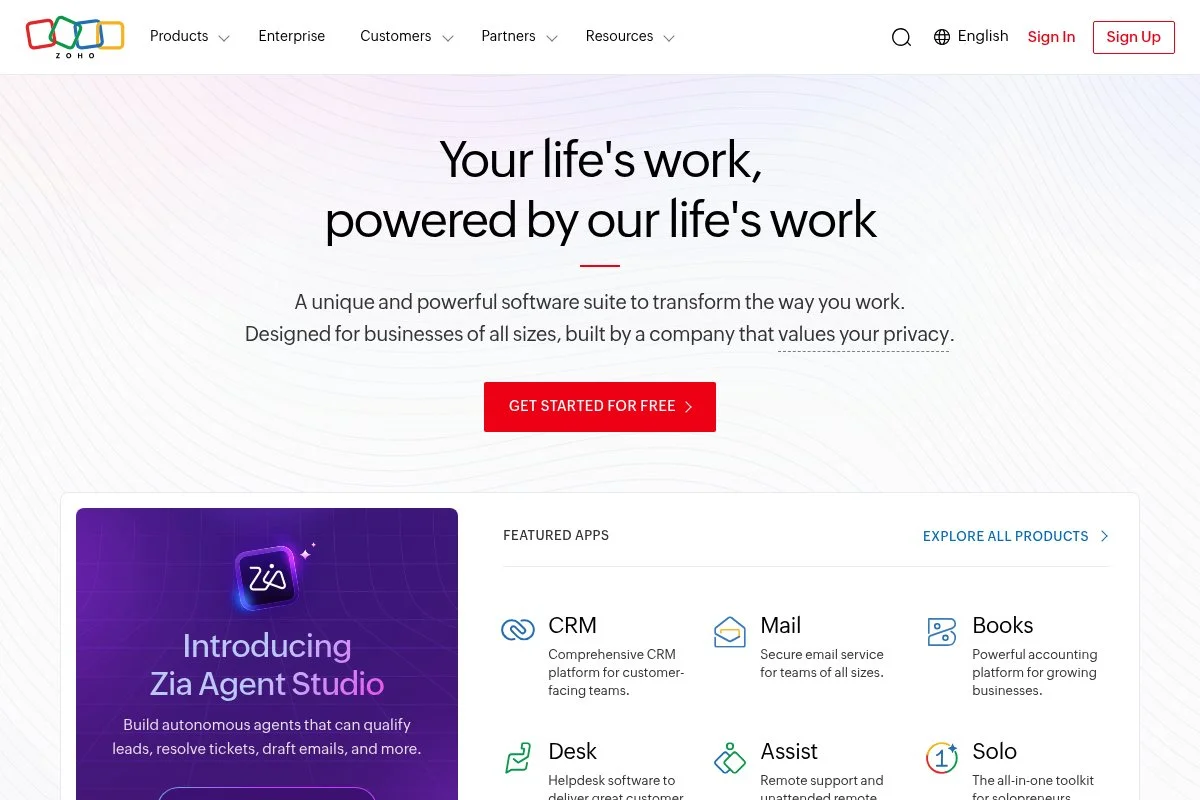
Zoho People is a modular HR system designed for small businesses that want straightforward employee data, onboarding, and time off in one place. Zoho has shipped business software for years, so the product benefits from a mature ecosystem.
The free plan supports very small teams. Setup is simple: add employees, choose an onboarding template, and send documents, and the interface is tab-based and easy to navigate for non-technical admins. Recent updates have focused on usability and integrations with other Zoho apps like Recruit and Sign, which helps teams connect hiring to onboarding without rebuilding data. Paid tiers add advanced workflows, custom fields with rules, time tracking, and attendance, plus better reporting and role-based permissions as you grow.
I recommend Zoho People when a founder needs something simple that does not turn into a spreadsheet mess — it is not fancy, but it is steady and clear. Another plus is the Zoho marketplace: you can extend the system without an engineer, which keeps costs down for small teams.
How Zoho People works and key features
Zoho uses a clean, forms-first interface. You define onboarding steps, assign owners, and track progress from a dashboard, and templates include document requests and basic tasks with due dates. Templates are editable and can vary by role or location; advanced users can create custom fields, add validation rules, and connect Zoho Sign for e-signature, with integrations including Zoho Recruit and third-party tools via APIs.
Reports cover onboarding status, late items, and time to complete, and automation can notify managers and new hires when tasks are due. Outside onboarding, you get employee directories, leave management, and files. Support is available through docs, forums, and email; one small business owner told me it replaced seven sheets and two inboxes, which sums up the benefit. Overall, it is beginner-friendly and works well without heavy setup.
Who Zoho People is for
Best for small businesses, agencies, local retailers, nonprofits, and early-stage startups. It excels at checklists, basic e-sign, and simple approvals. If you need deep analytics or complex provisioning, you may outgrow it. No special technical skill is required.
Zoho People pricing
Zoho People uses tiered pricing by features and users, with a free plan for tiny teams. Higher tiers unlock workflows, time tracking, and more customization.
- Free: $0/month, up to 5 users, includes employee profiles, basic onboarding tasks, and leave management.
- Essentials/Professional tiers: Paid per user/month, add workflows, time and attendance, approvals, and integration depth.
- Enterprise-level tiers: Paid per user/month, add advanced customization, permissions, and analytics.
Compared with others, the value is strong at the low end. Annual billing usually lowers rates. If you scale to dozens of users, compare costs with all-in-one suites to avoid tier creep.
Zoho People pros and cons
- Pros: Free plan for five users, simple setup, proven vendor, ties into Zoho apps.
- Pros: Clear onboarding templates and leave tracking in one place.
- Pros: Good value for small teams.
- Cons: Advanced analytics and complex workflows need higher tiers.
- Cons: Interface is functional, not fancy.
- Cons: May feel limited for fast-scaling, global teams.
If you want a steady, low-friction start, Zoho People is a safe pick. Power users needing deep automation should look higher on this list.
Zoho People reviews
G2 and Capterra show ratings above 4/5 for ease and price-to-value. Review counts are large and current, with feedback noting reliable basics and room to grow.
3. Remote HRIS
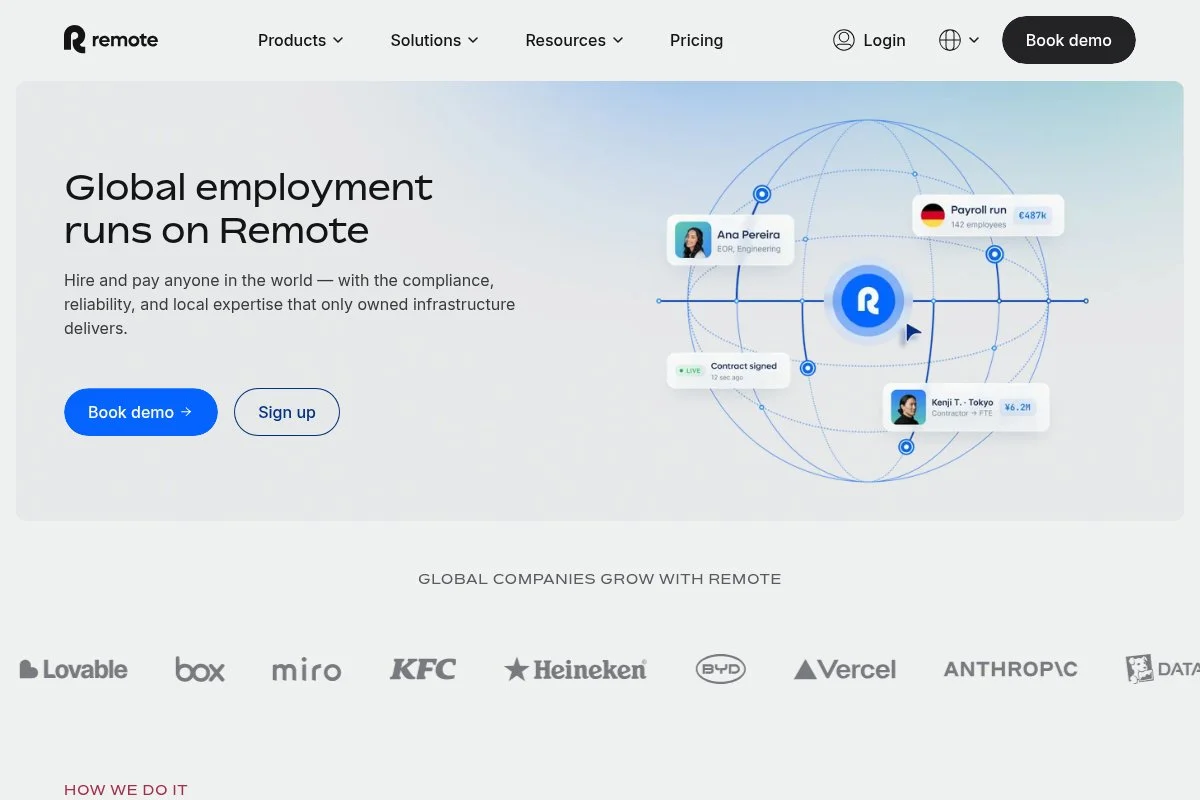
Remote HRIS is a free human resources system from Remote, the company known for EOR and contractor payroll. It is aimed at distributed teams that want a central record of people with basic onboarding flows.
Getting started is quick — you can import people records, invite hires, and assign checklists for documents and equipment, and the interface stays simple, which helps managers jump in without training. Remote has tied HRIS closer to its paid services over time, making it easier to move from free onboarding to full EOR or payroll if you need to hire in new countries. Advanced features come with Remote’s paid offerings, including global payroll, benefits, and compliance, but for many the free HRIS covers core onboarding tasks before you ever upgrade.
I like Remote HRIS for teams that want a no-cost system of record with real workflows — it keeps you out of spreadsheets while you are still small. Support content is helpful, and the product’s focus on remote teams shows up in the details, like international fields and formats.
How Remote HRIS works and key features
Remote HRIS uses a lightweight people directory with profiles, documents, and tasks. You can set onboarding checklists, assign owners, and track status, and templates cover core steps and can be adapted by role. Customization includes custom fields and document requests; integrations with Remote’s payroll and EOR reduce double entry, and data can be exported if you need deeper analytics elsewhere.
You get basic reporting on task completion and outstanding items, and automations handle reminders and owner assignments. Beyond onboarding, there are core HR features for managing employee data. Support is provided through documentation and customer channels; a founder told me it was the fastest way to stop onboarding in email, which is the core win. It is friendly for beginners and works fine for light HR needs.
Who Remote HRIS is for
Best for remote-first startups, small global teams, and agencies with contractors and employees. It excels at simple HR records and onboarding checklists. If you want deep reporting or heavy IT provisioning, you may need other tools. No technical skill is required.
Remote HRIS pricing
Remote HRIS is free for core HR and onboarding tasks. If you require hiring in new countries, payroll, or benefits, those are paid Remote services added on top.
- Remote HRIS: $0/month, unlimited HRIS records, includes people directory, onboarding tasks, and basic document management.
- Remote Contractors, EOR, and Payroll: Paid services, priced per contractor or employee and country.
The free value is strong if you need a central record right now. Costs scale if you adopt payroll or EOR. Compare with Deel if you expect a quick ramp into paid global hiring.
Remote HRIS pros and cons
- Pros: Free HRIS with onboarding tasks, remote-friendly fields, simple setup.
- Pros: Easy path into EOR and payroll when ready.
- Cons: Advanced analytics and approvals require paid add-ons or other tools.
- Cons: Less depth than full HR suites.
If you need a free people system that beats spreadsheets, start here. Power users will want more reporting sooner.
Remote HRIS reviews
Public reviews focus on Remote’s paid products. HRIS feedback is newer and more limited, but early comments praise quick setup and clean flows.
4. Trello
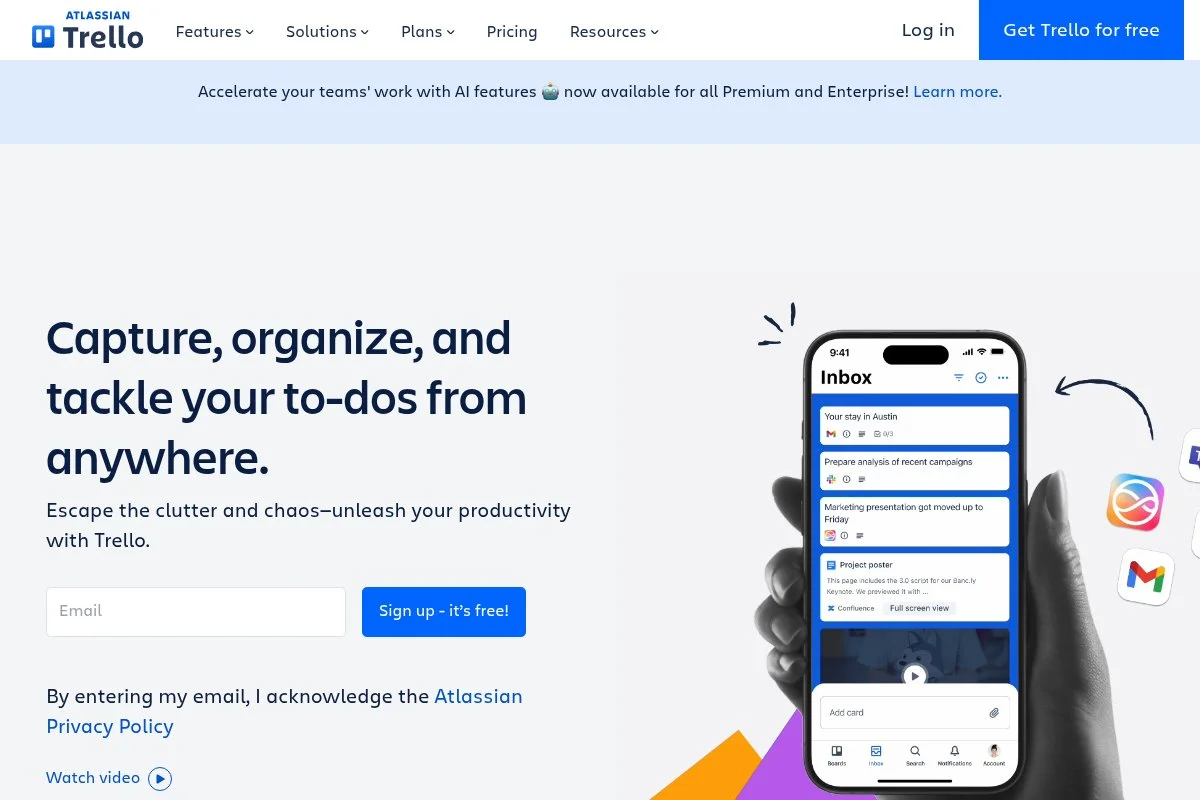
Trello is a visual task board from Atlassian. It is not an HRIS, but it is one of the fastest ways to stand up a clear onboarding checklist with owners, dates, and checklists.
The free plan covers most basics. I spin up a board with lists like Pre-boarding, Day 1, and Week 1, and assign cards for each step — managers grasp it immediately. Atlassian has refined Trello over time and linked it with Jira and Confluence, and Power-Ups and templates make HR boards easy to copy and repeat across roles. Paid plans add advanced automations, views, and admin controls, which helps if you need more guardrails as you scale boards across teams.
I have used Trello for fast-moving hiring months when I just needed clarity. It will not manage documents on its own, but paired with an e-sign tool it works well, and the community templates are a bonus — you can borrow a proven layout and tweak it in minutes.
How Trello works and key features
Trello uses drag-and-drop boards with lists and cards. Each card can hold checklists, due dates, attachments, and comments, and the editor is simple, so anyone on the team can update status. There are many templates for onboarding and HR; you can customize fields, use labels, and add Power-Ups for automation and integrations with Slack, Google Drive, or calendar.
Automation with Butler can assign tasks, set dates, and move cards when conditions are met. Reporting is basic on free, though paid tiers add dashboards and timelines. Support includes help docs and community forums; a manager told me their onboarding clarity doubled in one week, which matches what I see when teams adopt a shared board. It is ideal for beginners and stays useful with light automation for power users.
Who Trello is for
Best for small teams, agencies, and founders who want instant visibility. It excels at task clarity and checklists. If you need HR records or e-signature, pair it with HRIS or an e-sign tool. No technical skill required.
Trello pricing
Trello pricing is tiered by features and workspace needs. The free plan is strong for simple boards and light automation.
- Free: $0/month, up to 10 boards per workspace, includes unlimited cards, basic automation, and templates.
- Standard/Premium: Paid per user/month, add advanced views, more automation, and admin controls.
- Enterprise: Paid per user/month, includes organization-wide controls and security.
Value is high for small teams. If you run HR at scale, budget for Premium to unlock features like dashboards and advanced rules. Annual billing usually lowers the per-user rate.
Trello pros and cons
- Pros: Fast setup, clear checklists, generous free tier for small teams.
- Pros: Huge template library and easy automations.
- Pros: Managers adopt it quickly.
- Cons: Not a true HR system, no native e-sign.
- Cons: Reporting is limited on free.
- Cons: Scaling many boards needs paid tiers.
If you need clarity fast, Trello is perfect. If you need records and compliance in one tool, consider an HRIS instead.
Trello reviews
G2 and Capterra rate Trello well above 4/5 with large review counts. The common praise is ease of use and quick setup for any workflow.
5. Airtable
Airtable is a flexible database with spreadsheet ease. It is ideal for custom onboarding trackers where you want fields, forms, and views that match your process.
The free plan covers small teams. I create a base with tables for hires, tasks, equipment, and access, and forms make it simple for new hires to submit details without an account. Airtable has added better automation, interfaces, and integrations, which makes it more than a spreadsheet, especially for repeatable HR flows. Paid tiers add higher limits, advanced automations, and granular permissions, and interfaces let you design clean, role-based views for managers and IT.
I like Airtable when teams have unique onboarding needs — it adapts to your fields instead of forcing you into rigid forms. Templates and community examples speed things up: you can start from a starter kit and tweak fields in minutes.
How Airtable works and key features
Airtable’s interface is spreadsheet-like with rich fields. You can build forms for pre-boarding, link records across tables, and create views by owner or status, and drag-and-drop and filters keep it friendly. Templates cover HR, recruiting, and onboarding; you can add custom formulas, link tables, and even embed limited scripts, with integrations connecting to Slack, email, and other apps.
Automations send reminders, create tasks, and update statuses. Reporting comes from grouped views and summary fields, and interfaces provide dashboards for leadership and HR. Support includes docs, community, and email; a people ops lead told me it fit their unusual process without a dev, which is the point. It is beginner-friendly at first and powerful as you grow into it.
Who Airtable is for
Best for ops teams, HR generalists, managed services firms, and IT groups with custom steps. It excels when you need fields and linked records your way. If you prefer out-of-the-box HR features, choose an HRIS instead. Light technical comfort helps, but no coding is required.
Airtable pricing
Airtable pricing is tiered by features, records, and editors. The free plan suits small projects and trials.
- Free: $0/month, up to 5 creators, 1,000 records/base, includes forms, views, and basic automations.
- Plus/Pro: Paid per user/month, increase limits, add more automations, and advanced permissions.
- Enterprise: Custom pricing, adds admin controls, SSO, and security features.
Value is strong for custom workflows. Annual billing lowers per-seat costs. If you expect heavy records or many editors, budget for Pro to keep performance smooth.
Airtable pros and cons
- Pros: Highly flexible fields and forms, great for custom flows.
- Pros: Useful free plan for small teams.
- Pros: Interfaces and automations reduce manual work.
- Cons: Not a ready-made HR system, more setup work.
- Cons: Paid tiers needed for larger bases and security.
Pick Airtable if your process is unique. If you want plug-and-play HR onboarding, choose a dedicated HRIS.
Airtable reviews
G2 and Capterra show strong ratings above 4/5, with praise for flexibility and ease. Counts vary but are substantial across industries.
6. Bitrix24
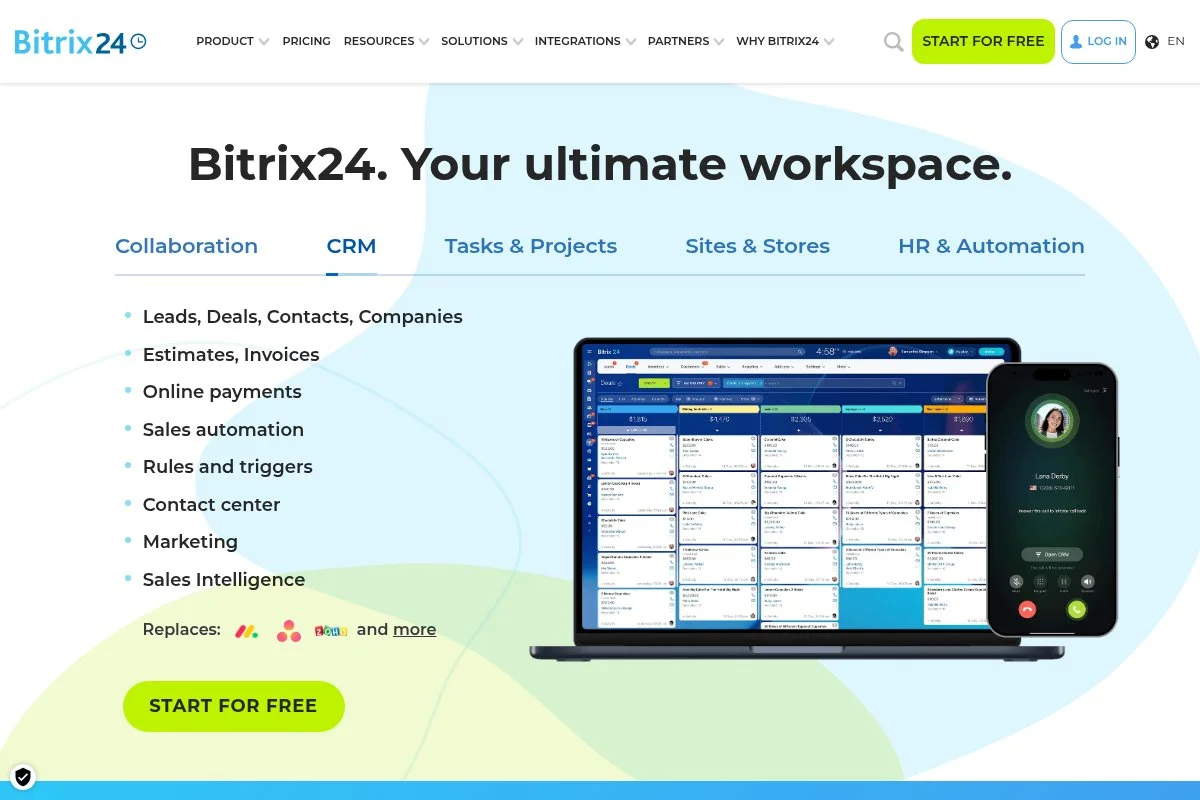
Bitrix24 is an all-in-one business suite that includes CRM, tasks, and HR tools. The free plan supports unlimited users with core features, which is rare for small companies watching budget.
You can build onboarding projects with tasks, templates, and activity streams. The interface is busy at first, but once you focus on tasks and HR features, it clicks. Recent cycles improved the task system and automation rules, which helps convert onboarding into a predictable series of steps with reminders. Paid tiers add more automation, advanced roles, and better reporting, and there are on-premise options for teams that need local hosting.
I recommend Bitrix24 when a team wants tasks, chat, and simple HR in one spot — it can replace several separate apps if you are willing to learn it. The price-to-feature ratio is strong on free, especially for task-heavy onboarding.
How Bitrix24 works and key features
Bitrix24 centers on tasks and projects, with HR features layered in. You can create templates for pre-boarding, day one, and week one, and each task can have checklists, assignees, and deadlines. Templates are flexible — you can add fields, automations, and triggers based on status, with integrations connecting to email, calendar, and storage providers.
Reporting includes task completion and workload overviews, and automation can create tasks on hire date or notify owners when documents are missing. Support is community-first on free, and documentation covers setup paths; a COO told me it consolidated three tools for them, which fits my experience. It is powerful, though the learning curve is steeper than simpler tools.
Who Bitrix24 is for
Best for growing small businesses, service firms, and teams that want tasks, chat, and HR in one hub. It excels at templated task flows and team coordination. If you need a clean, minimal UI, Trello may feel easier. Some patience is helpful to get the most out of it.
Bitrix24 pricing
Bitrix24 offers a generous free plan and paid tiers with more features and limits. Pricing is typically per account with user limits and added modules on higher tiers.
- Free: $0/month, unlimited users (basic features), includes tasks, chat, and simple HR tools.
- Basic/Standard/Professional: Paid plans increase limits, add automation, advanced roles, and better reporting.
- On-premise: One-time or subscription pricing for self-hosted deployments.
Compared with others, the free plan stands out. If you need governance, plan on upgrading. Annual billing often reduces costs. Evaluate user caps and storage before committing.
Bitrix24 pros and cons
- Pros: Free plan with unlimited users, many features in one place.
- Pros: Solid task templates and automations for onboarding.
- Pros: Can replace multiple tools if you adopt it fully.
- Cons: UI can feel crowded and complex.
- Cons: Best analytics and controls live on paid tiers.
If you want an all-in-one and can handle a learning curve, it is strong. If you value simplicity over breadth, consider Trello or Zoho People.
Bitrix24 reviews
G2 and Capterra show mixed-to-positive ratings, with praise for value and breadth, and critiques of complexity. Review counts are large and span many use cases.
7. Odoo (Community)
Odoo is a suite of business apps with a free, open-source Community edition. You can self-host HR, documents, and onboarding apps, then tailor everything to your process.
Getting started requires a bit of setup. Once running, you can install the Employees and Onboarding modules, build checklists, and route approvals to IT and finance. Odoo keeps adding apps and polish across releases, and the ecosystem of modules means you can cover HR, helpdesk, and equipment in one stack. Paid Odoo plans and partners add hosting, support, and advanced modules; if you need SSO, enterprise features, or guaranteed support, budget for that.
I suggest Odoo for technical teams that want full control and no per-user fees — it is powerful, at the cost of admin time. The community is active, with many guides and forum posts, which shortens the learning curve if you have a systems-minded owner.
How Odoo works and key features
Odoo uses a modular web interface. You add apps for Employees, Documents, and Approvals, and onboarding becomes a set of activities with owners, due dates, and linked records. Customization is deep — you can add fields, adjust workflows, or extend with Python if needed, with integrations covering email, identity, and other Odoo apps.
Reporting is available through built-in views and filters, and automations can generate tasks on hire date, request documents, and notify IT for provisioning. Support comes from community docs and paid partners; a tech lead told me they got exactly what they wanted but had to build it, which captures Odoo’s tradeoff. It is powerful for advanced users, and workable for beginners only with guidance.
Who Odoo (Community) is for
Best for engineering-led teams, MSPs, and IT-heavy organizations that value control and no license fees. It excels at end-to-end workflows across HR, helpdesk, and assets. If you want a quick, hosted start, pick Deel HR or Zoho People instead. Technical skill or admin time is required.
Odoo (Community) pricing
Odoo Community is free to use if you self-host. Costs involve server resources and your time. Odoo’s paid editions add hosting and enterprise features.
- Community (Self-hosted): $0/month, unlimited users, includes core HR apps via modules and full source access.
- Odoo Online/Enterprise: Paid per user/month, adds hosting, support, SSO, and advanced modules.
- Partners and add-ons: Services priced separately for setup and customization.
Value is high if you can self-manage. If you need guaranteed uptime and support, Enterprise may be worth it. Model costs for hosting and admin time before committing.
Odoo (Community) pros and cons
- Pros: Free and open source, deep customization, many HR-adjacent apps.
- Pros: No per-user costs, good for complex, connected workflows.
- Cons: Setup and maintenance effort, steeper learning curve.
- Cons: Best features may require paid editions or partners.
Pick Odoo if control matters and you have the skills. If you want hosted convenience, choose a managed HRIS.
Odoo (Community) reviews
G2 and Capterra list many reviews for Odoo overall, with mixed-to-positive ratings. Feedback highlights flexibility and the effort required to implement it well.
What is the best onboarding software right now?
The short version: Deel HR for most remote-first teams, Zoho People as the simplest starting point for tiny companies, and Remote HRIS as a smart free system of record if you may add EOR later.
I personally use Deel HR, and this is not sponsored. I found it while testing tools for a cross-border hiring sprint, and what impressed me was how fast I could stand up real templates, collect documents, and assign owners without writing a manual. On value, a free plan covering up to 200 employees is hard to beat if you are early stage — comparable HR suites often start charging per user from day one, and if you add payroll later, you already have the data in one place, which cuts admin time.
Zoho People is my close second. It does the basics cleanly and ties into Zoho Recruit and Sign, and its strength is simplicity: you can hand it to a founder or office manager and get a working process in a day. If I were advising a five-person shop hiring a few people a quarter, I would nudge them here for its calm setup and clear pricing — and if I were not hiring globally, I might have chosen it myself.
Remote HRIS is my third pick — a useful free hub for people data and onboarding checklists that gets you out of spreadsheets with no spend if you do not need advanced analytics yet. I also keep Trello around for ad-hoc checklists with managers even when Deel runs the records, because different tools play different roles and that is fine. In the end, Deel HR won for me because it balanced speed, global support, and that generous free plan; Zoho People and Remote HRIS are excellent if your needs are simpler. Set up your templates, assign owners, and make day one feel great for every new hire.
Frequently Asked Questions
Q: What should a free onboarding tool include at minimum?
I look for task templates, document collection with e-sign, role-based owners, due dates, and reminders. Basic reporting on completion and late items also helps a lot.
Q: Can I run compliant onboarding for remote hires on a free plan?
Yes, for many cases. Use a tool with e-sign, store required forms, and assign steps to IT and finance. For global hires, rely on vendors that handle local compliance.
Q: When should I upgrade to a paid tier?
Upgrade when you need advanced permissions, deeper analytics, or automated workflows across departments. I also upgrade if managers start missing steps due to manual follow-ups.
Q: How do I migrate if I outgrow my first tool?
Plan exports early. Keep clean fields for people data and tasks, and store signed docs in a shared drive. Most tools export CSVs, which makes moving much easier later.