For small cleaning businesses, the hard part is often the admin: booking jobs, scheduling crews, tracking hours, and getting invoices out. This guide compares seven options — Square Appointments, Homebase, Zoho Invoice, ClickUp, Airtable, Setmore, and Clockify — covering what each does well, who it suits, what the free plan includes, and where it falls short.
How we put this list together: we went through each tool’s official website, pricing page, and documentation, and checked what the free plan actually includes and where the paid tiers begin. Prices and plan limits change often, so confirm the details on the vendor’s site before you commit.
My take
After going through these tools, my main takeaway is that there is almost no software built specifically for small janitorial businesses at a free price point. Everything on this list is a general-purpose tool that happens to fit cleaning work. That is not a bad thing. It just means you should pick by the problem that costs you the most time, not by the label on the box.
For most owners, I would tackle them in this order: booking and payments first, crew scheduling and hours second, invoicing third. Square Appointments and Homebase cover the first two with real free tiers, and Zoho Invoice handles the paperwork without a monthly fee.
The trap I would avoid is building everything in ClickUp or Airtable on day one. They are flexible, but flexibility becomes its own job. Use them later, once you know which reports you actually check every week, and let simpler tools carry the day-to-day until then.
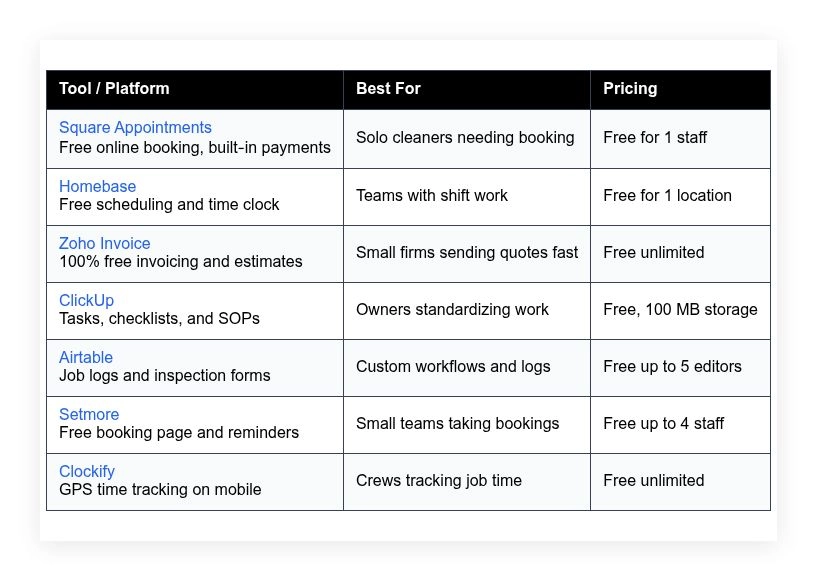
Comparison of 7 best janitorial software in 2026 with pricing and recommended use cases
Below is a closer look at each tool, followed by our overall recommendations.
What is a janitorial software?
Janitorial software is a set of tools that helps cleaning businesses run operations — booking, scheduling, time tracking, job checklists, invoicing, and client communication. Clear schedules, checked tasks, and fast billing give you control, reduce rework, and keep clients longer.
Consider the tradeoff: a missed invoice on a $400 deep clean costs more than a month of paid software, so a free or low-cost tool that sends every invoice on time can pay for itself many times over. At its core, janitorial software lets owners and crews plan jobs, capture work onsite with mobile devices, sync time and materials, and turn that into accurate invoices and performance reports.
Teams often pair janitorial software with payment processors, accounting tools, and message apps, and many add digital forms for inspections and a basic CRM for repeat customers. Not every tool fits every crew, so it pays to weigh limits, pricing, and integrations before you commit.
How to choose the best janitorial software
Picking software for a cleaning business can feel overwhelming — dozens of apps, each claiming to do everything, and the fine print often tells a different story. We wrote this to help you pick a stack that matches your current size and your next step, so you can start free and upgrade only where it pays off.
A few questions worth asking:
- How generous is the free tier, and what is the first paid step?
- Can you schedule jobs and send confirmations in under five minutes?
- Will it scale to multiple crews, vehicles, and service areas?
- What happens to pricing as staff, jobs, or invoices grow?
- Does it cover your must-haves like checklists, photos, and signatures?
- Are analytics clear on hours, job margins, and repeat clients?
- How hard is it to export data if you switch later?
- Is it reliable in the field, with offline or weak-signal support?
- Does it integrate with the payments, accounting, and calendars you use?
Our ranked picks below answer these points, with tradeoffs called out so you can decide fast.
7 best janitorial software in 2026
Here are our top picks for the best janitorial software:
- Square Appointments
- Homebase
- Zoho Invoice
- ClickUp
- Airtable
- Setmore
- Clockify
1. Square Appointments

Square Appointments is an all-in-one booking and payment system built by Square, the company known for simple card readers and reliable processing. That brand trust matters when clients pay onsite or online.
You can start on the free plan for one staff calendar, and setup is quick: publish a booking page, set your services, add buffer times, and turn on reminders, then work daily from the calendar, client profiles, and saved services. Recent updates improved team scheduling, intake forms, and automated confirmations, and Square has tightened links with Invoices, Banking, and Card on File, which helps repeat clients approve work faster. Higher tiers add multi-staff management, no-show protection, Google Calendar sync, and advanced reports, and if you sell supplies to clients, Square’s product catalog and taxes are handy extras many booking tools skip.
Support is well documented, the help center is excellent, and the mobile app is clean, which keeps the day clear even with last-minute adds.
How Square Appointments works and key features
The main interface is a friendly calendar with day, week, and staff views, and the booking page is WYSIWYG — you set services, durations, prices, and public visibility without touching code. Templates cover business hours, buffer times, and service categories, you can customize booking questions to gather entry codes, parking details, or photo approvals, and advanced users can connect Square’s APIs for custom flows.
Analytics include appointment volume, revenue, no-shows, and itemized sales if you pair with Square Invoices, automations handle confirmations, reminders, and follow-ups, and you can save cards on file with client consent. Outside booking, you get invoices, estimates, and a simple client CRM from the Square ecosystem, with support via help articles, chat, and phone for paid tiers. Overall, it is beginner-friendly yet strong enough to run a small crew that books online and collects payment onsite.
Who Square Appointments is for
Best for solo cleaners, small residential crews, move-out specialists, Airbnb turn teams, and mobile detailers who want simple booking with payments. It shines for repeat cleanings and card-on-file billing. If you need advanced route planning or job costing, pair it with a task tool. No heavy technical skill is needed.
Square Appointments pricing
Square prices by features and team size. There is a free plan for single-staff scheduling, with standard payment processing fees applied. Paid tiers unlock team management and advanced controls.
- Free: $0/month, 1 staff calendar, online booking page, email reminders, Square payments
- Plus: $29/month per location, multiple staff, text reminders, Google Calendar sync, no-show protection
- Premium: $69/month per location, advanced reports, resource management, priority support
Value is strong for solo cleaners who want integrated payments without extra apps. Costs rise as you add staff, but you also get better controls. Annual savings may apply on some Square products, though Appointments is often month-to-month.
Square Appointments pros and cons
- Pros: Free solo plan, integrated payments, great mobile app, reliable reminders
- Pros: Easy booking page, card on file, fast estimates and invoices via Square
- Cons: Team features require paid tier, route planning is basic
- Cons: Fees apply to payment processing, limited customization on free plan
Pick Square if you want booking plus payments without extra overhead. If you need deep dispatch or job costing, layer a task tool alongside it.
Square Appointments reviews
G2 and Capterra both show strong satisfaction for Square’s scheduling and payments. Ratings and counts change, so check those sites for the latest details.
2. Homebase
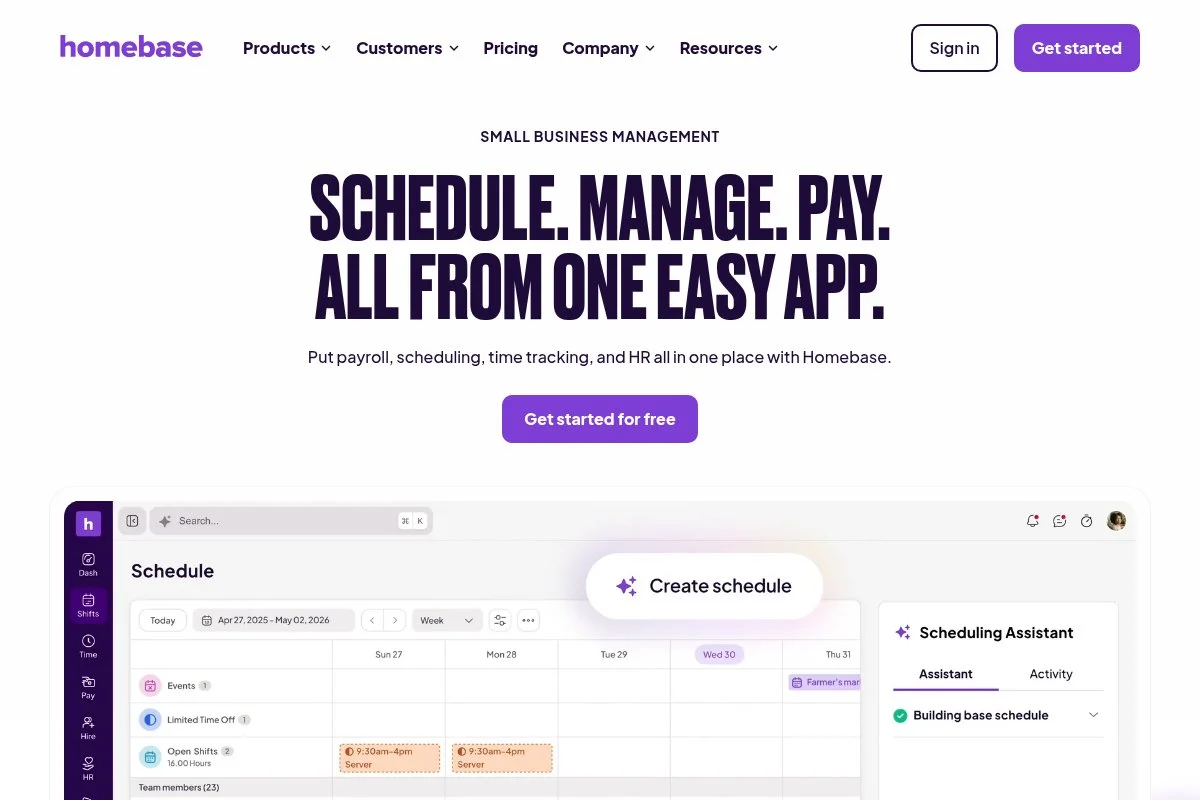
Homebase is a scheduling and time clock platform built for hourly teams. It is widely used in retail and service, which maps well to cleaning crews on shifts and routes.
The free plan covers one location, and setup takes minutes: create a schedule, invite your team, and turn on the time clock via the mobile app, then check daily who clocked in, approve hours, and message updates. Recent releases improved shift swaps, mobile alerts, and PTO tracking, and Homebase tightened its payroll exports, which saves time if you run wages weekly for field staff. Paid tiers add GPS geofencing, labor cost controls, and more compliance features, which help as you add vans and start splitting routes by zones and buildings.
Support content is solid, the mobile experience is clean, and employees pick it up quickly, which reduces training time.
How Homebase works and key features
You build schedules in a drag-and-drop grid, and the time clock runs on iOS, Android, or a shared tablet, with GPS and photo verification available on paid tiers. Templates help you repeat common shifts and locations, you can add roles like day porter, night crew, or supervisor, and advanced users can connect payroll and POS integrations with a few clicks.
Reports show hours, overtime, and labor spend, automations handle reminders for upcoming shifts and late clock-ins, and outside core features Homebase offers hiring tools, basic HR, and document storage. Support includes a help center, chat, and email. It fits both small teams and growing crews, with an overall feel that is straightforward and practical for day-to-day operations.
Who Homebase is for
Best for janitorial teams with shifts across offices, schools, or retail sites. Great for owners who need accurate hours, schedule templates, and simple team messaging. If you need detailed job costing per client, pair it with invoicing software. Beginner-friendly with optional advanced controls.
Homebase pricing
Homebase prices by location and features. The free plan supports one location with core scheduling and time tracking. Paid tiers unlock GPS, compliance, and HR tools.
- Basic: $0/month, 1 location, scheduling, timesheets, messaging
- Essentials: Paid tier, adds performance tracking and late alerts
- Plus: Paid tier, adds time-off approvals, budgets, and forecasting
- All-in-One: Paid tier, adds HR and onboarding features
Value is strong at the free level for a single location. Costs rise with added locations and advanced tracking. Annual billing can lower the per-month price on paid tiers.
Homebase pros and cons
- Pros: Free plan for one location, easy scheduling, fast team adoption
- Pros: Solid time tracking and payroll exports, strong mobile app
- Cons: Some GPS and compliance tools require paid tiers
- Cons: Job costing needs a separate invoicing tool
Choose Homebase if you want clean time and schedules first. Add invoicing or booking tools alongside it for a full stack.
Homebase reviews
G2 and Capterra list strong ratings for scheduling and time clocks. Check those platforms for current scores and review counts.
3. Zoho Invoice
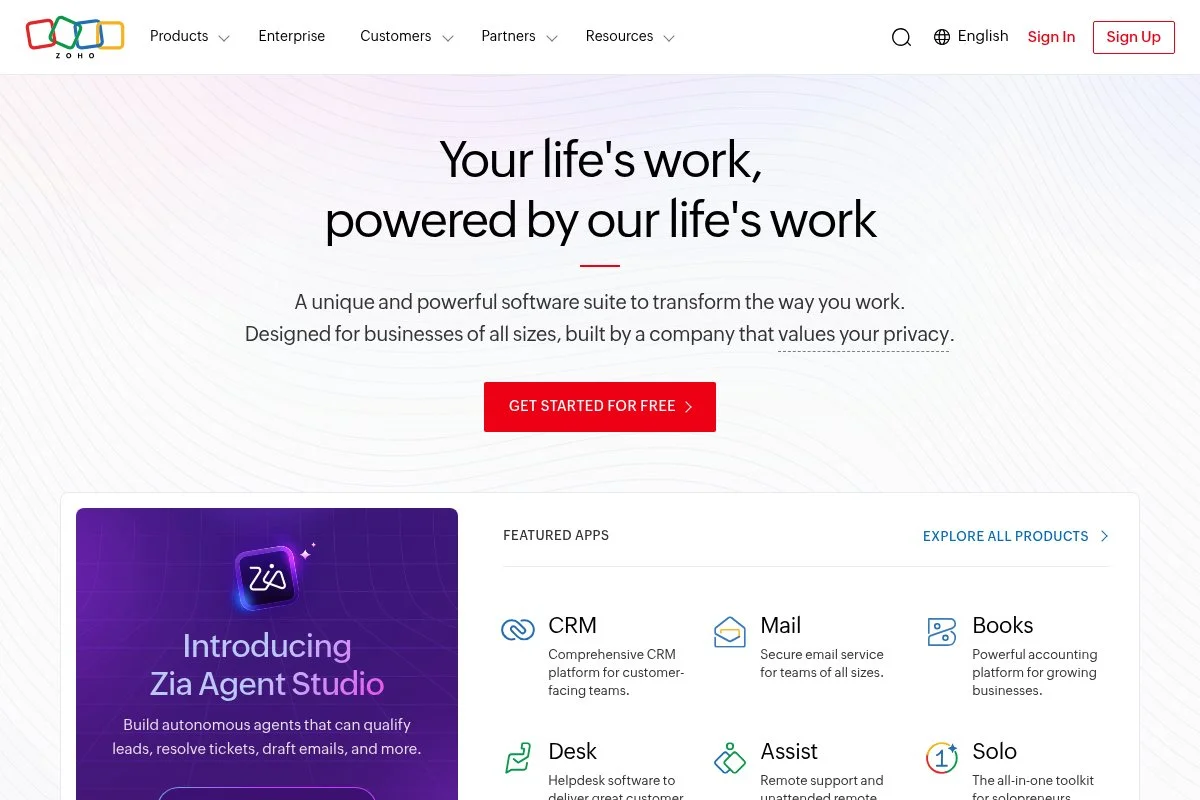
Zoho Invoice is a dedicated invoicing and estimates tool from Zoho, a long-standing business software company. It is entirely free, which is rare for a polished invoicing product.
Getting started is quick: add your logo, taxes, and payment options, send estimates for move-outs or post-construction, then convert approved quotes to invoices with one click, with daily use centered on estimates, invoices, and payments. Recent improvements include better client portals, time tracking on projects, and streamlined recurring invoices, which helps with monthly office cleaning contracts. Advanced features include multi-currency, retainer invoices, and automated reminders — capabilities you usually see behind paywalls in other tools.
The documentation is deep, support articles are easy to follow, and the templates look clean, which your clients will notice.
How Zoho Invoice works and key features
The editor is form-based and simple: you choose templates, add items, taxes, and terms, then send via email with a client portal link, no coding needed. Templates are customizable with your branding, notes, and fields for supplies or extras, power users can add custom fields and automate reminders and dunning, and integrations are available across the Zoho suite and payment gateways.
Analytics include invoice aging, payment history, and sales by client or item, automations handle recurring invoices and thank-you notes, and you also get time tracking per job if you want to bill hourly. Support comes via a help center and community. Overall, it is friendly for beginners and capable for growing firms.
Who Zoho Invoice is for
Best for janitorial owners who need professional estimates and on-time invoicing. Great for contract work, recurring office cleanings, and deposits. If you need full bookkeeping, pair it with an accounting tool. No technical skill required.
Zoho Invoice pricing
Zoho Invoice follows a simple model. The product is free, with features typically found in paid tools. You only pay payment processing fees to your chosen gateway.
- Zoho Invoice: $0/month, unlimited invoices, estimates, clients, and projects, automated reminders
Compared to others, this is outstanding value. If you outgrow it, Zoho Books adds full accounting on paid plans. You can also connect third-party accounting if you prefer.
Zoho Invoice pros and cons
- Pros: 100% free, polished templates, client portal, recurring billing
- Pros: Time tracking per project, multi-currency, solid automations
- Cons: Not a full accounting system, limited field service features
- Cons: Custom integrations may take setup time
If you need fast quotes and clean invoicing without cost, this is a top pick. Add scheduling and time tools as needed.
Zoho Invoice reviews
G2 and Capterra show high ratings for ease of use and value. Check those sites for current star ratings and review counts.
4. ClickUp
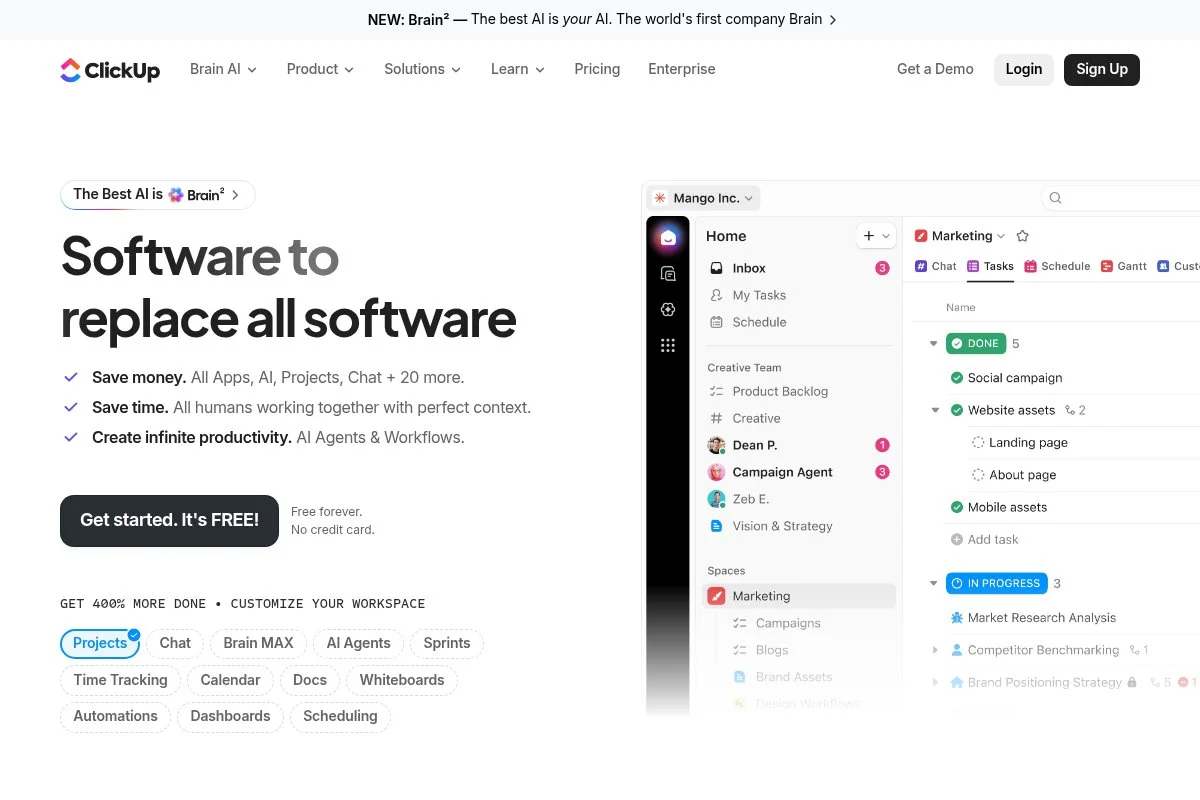
ClickUp is an all-in-one work hub for tasks, docs, and checklists. The company is well known, with a large user base across service and project teams.
Start on the Free Forever plan: create spaces for clients, lists for jobs, and templates for checklists, with daily use revolving around tasks, comments, and mobile uploads of photos from the job site. Recent versions improved speed, search, and templates, which makes SOPs and repeat checklists smoother and helps standardize quality across crews. Paid tiers add time tracking, workload, custom fields at scale, and advanced automation — great for multi-crew operations that want to measure throughput and rework.
Support resources and templates are extensive; the learning curve exists, but the payoff is standardized work.
How ClickUp works and key features
ClickUp uses a list and board interface with optional Gantt and calendar views. The editor is minimal but flexible, and you can attach photos, checklists, and forms without code. Templates cover SOPs, inspections, and onboarding, advanced users can add custom fields, automations, and integrate with Google Drive, Slack, and more, and there is also an API for custom flows.
Analytics include dashboards for task status, time, and workload on paid plans, automations handle task routing, due dates, and reminders, and docs, whiteboards, and forms extend the core experience. Support includes a help center and community. Overall, it balances beginner access with depth for power users.
Who ClickUp is for
Best for owners who want to standardize every clean with checklists, photos, and notes. Great for training, recurring jobs, and quality audits. If you only need simple booking, a lighter tool may fit. Usable by beginners, expandable for advanced teams.
ClickUp pricing
ClickUp prices by features and workspace members. The Free Forever plan is generous for small teams. Paid tiers add storage, automations, and advanced reporting.
- Free Forever: $0/month, unlimited tasks and members, 100 MB storage
- Unlimited: Paid tier, more storage, dashboards, integrations
- Business: Paid tier, advanced automations, time tracking, workload
- Enterprise: Custom pricing, SSO, advanced security, support
Compared to project tools, the free plan is strong. Costs scale as you add members and want deeper analytics. Annual billing usually lowers the per-month price.
ClickUp pros and cons
- Pros: Free plan with unlimited tasks, strong templates, mobile-friendly
- Pros: Scales to advanced automations and dashboards
- Cons: Learning curve, storage cap on free plan
- Cons: Not a booking or invoicing tool by itself
Use ClickUp for SOPs, checklists, and training. Pair with a booking and invoicing tool for a full stack.
ClickUp reviews
ClickUp is well reviewed on G2 and Capterra for flexibility and value. Ratings change often, so verify current scores on those sites.
5. Airtable
Airtable is a spreadsheet-database hybrid used by operations teams everywhere. It lets you design custom job logs, inspection forms, and asset lists without code.
Start on the free plan: build a base for clients, contacts, job sites, inspections, and photos, then use grid, Kanban, and form views to capture work and share updates. Recent updates improved interface layouts and automation triggers, which helps turn submitted forms into tasks and alerts for supervisors. Paid plans add higher record limits, advanced permissions, and automations at scale, so if you track many buildings or long histories, that headroom matters.
We like Airtable for custom inspections — cleaners submit a mobile form with photos, and the sheet updates live for the client. The template gallery is helpful, support docs are clear, and the community shares many janitorial-friendly bases.
How Airtable works and key features
The interface feels like a modern spreadsheet: you add tables, link records, and switch between grid, calendar, and gallery, with no coding needed for common setups. Templates include asset tracking, inspections, and work logs, and advanced users can write scripts, use the API, or connect with Zapier and Make for custom flows.
Reports come from grouped views and charts on paid tiers, automations can send emails, create tasks, or update fields, and forms turn checklists into clean data. Support includes guides and community forums. It suits both small and medium teams, and overall it is flexible for owners who want control without hiring a developer.
Who Airtable is for
Best for operators who want custom job logs, inspections, and asset lists. Great for post-construction punch lists and QA. If you only need booking, this is overkill. Beginner-friendly with room to grow for power users.
Airtable pricing
Airtable prices by features and editors. The free plan includes core views and limited records per base. Paid tiers raise limits and add advanced controls.
- Free: $0/month, base record and storage limits, essential views and forms
- Plus: Paid tier, higher limits, automation increases
- Pro: Paid tier, advanced permissions, interfaces, more automations
- Enterprise: Custom pricing, security, admin, and scaling features
Value is high if you need custom workflows without custom code. Pricing scales with editors and data. Annual billing typically lowers monthly costs.
Airtable pros and cons
- Pros: Free plan for small bases, flexible forms, links, and views
- Pros: Strong automation and integration options
- Cons: Record limits on free plan, can sprawl without process
- Cons: Not a native booking or invoicing tool
Use Airtable if you want custom inspections or logs. Pair with booking and invoicing tools for a complete setup.
Airtable reviews
Airtable is highly rated on G2 and Capterra for flexibility and ease of use. Check those platforms for current ratings and counts.
6. Setmore
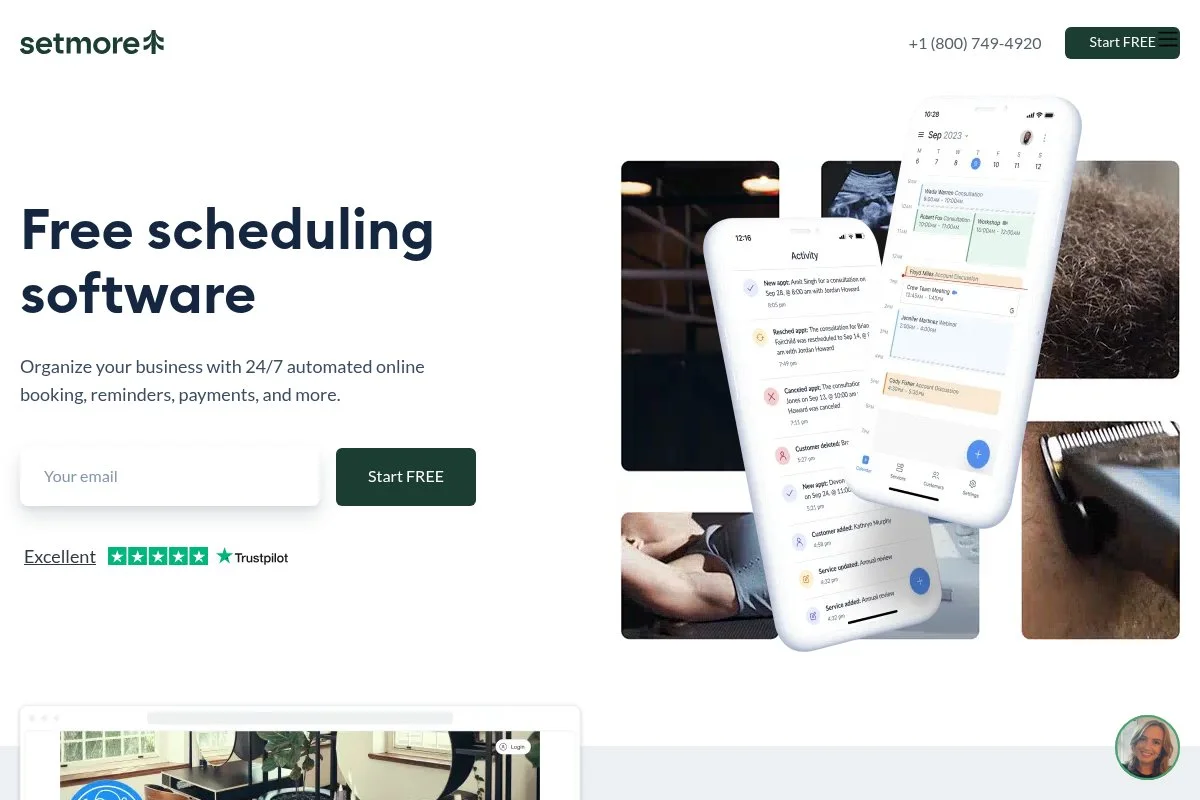
Setmore is an appointment scheduling tool with a generous free plan. It is popular with service businesses that need a shareable booking page and reminders.
You can be live on the free plan within an hour: create services for standard, deep clean, or move-out, add staff, and open slots, then manage the calendar and confirmations day to day. Recent updates improved the booking page design and integrations, so if you accept online bookings from social profiles, Setmore makes that feel native. Paid tiers add text reminders, recurring appointments, and integrations like Zoom — not janitorial-specific, but it checks the core boxes for booking and reminders.
Support content is clear, and the learning curve is very light, which helps new owners move fast.
How Setmore works and key features
Setmore’s interface is a simple calendar and booking page editor. No code is required to add services, durations, and buffers, and you can embed the booking widget on your site. Templates cover service types and staff hours, advanced users can connect with Stripe for payments and use Zapier for workflows, and there is a public booking page you can share anywhere.
Analytics focus on appointments and attendance, automations handle email reminders on free with SMS on paid plans, and extras include a contact list and simple notes. Support includes help docs and chat. The experience is straightforward, beginner-friendly, and fits small teams taking online bookings.
Who Setmore is for
Best for solo cleaners or small crews that want a shareable booking link and basic reminders. Great for residential work and one-time jobs. If you need deep payments and invoicing, pair it with a billing tool. No technical skill needed.
Setmore pricing
Setmore prices by users and features. The free plan includes a booking page for up to four users. Paid tiers add SMS reminders and integrations.
- Free: $0/month, up to 4 users, booking page, email reminders
- Pro/Team: Paid tiers, SMS reminders, recurring appointments, integrations
The free tier is generous for small teams. Costs scale as you add users and want text reminders. Annual billing often reduces monthly rates.
Setmore pros and cons
- Pros: Free for up to 4 users, fast setup, clean booking link
- Pros: Email reminders on free, embeds on websites
- Cons: SMS and advanced features require paid plan
- Cons: Not tailored to job costing or field operations
Setmore is a strong starter for bookings. Add invoicing and time tracking to round it out.
Setmore reviews
Capterra and G2 show positive feedback on ease of use. Verify current ratings and review counts on those sites.
7. Clockify
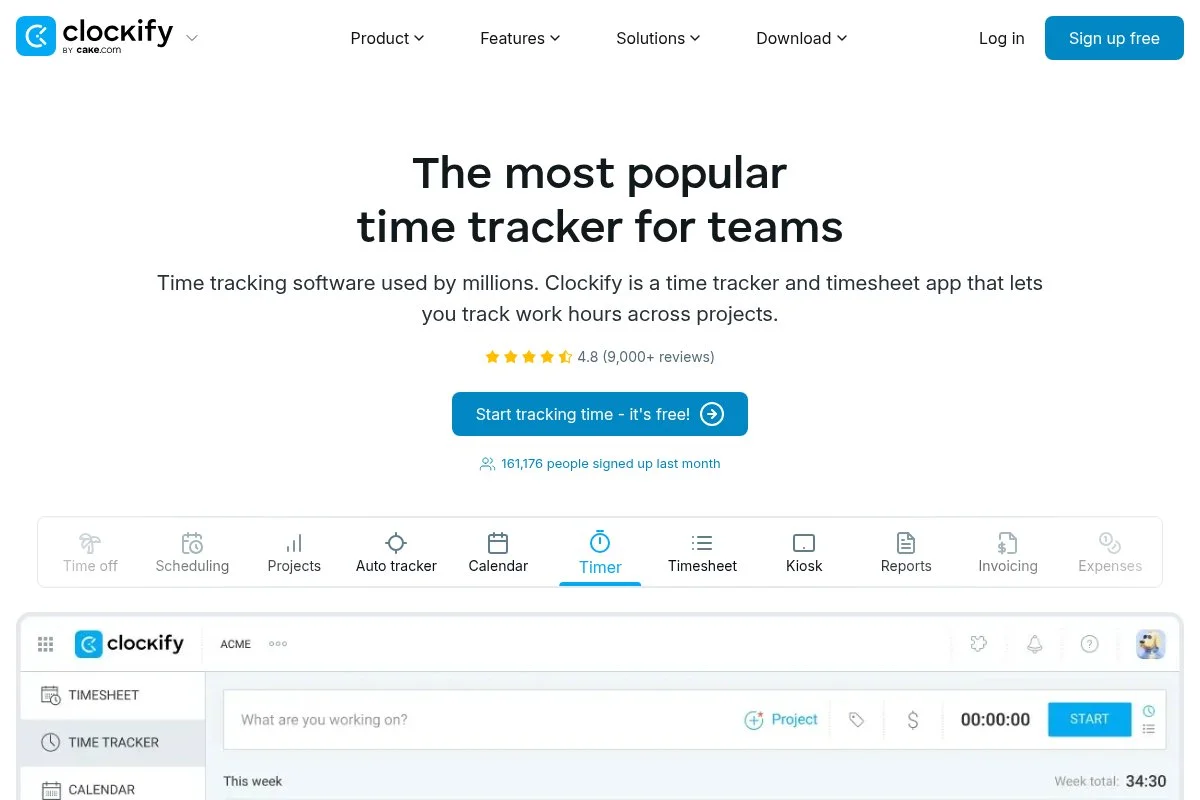
Clockify is a free time tracking app with optional paid upgrades. Many field teams use it to track hours by job and client on mobile.
You can start free with unlimited users: create projects for clients and tasks for job types, then have your crew clock in, tag the client, and add notes or photos if needed. Recent improvements enhanced GPS and kiosk modes on paid plans, which helps verify on-site work for commercial contracts. Paid features include GPS tracking, scheduling, approvals, and timesheet locks — controls that become valuable once you have multiple routes and supervisors.
We like Clockify for clear job hours and reports; it helps prove service levels when clients ask about time spent. The mobile app is fast, and the reports are simple enough for owners who want clarity without spreadsheets.
How Clockify works and key features
Clockify’s interface is a timer and timesheet view, and the mobile app is minimal — you select a project, start the timer, and add notes, with no code or setup hurdles. Templates are light: you organize clients and projects, then group tasks, and power users can integrate with tools through APIs and Zapier.
Reports show hours by client, project, and team member, paid plans add GPS, approvals, and exported audits, and automations can remind staff to submit timesheets. Support includes docs and email. It is focused and effective, beginner-friendly for time tracking, with optional controls for larger teams.
Who Clockify is for
Best for crews that bill by the hour or need clear time proof for contracts. Great for mobile teams and supervisors tracking multiple sites. If you want deep scheduling or booking, pair with other tools. Very little technical skill required.
Clockify pricing
Clockify uses a freemium model. The free plan includes unlimited users and basic time tracking. Paid tiers add GPS, approvals, and advanced reporting.
- Free: $0/month, unlimited users, projects, and basic reports
- Basic/Standard: Paid tiers, add kiosk mode, time off, approvals
- Pro/Enterprise: Paid tiers, add GPS tracking, budgeting, advanced security
The free plan is generous for growing teams. Pricing increases as you add controls and compliance features. Annual discounts are usually available.
Clockify pros and cons
- Pros: Free for unlimited users, simple mobile time tracking
- Pros: Clear reports by client and project, quick setup
- Cons: GPS and approvals on paid plans, limited scheduling
- Cons: Not a booking or invoicing tool
Use Clockify if time proof is your pain point. Pair it with booking and invoicing for a full toolkit.
Clockify reviews
G2 and Capterra list strong ratings for ease of use and value. Check those sites for up-to-date scores and review totals.
What is the best janitorial software right now?
The short version: Square Appointments, Homebase, and Zoho Invoice together cover booking, scheduling and time, plus clean estimates and invoicing without upfront cost.
Square Appointments is our top pick. It combines scheduling and payments cleanly for solo and small-crew booking. On value, Square’s free plan for one staff is hard to beat: alternatives that include payments often start paid right away or get clunky with add-ons, and if you later add a second staffer, the monthly price is still easy to justify on a single extra job.
Homebase is our close number two for teams, because scheduling and time are the heartbeat of janitorial work — it makes assigning shifts, tracking hours, and exporting payroll simple, and recent improvements in alerts and PTO make it stronger for multi-crew ops. Its unique strength is that free one-location tier: for a single hub with rotating routes, you get a lot before paying, and for a three-van crew working from one base, it may be the place to start, with booking layered on later.
Zoho Invoice is our third pick, and it fills a huge gap — many small crews delay invoicing, and Zoho fixes that with professional quotes and automated follow-ups at no cost, so if you mainly need to quote fast and collect on time, start here. A lean stack works well: Square for booking and payments, Homebase for time, and Zoho Invoice for estimates, with ClickUp or Airtable added for checklists and inspections. Choosing between them is not really about ranking — they solve different pains — but Square comes first because cash flow matters most early on, with time tracking and checklists added once booking and payments are steady.
Frequently Asked Questions
Q: What should I include in a free janitorial software stack?
We suggest five basics: booking, scheduling, time tracking, invoicing, and checklists. Square or Setmore for booking, Homebase or Clockify for time, Zoho Invoice for billing, and ClickUp or Airtable for checklists.
Q: Can I run a small cleaning business on free software long term?
Yes, many owners do. The key is staying within limits and knowing when to upgrade. Pay once the next feature clearly saves hours or wins larger contracts.
Q: How do I handle route planning without paid software?
Keep routes simple with calendar blocks and service areas. Use Google Maps lists for frequent sites. As routes multiply, consider upgrading to tools that add geofencing and dispatch.
Q: What is the fastest way to stop late payments?
Send estimates before work, take deposits when needed, and invoice the same day. Tools like Square and Zoho Invoice automate reminders and make paying easy on mobile.