I started helping a family-run auto recycler digitize its inventory after one painful lesson: a buyer drove three hours for a tailgate our spreadsheet swore we had, and we did not. I promised to fix it without blowing the budget — yard staff barcoding parts with a phone, tracking locations across rows and racks, and publishing what was sellable fast. The idea grew from watching disciplined yards on Car-Part listings move parts daily; they win because their inventory is clean, current, and searchable.
I tested industry suites and broad inventory tools, and the truth is that pure salvage yard platforms get pricey and heavy, while general inventory apps are cheap or free but need tweaks to fit cores, interchange, and VIN data. The shops that do well keep it simple — they standardize part names, label bins, and update counts at intake and pull, avoiding feature bloat in favor of fast, accurate data entry. You do not need the most expensive package to stop stockouts and double sales.
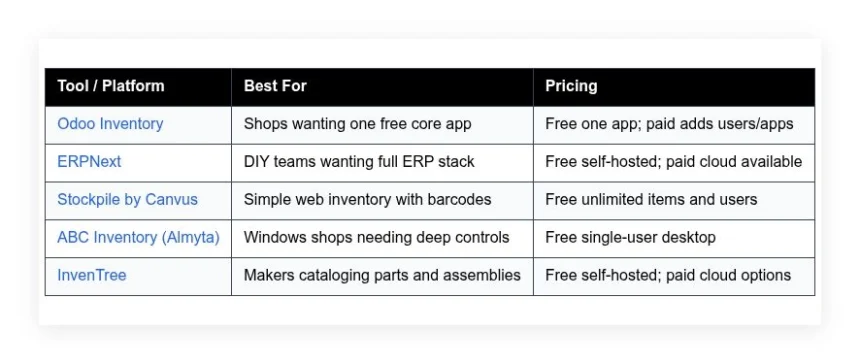
This guide shares what worked for me and what did not. I favor tools with a real free path, clear limits, and workflows a small crew can manage on day one — no sponsors, just straight talk and tradeoffs. Here is a quick summary before the deep dives.
Comparison of 5 best salvage yard inventory software in 2026 with pricing and recommended use cases
Scroll for my hands-on notes with pros, cons, and which one I picked for my yard project, plus the best free options if you are just starting.
What is a salvage yard inventory software?
Salvage yard inventory software is a system for tracking parts from vehicles you acquire, process, and sell — recording intake, locations, conditions, pricing, and movement through your yard and sales channels. In this work, good tracking means fewer wasted pulls, fewer no-shows, and faster cash turns, giving you control over aging stock and high-demand parts.
The leverage is real: listing 1,000 clean items in a searchable system can match the weekly call volume you would otherwise need a second person to handle, and one clear record can save a wasted hour on a wild-goose pull. At its core the goal is simple — yard staff capture part details from vehicle intake and dismantling, mark exact locations, sync quantities and prices, then publish accurate availability so buyers can find and purchase with confidence.
Most yards pair inventory software with barcode scanners or phone apps, online listings like eBay Motors or a parts marketplace, shipping tools, and basic accounting, and a camera-roll policy for condition shots helps too. Not every tool fits every yard, so it pays to weigh limits, costs, and how well it fits your daily workflow.
How to choose the best salvage yard inventory software
Picking software is hard — there are more choices than time to test, and most demos look great for five minutes, while the wrong fit wastes training time and stalls listings. I wrote this to help you match your yard’s size, skill, and goals with a tool you can run now; my picks favor accuracy, speed, and a real free path to start small.
Most guides on this topic come from vendors or pay-to-play lists. I am not sponsored by any platform here. This is my honest take after testing and helping a small yard run cleaner. A few questions worth asking:
- How generous is the free tier, and what are the hard limits?
- Can a new hire add a part, price it, and label it in under five minutes?
- Will it scale to multiple yards, racks, and users without rework?
- How does pricing climb as items, orders, or users grow?
- Does it support the fields you need, like interchange, VIN, condition, and images?
- What analytics will you get on sell-through, aging stock, and top movers?
- How hard is it to export everything cleanly if you switch later?
- What uptime, backups, and data ownership terms are in place?
- Does it integrate with your label printer, barcode scanner, and sales channels?
My rankings below reflect these questions so you can move with confidence. Let’s get into the list.
5 best salvage yard inventory software in 2026
Here are my top picks for the best salvage yard inventory software:
- Odoo Inventory
- ERPNext
- Stockpile by Canvus
- ABC Inventory (Almyta)
- InvenTree
Let’s see which one is right for you.
1. Odoo Inventory
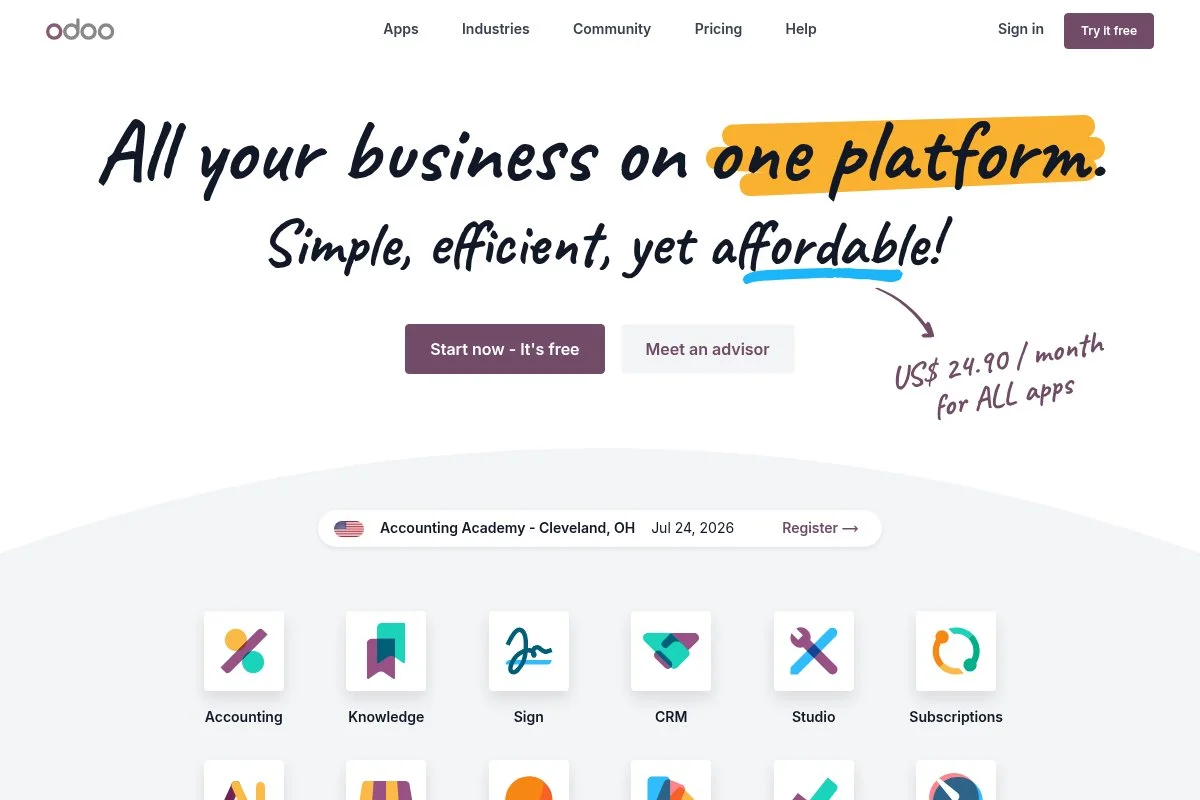
Odoo Inventory is part of Odoo’s all-in-one business suite, designed for operations teams that want customizable workflows. Odoo has been around for years with a large open source community and wide adoption across small and mid-sized firms.
You can start on Odoo’s one-app-free plan, which lets you run Inventory without paying, and setup is guided and simple — the Kanban-style operations boards, barcode app, and multi-location support cover day-to-day salvage tasks like intake, putaway, and order picking. Recent releases improved barcode flows, replenishment rules, and putaway strategies, and the mobile barcode app keeps getting faster, which matters when you are out on the yard scanning under a hood in the sun. On paid tiers you can add Manufacturing for dismantling workflows, Purchase for auctions and bids, Sales for quotes and invoices, and Website for simple listings, and Odoo’s Studio lets you tailor fields for VIN, interchange, and condition codes without custom code — something many rivals cannot match.
I have used Odoo Inventory on a real yard project, and it won me over with flexible fields, barcode-first design, and the one-app-free runway. I also like Odoo’s documentation and active forum: when I hit a snag on labels, I found a clear recipe in minutes and shipped the same day.
How Odoo Inventory works and key features
Odoo’s interface is clean and modular. The Inventory app uses menus for operations, products, locations, and reporting, and you can create templates for common parts, then add variants for trim or condition codes. Templates support custom fields and barcode rules, advanced users can add server actions, API integrations, and Studio-built forms, and reports show stock on hand, moves, valuation, and cycle counts with filters you can save.
Automation covers reordering rules, putaway by location, and routes for receiving to racks, you can add basic landing pages or a full site with the Website app plus forms for intake, and support materials include docs, forums, and optional paid help from partners. Yard managers I have worked with often make the same point — scanning to a bin and watching counts update live is what stops the crew from pulling the wrong part twice in a week. Overall, Odoo is friendly for beginners with room for power users, balancing ease and depth well.
Who Odoo Inventory is for
Best for small to mid-sized recyclers, mobile dismantlers, eBay-first sellers, independent yards adding barcodes, and shops moving from spreadsheets. It shines for teams that want custom fields and mobile scanning. Large multi-yard groups can make it work, but they may want deeper automotive interchange features. No heavy tech skills required to start.
Odoo Inventory pricing
Odoo follows a modular model. You can run one app free, which covers Inventory for unlimited users on Odoo Online. Add more apps or features and you move into paid plans. A free trial is available for broader suites.
- One App Free: $0/month, unlimited users for a single app, includes Inventory core features and barcode app.
- Paid Plans: Pricing varies by users and apps, includes multi-app workflows like Sales, Purchase, Manufacturing, Website, and Studio.
- On-Premise Community: $0/month self-hosted, community edition with many features, maintained by Odoo’s open source community.
- Enterprise Add-ons: Paid, adds advanced features, support, and upgrades for on-premise deployments.
Value is strong if you can live inside one app at first. Annual billing on paid plans usually lowers the effective monthly rate. Costs rise as you add users and apps, so plan your roadmap to avoid surprise jumps.
Odoo Inventory pros and cons
- Pros:
- Genuine free on the one-app plan with barcode support.
- Highly customizable fields and workflows without code.
- Strong reporting and saved filters for sell-through tracking.
- Large ecosystem of add-ons when you are ready.
- Cons:
- Automotive interchange is not built-in, needs custom fields.
- Costs can climb once you add multiple apps and users.
- Initial setup has a learning curve for routes and rules.
If you want flexible, free-to-start inventory with barcodes, pick Odoo. If you need native interchange catalogs and auction imports out of the box, look elsewhere.
Odoo Inventory reviews
G2: 4+/5 rating (thousands of reviews). Capterra: 4+/5 rating (thousands of reviews). Feedback highlights breadth and customization, with setup effort noted.
2. ERPNext
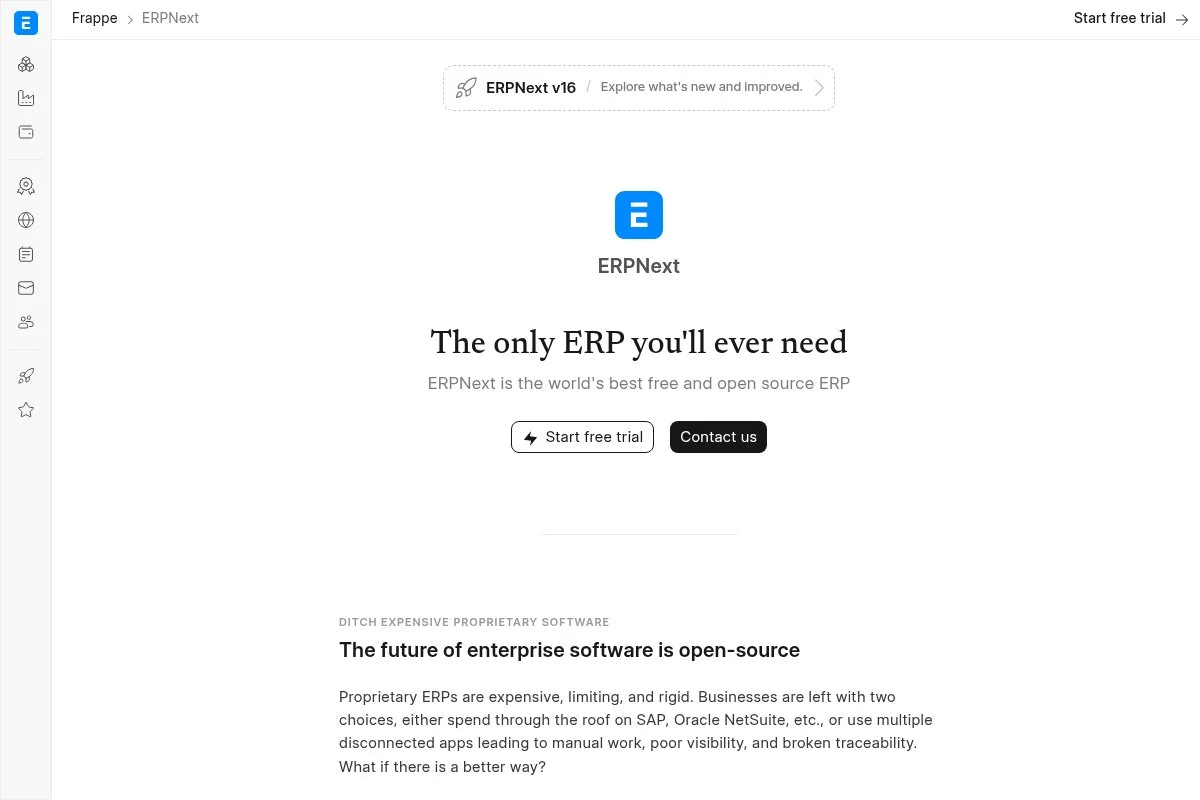
ERPNext is a full open source ERP designed for small and mid-sized businesses. It covers inventory, buying, selling, accounting, and manufacturing, and the project has an active community and steady releases.
You can self-host ERPNext for free or use paid cloud hosting. Setup wizards help you define items, warehouses, and units, and the daily flow uses simple forms and list views for receipts, stock entries, and delivery notes. Recent updates improved the user interface, list view speed, and dashboards, and the REST API and integrations keep expanding, which helps if you want to link marketplaces or label printers. Advanced features include batch and serial numbers, multi-level bills of materials for dismantling, work orders, and valuation methods — and you also get accounting and purchasing in one place, which many free tools lack.
I do not run ERPNext daily, but I have rolled it out for a small parts operation, and they liked having inventory and invoicing under one roof with no license fees. Docs are solid and the forum is helpful; with a technical friend, you can get a full system running over a weekend.
How ERPNext works and key features
ERPNext uses a clean web interface with forms and lists. Items can have attributes, images, and custom fields for VIN and condition, and templates and quick entry screens keep intake fast. You can add custom scripts, server hooks, and API calls for advanced flows, reports cover stock levels, valuation, slow movers, and aging, and auto reordering and material requests help you plan buys from auctions or wholesalers.
There are basic website and portal tools if you want a simple parts catalog, automation can trigger emails or tasks when stock drops or orders close, and community and paid support options exist. The recurring praise I hear from operations leads is that everything ties back to accounting, so shrink shows up in real numbers. The experience is balanced: new users can work from forms, while power users can script almost anything.
Who ERPNext is for
Great for recyclers who want a free, all-in-one system with stock, sales, and books. Fits teams with some technical help, multi-warehouse yards, and shops that value open source. If you need plug-in interchange catalogs or a polished mobile barcode app on day one, Odoo or Stockpile may be easier.
ERPNext pricing
The core software is free if you self-host. Cloud hosting and support are paid, priced by users and resources. Trials are available on managed hosting.
- Self-Hosted: $0/month, unlimited users, full feature set, community support.
- Managed Cloud: Paid, per-user and resource-based pricing, includes upgrades and backups.
- Partner Support: Paid, implementation and customizations through certified partners.
Value is strong if you have IT help. Managed hosting is still fair compared with many ERPs. Annual billing usually saves money. Budget for setup time rather than licenses.
ERPNext pros and cons
- Pros:
- Free core with inventory, sales, and accounting together.
- Highly extensible with scripts and API.
- Good reports for valuation and aging stock.
- Active open source community.
- Cons:
- Setup and hosting need technical comfort.
- Barcode workflows need extra tuning and hardware setup.
- No out-of-the-box interchange catalogs.
Choose ERPNext if you want a free ERP that you can shape. If you want quick start on mobile scanning, Odoo or Stockpile is simpler.
ERPNext reviews
G2: 4+/5 rating (hundreds of reviews). Capterra: 4+/5 rating (hundreds of reviews). Users like value and breadth, with notes on setup effort.
3. Stockpile by Canvus
Stockpile is a free web inventory app from Canvus, makers of business tools for field teams. It focuses on simple item management, barcodes, and quick counts, which suits a lean salvage crew.
Sign up is quick and you can add unlimited items and users. The interface is straightforward, with item cards, stock transactions, and printable labels, and daily tasks like receiving cores, updating bin locations, and adjusting counts are fast. Recent polish improved performance and label printing — I have seen fewer hiccups on older yard office PCs, a small but real win. There are no complex modules here, and that is the point: you get barcode support, notes, and simple reporting, and if you need advanced purchasing or dismantling, you pair it with other tools.
I use Stockpile for quick pilots and training; it helps crews see the benefit of scanning and clean records before we move to heavier systems. Support is lightweight through guides and email, and for a free tool the response has been fine for basic questions.
How Stockpile works and key features
Stockpile’s interface is minimal and fast. You add items with SKU or barcode, description, and location, custom fields can track condition or vehicle source, and printing labels is one click. There are no templates or scripts, but you can adapt item fields and use CSV for bulk import or export, reports show stock levels and transaction history, and automation is limited to simple adjustments, so complex rules are not the goal.
There is no built-in website or marketplace sync — you export CSV to push to eBay or other tools — and email support and a basic help center cover common tasks. Parts counter leads often say it is the first system their crew did not fight: scan, print labels, keep moving. Overall, Stockpile is beginner-friendly and perfect for getting out of spreadsheets fast.
Who Stockpile is for
Best for small yards, new sellers, pop-up dismantlers, and crews who want scanning without a long setup. Ideal for bin tracking, quick counts, and printable labels. If you need purchasing, accounting, or complex work orders in one place, Odoo or ERPNext fits better.
Stockpile pricing
Stockpile is free to use with no per-item or per-user limits as offered by Canvus. There is no paid tier for advanced features in the core product.
- Stockpile Free: $0/month, unlimited items and users, barcode support, labels, and basic reports.
The value is clear. It is a zero-cost way to clean up inventory and train scanning habits. If you later outgrow it, your CSV exports make migration simple.
Stockpile pros and cons
- Pros:
- Free with unlimited items and users.
- Fast, simple interface for non-technical crews.
- Good label printing and barcode support.
- Easy CSV import and export for migration.
- Cons:
- No built-in purchasing, accounting, or website.
- Limited reporting and no automation rules.
- No native marketplace integrations.
Pick Stockpile if you want a painless, free start. If you need a full business suite, use Odoo or ERPNext.
Stockpile reviews
Public reviews are limited. I have seen positive user anecdotes in small business forums. Expect simple and stable rather than feature-heavy.
4. ABC Inventory (Almyta)
ABC Inventory is a free Windows desktop system from Almyta Systems. It packs enterprise-style controls into a single-user tool, which suits a yard office with a dedicated workstation.
Install is local and quick. You get detailed item cards, warehouse and bin locations, and strong purchasing and receiving, and daily use is form-driven and dense, which old-school office staff often prefer. Almyta keeps the free version stable and adds fixes over time; the interface is dated, but it runs well on modest PCs that many yards still use. Advanced capabilities include kitting, lot tracking, and multi-level pricing, and you can customize reports and fields to match VIN, interchange, and condition — surprisingly deep for a free product.
I used ABC Inventory at a yard that wanted no cloud reliance; they printed labels and ran PO receiving all day without a hiccup. Backups are in your control, which some owners prefer — just schedule them and store copies offsite.
How ABC Inventory works and key features
ABC is a classic Windows app with tabbed forms. You define items, vendors, warehouses, and bins, templates help standardize entries for common parts, and barcode printing and label layouts are built-in. There is no drag-and-drop — instead you get precise fields and report designers, power users can tweak reports and data views, analytics include stock status, reorder points, and aging reports, and automation is light, though scheduled reports are handy.
There is no website module, so you export CSV for marketplaces, and support comes from manuals and community notes, with paid help from Almyta if needed. Office managers tend to sum it up the same way: it looks old, but it does what they need and never goes down. ABC is powerful for detail-driven offices, less so for mobile crews on phones.
Who ABC Inventory is for
Best for Windows-first offices, single-location yards, and teams who want full control on a local PC. Great for detailed purchasing and receiving. If your crew needs mobile scanning on the yard, a cloud system like Odoo or Stockpile is a better match. Some comfort with Windows file management helps.
ABC Inventory pricing
ABC Inventory’s single-user edition is free to use. Almyta also offers paid products and services for multi-user and advanced needs, sold as licenses and support.
- ABC Inventory Free: $0/month, single user on Windows, includes item, warehouse, purchasing, and labeling features.
- Almyta Control System: Paid, multi-user and advanced modules, available as licenses with optional support.
If you are okay with one workstation, the free version is great value. Multi-user needs point you to Almyta’s paid offering or a cloud tool. Your main cost is time for setup and backups.
ABC Inventory reviews
Public reviews on major platforms are limited. Feedback from small shops is positive on stability and depth, with common notes on dated design.
5. InvenTree
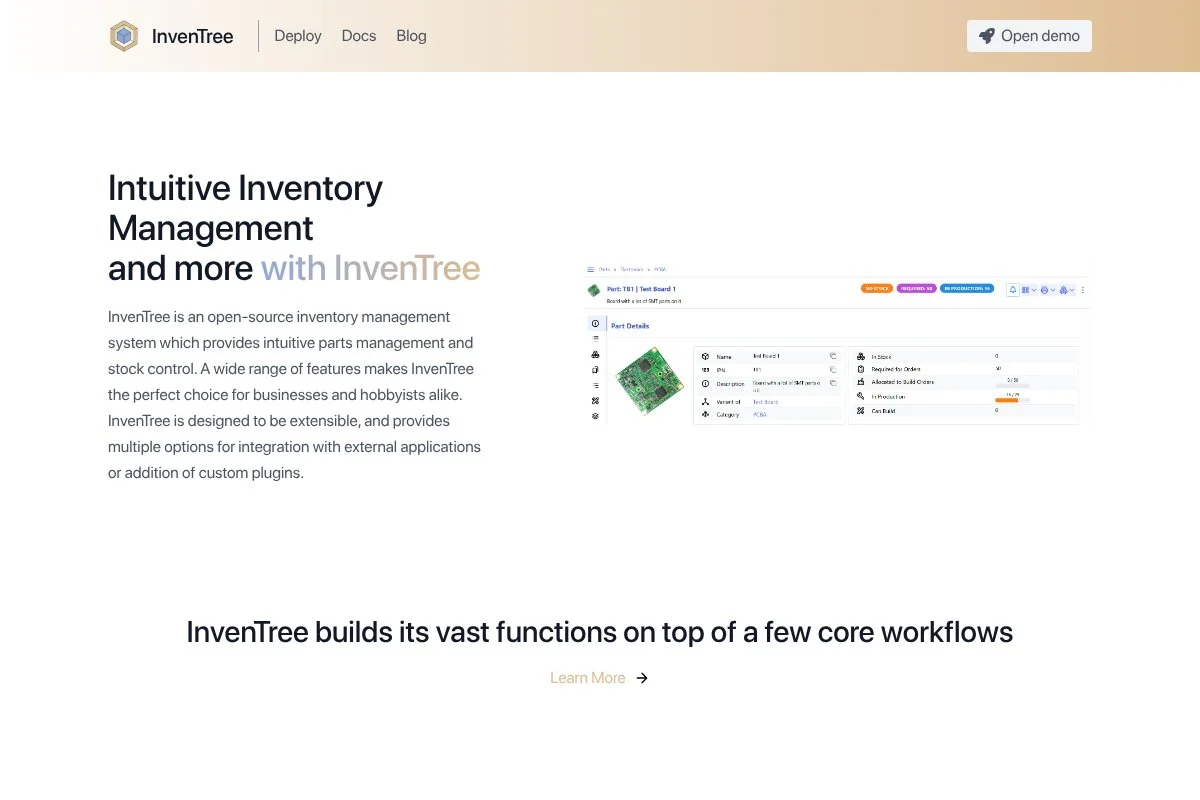
InvenTree is an open source parts inventory system focused on makers and electronics. It is flexible enough for salvage yards that want assemblies, sub-parts, and clean stock control without accounting built-in.
You can self-host for free or use paid cloud hosting from community providers. Setup walks you through parts, stock locations, and suppliers, and the interface is modern and fast. Recent builds improved the admin UI, plugin system, and API, which means better integrations for label printers and custom forms. Advanced features include stock tracking across bins, batch and serial numbers, part parameters, and a build system for assemblies — very strong for grouping parts by vehicle and trim.
I tested InvenTree for a core buyer that wanted assembly rollups, and it handled engine families and variants cleanly with custom attributes. Docs are good and the GitHub community is active; you will want light technical help for hosting and updates.
How InvenTree works and key features
InvenTree’s web interface is clean with tree views for parts and locations. You can define attributes for VIN, condition, and notes, and labels and barcodes are supported with templates. Plugins enable integrations and custom behaviors, the API is solid for linking to eBay or internal tools, reports show stock by location, aging, and transaction history, and automation can run basic actions through plugins.
There are no built-in sales or accounting modules, so you pair it with other apps for those, community support is helpful, and some providers offer managed hosting. Technicians often point to the assemblies feature as the standout — it shows what is inside an engine set without guesswork. Overall, InvenTree is powerful for advanced inventory structure and still friendly once set up.
Who InvenTree is for
Best for technical teams, builders, and recyclers who care about assemblies and variants. Great for detailed grouping of parts by vehicle. If you want accounting and purchasing baked in, look at Odoo or ERPNext. Some technical skill for hosting is helpful.
InvenTree pricing
The software is free if you self-host. Managed hosting is available from third parties with tiered plans based on users or storage.
- Self-Hosted: $0/month, full feature set, community support.
- Managed Cloud: Paid, pricing varies by provider and scale, includes backups and updates.
If you can host it, InvenTree gives you deep structure for free. Managed hosting keeps costs predictable compared with many commercial tools.
InvenTree reviews
Major review sites have limited coverage. Community feedback is strong on structure and plugins, with setup effort mentioned often.
What is the best salvage yard inventory software right now?
The short version: Odoo Inventory, ERPNext, and Stockpile can each run a salvage yard without upfront license fees, and the right choice depends on your team’s skills and how fast you need to move.
Odoo is my number one. I use it, and nobody paid me to say that. I found it while looking for a barcode-first tool that did not lock me into a contract, and the one-app-free policy let me build a working flow in a week — custom fields for VIN and condition, plus quick label printing, sold me. Value scales well if you keep a lean setup: staying on the free one-app plan can carry a small yard for months, whereas many paid rivals charge per user right away, and while you do pay once you add apps, the gains in purchasing and sales make sense if volume rises.
ERPNext is my second choice, bringing stock, sales, and accounting together for zero license cost if you self-host. For owners who want everything tied to the books it is hard to beat, and recent UI gains make it smoother for staff. What I like most is the extensibility — if I needed custom scripts for auction imports or advanced valuation I would start here, and with a stronger IT bench on staff I might have picked it first.
Stockpile is my third pick for teams who just need to get off spreadsheets this week: free, fast, and simple, and if you do not need accounting or purchasing in the same app it does the job and teaches good habits before a bigger rollout. I sometimes use more than one tool — Stockpile for quick pilots, then Odoo for daily ops once the crew is ready — a staggered path that lowers risk and keeps training light. Choosing between Odoo and ERPNext is honestly tough, but I stayed with Odoo because mobile scanning and low-friction setup mattered more than built-in accounting; if your priority is audit trails tied to the ledger, ERPNext may edge it out. Label the bins, set your fields, and start scanning — clean inventory pays for itself faster than you think.
Frequently Asked Questions
Q: Do I really need barcode scanners, or can I use phones?
I start with phones. Most modern phones scan 1D and 2D codes fine. If your staff scans hundreds of items daily, a dedicated scanner is faster and tougher.
Q: How do I handle automotive interchange numbers in these tools?
I add custom fields for interchange, donor VIN, and condition codes. In Odoo or ERPNext, make them required on intake. Use templates for common parts to keep data clean.
Q: What is the fastest way to migrate from spreadsheets?
Clean your columns first. Standardize part names, bins, and conditions. Import a small batch, print labels, and test pulls for a week. Fix issues, then import the rest.
Q: Can these free tools list my parts online automatically?
None of the free picks post to marketplaces out of the box. I export CSV to eBay or use a connector. If you need native listings, plan on add-ons or a paid suite.