One lost phone can hold a client’s inbox, a Slack token, and tomorrow’s presentation all at once. I know because I have had the frantic morning that follows, and it is the reason I stopped treating mobile device management as a checkbox and started treating it as an everyday guardrail. At our publication I did not need a giant suite — I needed to enroll devices fast, keep work data separate from personal, wipe a handset in seconds, and show a partner we were compliant when they asked.
The teams that do this well are usually small ones punching above their weight: tight policies, tools that nail the basics, and upgrades only when the workload demands them. The catch is that free MDM plans vary wildly — some are genuinely generous, others are trials wearing a new label — and Apple and Android each add quirks that change the setup path. The good news is that you do not need everything on day one. If you can enroll cleanly, enforce passcodes, separate work data, and push apps, you are already safer than most.
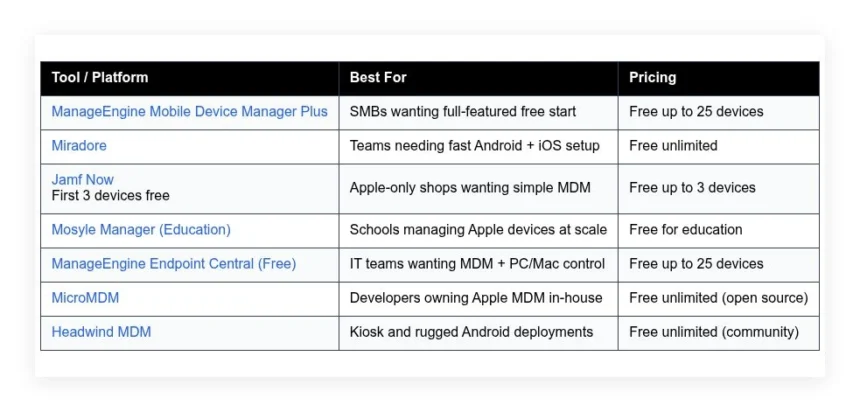
This guide is what actually worked when I tested the free tiers, stood up open-source servers, and tried to break policies on spare phones. No sponsorship. Here is a quick comparison to scan first.
Comparison of 7 best mobile device management software in 2026 with pricing and recommended use cases
Scroll down for my detailed take on each option. I will also share which one I picked for my team and point out the easiest free choice for beginners.
What is a mobile device management software?
Mobile device management software is a control center for phones and tablets. It lets you enroll devices, enforce security policies, deploy apps, separate work data, and wipe lost hardware — keeping direct control over company data even when staff use personal devices, which protects projects, revenue, and your reputation.
Here is the trade in plain terms: losing one unmanaged phone can burn days of work and legal costs, while a two-minute remote wipe cuts that risk to near zero. The core job is that admins enroll iOS, iPadOS, Android, and sometimes macOS devices, apply security and app policies from curated stores or internal builds, then keep data safe while staff work anywhere.
Teams often pair MDM with identity providers like Azure AD or Okta, mobile threat defense tools, VPNs, and EMM features like app tunneling for tougher environments. Not every option works the same, so choosing the right fit matters a lot.
How to choose the best mobile device management software
Picking MDM can feel overwhelming. There are many vendors, similar claims, and big differences in free tiers and setup paths for Apple and Android. I wrote this to help you find a tool that matches your team size, device mix, and security goals without blowing your budget or your weekend.
Most guides you find are written by vendors or sponsored lists that favor whoever pays. I am not sponsored by any platform here. This is my straight take based on hands-on testing and daily use. A few questions worth asking:
- How generous is the free tier, and are features limited or just devices?
- Can I enroll devices in minutes, push apps, and set passcodes without training?
- Will it scale cleanly from 10 to 500 devices without a full rebuild?
- What will it cost if I double devices or add advanced features later?
- Does it cover all I need: policies, app deploys, BYOD, and OS updates?
- Are analytics clear, with device health, compliance, and activity logs?
- How hard is it to export and migrate if I outgrow the tool?
- What uptime, support hours, and security certifications are in place?
- Does it support Apple Business Manager, Android Enterprise, and Zero-touch?
I ranked each tool with these questions in mind so you can match strengths to your needs fast. Let’s get into the list.
7 best mobile device management software in 2026
Here are my top picks for the best mobile device management software:
- ManageEngine Mobile Device Manager Plus
- Miradore
- Jamf Now
- Mosyle Manager (Education)
- ManageEngine Endpoint Central (Free)
- MicroMDM
- Headwind MDM
Let’s see which one is right for you.
1. ManageEngine Mobile Device Manager Plus
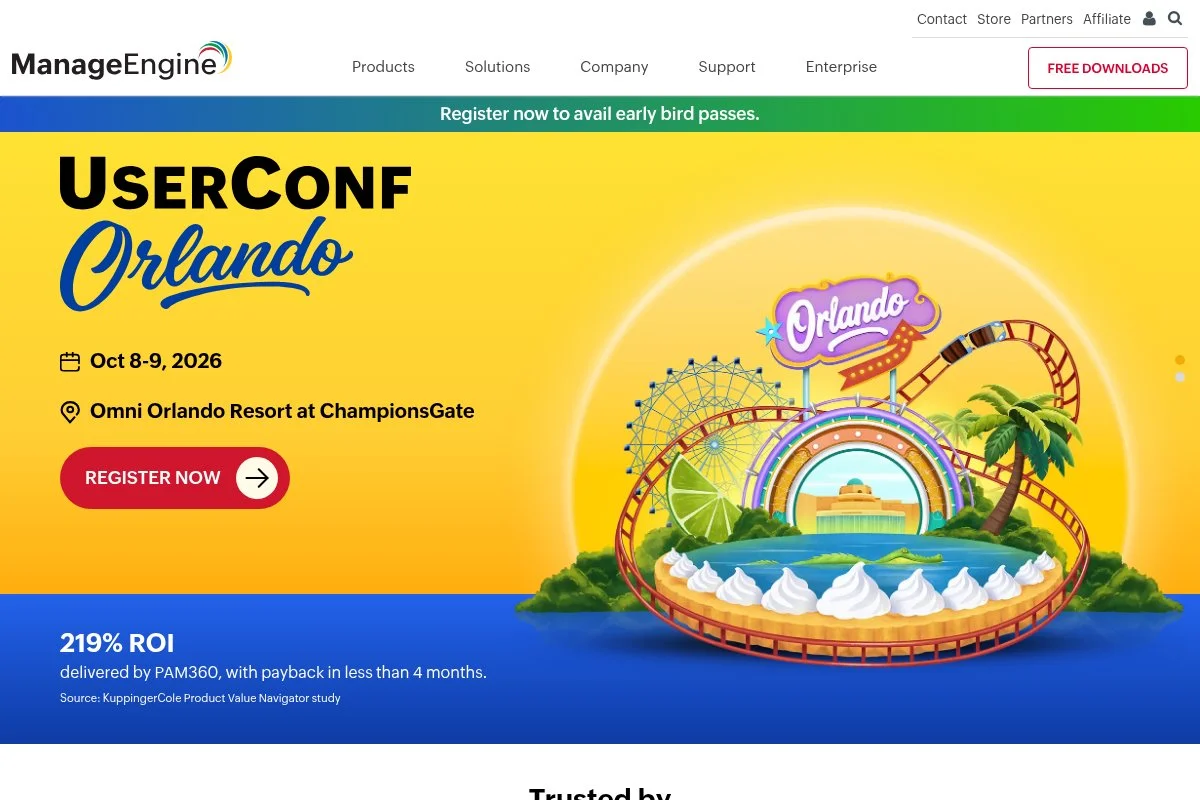
ManageEngine Mobile Device Manager Plus is a full-fledged MDM focused on SMBs and mid-market teams. ManageEngine, a division of Zoho Corp, has built IT tools for decades, which shows in the product depth and reliability.
You can start on the free edition for up to 25 devices. Setup is straightforward with Apple Business Manager, Android Enterprise, and Zero-touch flows, and day to day I use its policy profiles, app catalogs, and remote lock or wipe the most. Recent updates strengthened Android Enterprise support, Apple User Enrollment, and OS update controls, which makes BYOD easier and reduces risk when staff bring personal devices. Higher tiers add kiosk modes, geofencing, conditional access, and deeper app management, and the remote troubleshooting tools and custom reports feel a step up from basic free alternatives.
I use Mobile Device Manager Plus for test labs and small field teams — it strikes a balance between generous free capacity and features I will actually use, without locking me into a suite. I also like the documentation: ManageEngine publishes clear, step-by-step guides for Apple and Android that save time during rollouts.
How it works and key features
The console is clean and task-focused. Enrollment supports QR codes, DEP via Apple Business Manager, and Android Zero-touch, and policies are organized by platform so I can mirror settings across groups fast. Templates help with common profiles like Wi-Fi, VPN, and passcodes, while custom scripts and app configurations cover advanced cases; integrations include ABM, Google Play, and identity providers.
Reporting shows device health, compliance, jailbreak or root status, and app inventory, and automated actions can quarantine noncompliant devices, push updates, or notify admins. Beyond core MDM, it offers app catalogs, content management, remote control for supported Android devices, and OS update deferrals. Support is responsive through tickets and an active knowledge base. Overall, it feels friendly for beginners but deep enough for admins who want policy control without custom code.
Who it’s for
Best for small to mid-size businesses, agencies with client devices, field teams, and nonprofits that need real control without big spend. It shines for mixed Android and Apple fleets, kiosk use, and BYOD. Very little scripting is required. If you need advanced Apple-only controls or macOS-heavy workflows, a Jamf product may fit better.
ManageEngine Mobile Device Manager Plus pricing
Pricing scales by features and device count, with a permanent free edition. Cloud and on-prem are available. You can upgrade without re-enrolling devices, which I appreciate.
- Free: $0/month, up to 25 devices, basic MDM, profiles, app deploys
- Professional: per-device pricing, adds app catalogs, content management, kiosk modes
- Enterprise: per-device pricing, adds advanced security, audits, conditional access
Value is strong compared to suites that bundle features you may not need. Annual billing usually lowers per-device cost. If you scale past a few hundred devices, the upgrades still compare well against Apple-only tools for mixed fleets.
Pros and cons
- Pros: Generous free tier up to 25 devices, full Apple and Android support, clean enrollment flows, good documentation and support
- Pros: Grows smoothly from lab use to production, strong app and policy coverage
- Cons: Interface depth can feel heavy to brand-new admins
- Cons: Some premium features require higher tiers and planning
If you want a free start with room to grow, this is my top pick. If you only run Apple gear and want the lightest UI, look at Jamf Now.
ManageEngine Mobile Device Manager Plus reviews
Public review sites report consistently positive user feedback for Mobile Device Manager Plus. Ratings and counts vary by site and date, but the sentiment trends strong across G2 and Capterra.
2. Miradore
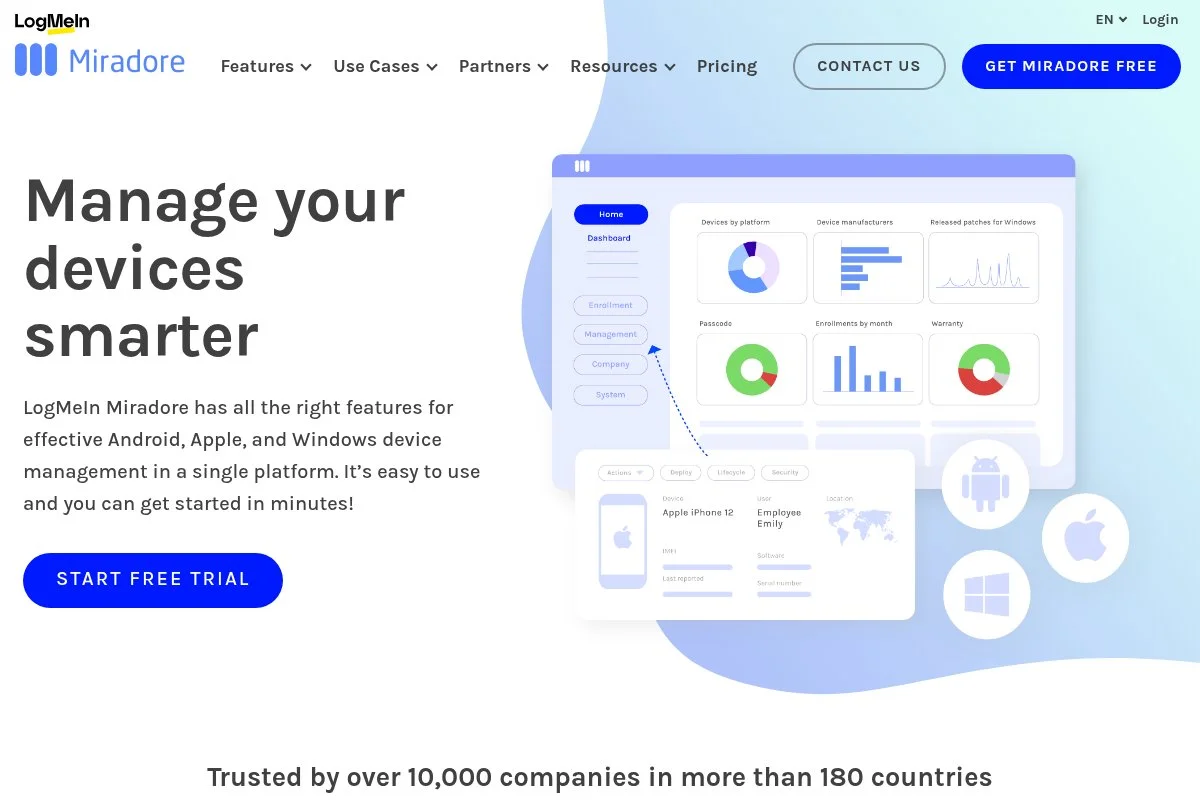
Miradore is a cloud MDM built for speed and clarity. The company was acquired by GoTo in 2022, which brought more resources while keeping the product approachable.
You can start on the free plan, which covers core device controls. Setup is quick with Android Enterprise and Apple Business Manager, and the dashboard keeps enrollment, policies, and apps front and center. Recent updates tightened integrations with Google Play and improved device reporting; the roadmap after the GoTo acquisition focused on stability and admin quality of life, which I noticed in smoother enrollments. Paid tiers add automation, custom configurations, and more granular policies, but for small teams the free plan checks a lot of boxes without forcing an upgrade on day one.
I like Miradore for quick pilots and mixed device fleets — it is easy to explain to non-specialists, which helps when managers or contractors need to enroll on their own. The UI feels modern and uncluttered, and it is clear what happens when I push a policy or remove a device, which reduces mistakes.
How it works and key features
The web console is minimal and friendly. You enroll devices via QR code, email invite, or platform-specific flows, and policy templates cover Wi-Fi, passcodes, encryption, and restrictions. App deployment ties into Google Play and Apple VPP; advanced users can add custom payloads and configurations, and reports show device status, compliance, and installed apps with export options.
Automations handle routine tasks like moving devices to groups or alerting on risks. Miradore also offers basic asset info and hardware details, and support includes guides and ticket help with practical answers. Overall, it is beginner-friendly while still giving admins enough control for real work environments.
Who it’s for
Ideal for startups, agencies, nonprofits, and IT consultants who need a clear, fast MDM that covers Android and Apple. Great for BYOD and simple kiosk needs. If you want deep Apple-only features or complex scripting, consider Jamf or an on-prem tool instead. No heavy technical skills required for the basics.
Miradore pricing
Miradore uses a freemium model, scaling by features and device count. The free plan gives you the essentials. Paid tiers unlock automation and advanced policies.
- Free: $0/month, core MDM features, Android and Apple support
- Premium: per-device pricing, adds automation, advanced policies, and custom configurations
- Enterprise: per-device pricing, adds priority support and advanced compliance options
Compared to many MDMs, Miradore’s entry point is friendly. Annual billing typically reduces per-device cost. It is a smart value if you expect to start small and expand gradually.
Pros and cons
- Pros: Free plan with useful control, fast setup, clean UI, Android and Apple support
- Pros: Good balance between simplicity and needed policy depth
- Cons: Advanced features sit behind paid tiers
- Cons: Less granular Apple controls than Apple-specialist tools
If you want easy MDM that works across platforms without a steep learning curve, Miradore is an easy yes. Heavy Apple shops may outgrow it.
Miradore reviews
Miradore earns positive feedback on major review sites like G2 and Capterra, with ratings typically in the four-star range. Check current listings for the latest counts and details.
3. Jamf Now
Jamf Now is Jamf’s lightweight cloud MDM for small Apple environments. Jamf has led Apple device management for years, and that experience appears in the product’s smooth Apple-centric flows.
You can manage your first three devices for free, which is perfect for a pilot. Setup with Apple Business Manager is quick, and I like how Blueprints make policy groupings easy for non-admins. Jamf has focused on better onboarding and app deployment within Jamf Now while investing heavily in its broader Apple security stack, so the result is a simpler entry path with a clean upgrade story if you need more power later. The Plus tier adds custom app configurations and more granular controls; you will not get everything Jamf Pro offers, but for phones, iPads, and small Mac fleets, Jamf Now hits the target.
I reach for Jamf Now when a small Apple-only team wants speed and predictability — there is little to explain and not much to break. Support articles are clear, and the workflow feels built for humans who are juggling other jobs.
How it works and key features
Jamf Now uses Blueprints to bundle policies, apps, and settings. The console is straightforward, with minimal clicks to enroll, assign a Blueprint, and push required apps. It integrates with Apple Business Manager for automated enrollment and Apple’s volume licensing for apps, and reporting covers inventory, OS versions, and compliance basics with quick actions.
Automation is lighter than Jamf Pro, but enough for small teams. Support content is practical, and the product stays focused on key jobs, not endless menus. Overall, it is a friendly Apple-only MDM that trades extreme depth for speed and clarity.
Who it’s for
Best for startups, agencies, retailers, and nonprofits that run iPhone, iPad, and a few Macs. It shines for zero-touch Apple enrollment and quick policy templates. If you need deep scripting, complex Mac management, or cross-platform Android support, look elsewhere. No special technical skills needed for the basics.
Jamf Now pricing
Jamf Now is priced per device with a forever-free starter tier. Upgrades unlock more controls without changing your workflows.
- Free: $0/month, first 3 devices, basic Apple MDM, Blueprints, app deploys
- Jamf Now: per-device pricing, adds more devices with core controls
- Jamf Now Plus: per-device pricing, adds advanced app configurations and extra restrictions
The free three-device offer is one of the easiest Apple pilots you can run. Pricing remains reasonable as you add devices, and annual billing can lower the total.
Pros and cons
- Pros: First 3 devices free, very simple UI, strong Apple enrollment, clear Blueprints
- Pros: Smooth path to deeper Jamf tools if you grow
- Cons: Apple-only, lighter automation than enterprise tools
- Cons: Advanced Mac management needs Jamf Pro, not Jamf Now
For small Apple fleets, Jamf Now is hard to beat for ease. If you add Android, you will need a different tool.
Jamf Now reviews
Jamf products earn strong marks across review platforms. Jamf Now’s ratings on G2 and Capterra are consistently positive. Check current listings for the latest scores and review counts.
4. Mosyle Manager (Education)
Mosyle Manager is an Apple-focused MDM widely used in education. Mosyle’s track record in K–12 and higher ed is strong, with a product designed for large Apple deployments.
Schools can use a free plan that covers essential Apple controls. Setup ties into Apple School Manager and supports shared iPad scenarios, and the interface makes sense to IT staff and media specialists alike. Recent Mosyle releases brought faster Apple platform updates and expanded policy options, and the company also offers paid business products that share DNA but target different use cases. Premium tiers add stronger automation, app workflows, and advanced restrictions, though for education even the free tier can handle day-to-day needs for many classrooms.
I like Mosyle for districts that need to move fast at semester breaks — the workflows are tuned to how schools actually operate. Training resources for educators help non-IT staff get comfortable with device basics, which reduces tickets.
How it works and key features
The console focuses on Apple platforms. Enrollment uses Apple School Manager for automated deployment, and policy templates target classroom needs like app whitelists, restrictions, and Wi-Fi profiles. App deployment integrates with Apple’s volume licensing, reporting shows device compliance, OS versions, and class-level groupings, and automation helps with term-based changes and device handoffs.
Support documentation is geared to schools, which saves time for overstretched IT. Overall, it delivers a focused, education-first MDM experience.
Who it’s for
Best for K–12 districts, higher ed labs, and charter networks running iPads and Macs. It excels at class-based policies, shared iPads, and Apple School Manager flows. If you need Android support or enterprise-specific security stacks, choose a different tool. Basics are approachable for non-specialists.
Mosyle Manager (Education) pricing
Education pricing includes a free plan for schools, with paid tiers for advanced features. Business products are separate with their own pricing.
- Education Free: $0/month, core Apple MDM for schools, ASM integration
- Education Premium: per-device, adds automation, advanced restrictions, and app workflows
- Business plans: separate offerings for companies, per-device pricing
For education, the free tier is a real option. Upgrading remains cost-effective compared to general-purpose suites. Annual terms often reduce per-device costs.
Pros and cons
- Pros: Free for education, tuned for Apple classrooms, clear ASM flows
- Pros: Scales well from carts to district-wide rollouts
- Cons: Education focus, not ideal for Android or mixed fleets
- Cons: Some advanced features require paid tiers
If you run Apple in schools, Mosyle is a smart place to start. Businesses should consider Mosyle’s business offerings or a cross-platform tool.
Mosyle Manager (Education) reviews
Mosyle earns favorable reviews from education IT communities and on software directories. Ratings vary by edition, so check current listings that match your use case.
5. ManageEngine Endpoint Central (Free)
Endpoint Central is ManageEngine’s broader endpoint manager that includes MDM features. It targets IT teams that want one console for PCs, Macs, and mobile devices.
The free edition supports up to 25 devices. Setup is more involved than a pure MDM tool, but you gain desktop patching and inventory under the same roof, which many admins prefer. Recent releases improved modern management for Windows and macOS while keeping Android and iOS controls current, which matters if you want to reduce tool sprawl. Paid tiers add software deployment at scale, OS imaging, remote control, and deeper automation, and for hybrid fleets the value is strong compared to stitching tools together.
I use Endpoint Central when I need desktop patching along with phone policies — it is not the lightest option, but it replaces two or three tools at once. ManageEngine’s onboarding resources help a lot with planning groups and patch rings to avoid downtime.
How it works and key features
The console organizes endpoints by OS and groups. MDM enrolls devices through the usual Apple and Android channels, and desktop features include patching, software deployment, and inventory. Templates and policies cover Wi-Fi, VPN, and restrictions for mobile, plus patch baselines for desktops, and reporting combines device health, compliance, and software data in one place.
Automation handles patch windows, reboot policies, and compliance actions. Support and documentation are extensive due to the product’s scope. It is best for teams that want one pane for phones and computers, with a bit more setup up front.
Who it’s for
Great for IT departments managing Windows, macOS, iOS, and Android together. Strong fit for compliance-heavy teams and MSPs. If you only need phone control and want the simplest console, a pure MDM may be faster. Some technical planning is helpful.
ManageEngine Endpoint Central pricing
Pricing scales by endpoints and feature editions, with a free tier to get started. Cloud and on-prem options are available.
- Free: $0/month, up to 25 endpoints, includes basic MDM and inventory
- Professional: per-endpoint, adds patching, software deployment, remote control
- Enterprise: per-endpoint, adds advanced automation, OS imaging, and more
For mixed fleets, the combined value is strong. Annual billing usually lowers costs. If you need only mobile, consider Mobile Device Manager Plus for a lighter footprint.
Pros and cons
- Pros: One console for mobile and desktops, generous free tier, deep patching
- Pros: Reduces tool sprawl and license juggling
- Cons: Heavier setup, more menus than pure MDM
- Cons: Some MDM tasks feel nested under desktop-first flows
If you want unified endpoint control and can invest a bit more setup time, this is a strong free starting point.
ManageEngine Endpoint Central reviews
Endpoint Central receives favorable ratings on sites like G2 and Capterra for its breadth and value. Review counts and scores vary by edition and time.
6. MicroMDM
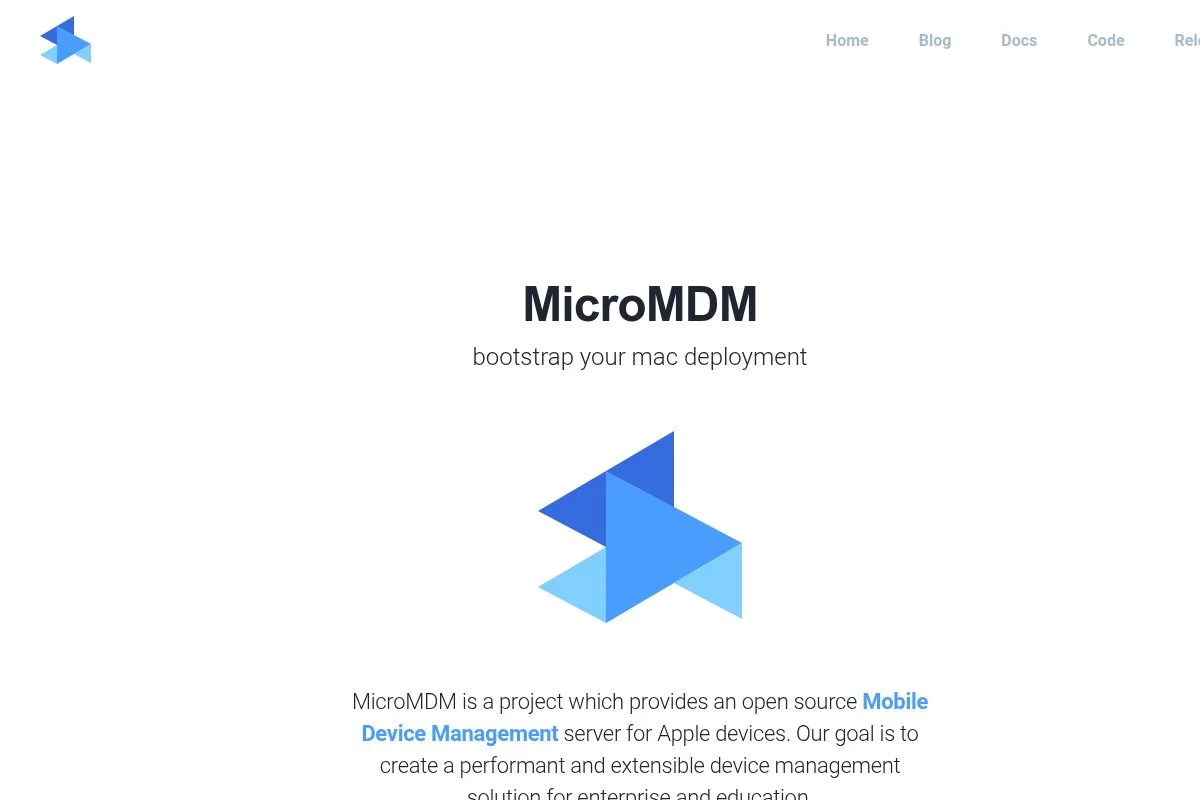
MicroMDM is an open source MDM server for Apple platforms. It was created by Apple ecosystem engineers and remains a favorite for teams that want full control and transparency.
There is no paid plan. You host it yourself, wire it to Apple Push Certificates, and build workflows on top, and the CLI-driven model gives you control without vendor lock-in. Updates have brought support for newer Apple MDM APIs and enrollment methods, and the project stays in step with Apple platform changes, which is vital for reliability. Advanced features depend on what you build; many teams pair MicroMDM with tools like Munki or use management frameworks to fill gaps, and the flexibility is the appeal.
I recommend MicroMDM to engineering-led shops that like owning core infrastructure — it is not a point-and-click tool, but it rewards investment with freedom. Community discussions and docs are practical, and you learn a lot about Apple MDM internals while setting it up.
How it works and key features
MicroMDM provides the server-side MDM engine. You manage devices using command line tools and API calls, and enrollment uses Apple Business Manager or user enrollment flows. There are no templates in the usual sense — you define profiles and payloads directly, and integrations come from how you script and glue systems together.
Analytics and reporting are DIY: you log events and build dashboards with your own stack, and automation is whatever you script. Support is community-based with active contributors. The experience is powerful for advanced users and admins who want an open, scriptable Apple MDM core.
Who it’s for
Suited to DevOps teams, MSPs with engineering chops, universities with in-house tools, and Apple-heavy startups that value openness. Great for custom enrollment, privacy-first BYOD, and lab environments. If you want a hosted UI and handholding, pick Jamf Now or Miradore. Technical skill required.
MicroMDM pricing
MicroMDM is free and open source. Your costs are hosting, time, and any adjacent tools you choose to run.
- Open Source: $0, unlimited devices, self-hosted, API and CLI driven
The value is excellent if your team can manage it. It is not comparable to per-device SaaS pricing, since you are trading money for control and time.
Pros and cons
- Pros: Free, open, scriptable, no vendor lock-in
- Pros: Keeps pace with Apple’s MDM changes
- Cons: No hosted UI, DIY reporting, steeper learning curve
- Cons: Requires solid Apple MDM knowledge to run well
If you want control and can invest the effort, MicroMDM is a strong Apple-only option. Otherwise, choose a hosted service.
MicroMDM reviews
As an open source project, MicroMDM is not widely listed on G2 or Capterra. Community feedback is positive among Apple admins who prefer self-hosting.
7. Headwind MDM
Headwind MDM is an Android-focused MDM with a free community edition. It is used for kiosks, digital signage, and rugged devices where Android rules the floor.
You can deploy the community edition at no cost. Setup is self-hosted, with Android Enterprise support and a management console tuned to kiosk-style use cases. Recent versions added support for newer Android releases and improved device owner enrollment, with the focus staying on stable control for frontline devices. Paid options add features for enterprises that need advanced security, branding, and priority support, which makes sense if you run kiosks or delivery handhelds.
I use Headwind MDM for test kiosks and warehouse pilots — it is purpose-built, which is helpful when general MDMs feel too broad. The project provides practical docs for common Android Enterprise scenarios, which speeds up deployments.
How it works and key features
Headwind’s console targets Android. You enroll with QR codes and device owner mode, and profiles and policies focus on kiosk lockdown, app whitelists, and network settings. Templates help with common restrictions, there is room for custom app deploys through managed Google Play, and reporting covers device status and app versions with simple exports.
Automation is basic compared to large suites, but enough for kiosk resets and app updates. Support ranges from community resources to paid help for enterprise plans. It is a focused, practical tool for Android-heavy, frontline environments.
Who it’s for
Designed for retailers, logistics, field services, and hospitality teams that run Android kiosks or rugged devices. Ideal for lockdown use cases, digital signage, and single-app terminals. If you need Apple support or deep reporting, choose a different tool. Some technical comfort is helpful.
Headwind MDM pricing
Headwind offers a free community edition and paid enterprise options. Pricing varies by features and support level.
- Community: $0, unlimited devices, core Android MDM and kiosk tools
- Enterprise: paid, adds advanced features, branding, and priority support
For kiosk scenarios, the free tier can carry a lot of weight. If you standardize across many locations, the enterprise tier is worth exploring.
Pros and cons
- Pros: Free community edition, strong kiosk focus, Android Enterprise support
- Pros: Simple controls that match frontline needs
- Cons: Android-only, limited analytics compared to bigger suites
- Cons: Self-hosting and updates require admin effort
If your fleet is all Android and kiosk-heavy, Headwind is a solid start. Mixed fleets should consider cross-platform tools instead.
Headwind MDM reviews
Headwind MDM has limited coverage on major review sites. Feedback from Android kiosk deployments is generally positive for its narrow, practical focus.
What is the best mobile device management software right now?
The short version: ManageEngine Mobile Device Manager Plus as the all-rounder, Miradore when simplicity matters most, and Jamf Now for Apple-only teams. Each nails a different job, and all give you a real free path to start safely.
I personally use ManageEngine Mobile Device Manager Plus for small teams and labs, and this is not sponsored. I first tried it because I needed a real free tier that supported both Apple and Android without weird limits — the setup felt sane, policies were clear, and the app catalog saved me time. The big selling point was how quickly I could get from zero to compliant devices. On value it scales well: 25 devices free covers most early pilots and a handful of field staff, and when you outgrow that, per-device pricing stays reasonable compared to Apple-only tools or larger suites. You add features as needed, not because of a bundle you do not use.
Miradore is a close second for teams that prize simplicity — fast to set up, easy to explain, and friendly for BYOD. The GoTo acquisition strengthened stability and polish, which I noticed in smoother enrollments. Where it shines is clarity: if I were guiding a non-technical manager to enroll a dozen phones, I might choose Miradore for that job, trading some deep Apple controls for a clean everyday experience.
Jamf Now is my third recommendation and the best free start for Apple-only teams — the first three devices free make it painless to prove value, and if you ever need deeper Apple features you can grow within the Jamf family without rethinking your approach. In practice I use different tools for different needs: Endpoint Central for mixed fleets with desktops, Jamf Now for Apple-only pilots, Mosyle for education. But I stuck with ManageEngine as my default because it covers both platforms well on day one and keeps the upgrade path affordable — the balance that matters for small teams that grow in bursts. Lock down your devices, test your wipe flows, and sleep a little better tonight.
Frequently Asked Questions
Q: What features should a free MDM include?
At minimum, I look for easy enrollment, passcode and encryption policies, app deployment, remote lock or wipe, and basic reporting. Support for Apple Business Manager and Android Enterprise is a big plus.
Q: Can I manage BYOD devices without invading privacy?
Yes. Use Apple User Enrollment and Android work profiles. These keep work data separate, so I can wipe company apps and data without touching personal photos or messages.
Q: Is open source MDM a good idea for a small team?
It can be, if you have time and technical skill. I like MicroMDM, but hosting, updates, and reporting are on you. If you want speed and support, choose a hosted service.
Q: How many devices can I manage for free?
It depends on the tool. ManageEngine’s free tiers cover up to 25 devices. Jamf Now covers 3 devices. Some open source options have no device cap but require self-hosting.