
Contracts scattered across email threads lead to missed renewals and lost signatures; a contract tool keeps drafting, signing, and tracking in one place. This guide compares seven options — PandaDoc, Concord, Jotform Sign, Zoho Sign, SignWell, Dropbox Sign, and Airtable — covering what each does well, who it suits, what the free plan includes, and where it falls short.
How we put this list together: we went through each tool’s official website, pricing page, and documentation, and checked what the free plan actually includes and where the paid tiers begin. Prices and plan limits change often, so confirm the details on the vendor’s site before you commit.
My take
The research made me rethink what “contract management” means for small teams. Most of the free tools here are really e-signature tools with some storage attached. True contract management means tracking renewals, obligations, and versions, and that is mostly behind paid plans.
My opinion is that this is fine for most small businesses. The most common, costly problem is not redlining. It is forgetting a renewal date or losing the signed copy. A free e-sign tool plus a simple tracker covers that surprisingly well.
That is why I like the pairing of PandaDoc with an Airtable tracker for many teams. PandaDoc’s free plan handles signatures without the per-month caps some competitors set, and Airtable gives you renewal reminders and a searchable record. If your team drafts and negotiates often, Concord is the one tool here that feels like actual lifecycle management, and it is worth testing early.
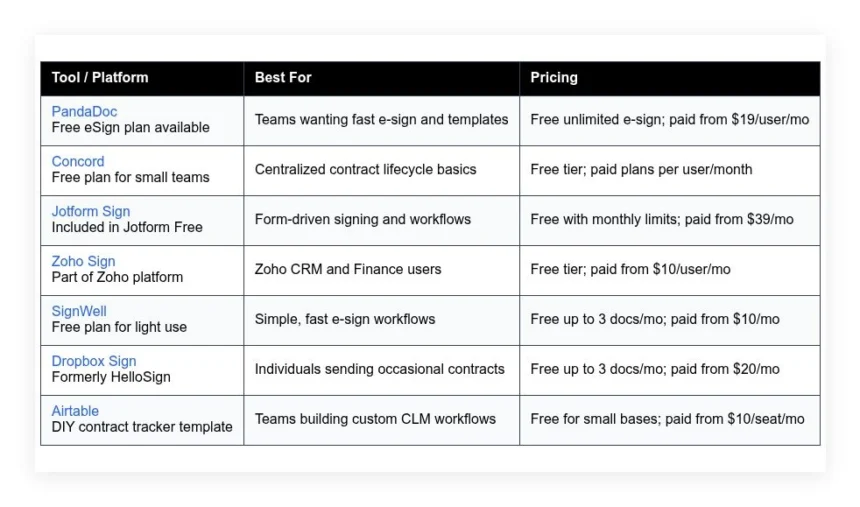
Comparison of 7 best free contract management software in 2026 with pricing and recommended use cases
Below is a closer look at each tool, followed by our overall recommendations.
What is a contract management software?
Contract management software is a tool that helps teams create, approve, sign, store, and track contracts across their lifecycle, with the main job of reducing risk and saving time. With contracts, the details that matter are dates, obligations, and approvals — and when those live in one system, teams move faster with fewer surprises.
The stakes are easy to quantify: if a missed renewal costs even 2 percent on a $250,000 vendor, that is $5,000 gone, avoidable with a reminder and a template set up in minutes. At its core, contract management software serves legal, sales, finance, HR, and operations teams — it pulls inputs from templates or uploads, routes approvals, tracks changes, collects signatures, and delivers searchable records and reminders.
Many teams pair it with CRM, CPQ, billing, or project tools, since e-signature, templating, and document automation work best when connected to where deals and vendors already live. Not every tool does the same job well, so it pays to pick thoughtfully.
How to choose the best contract management software
Picking a contract platform can feel overwhelming — there are dozens of lookalike tools, and pricing pages are not always clear about limits. We wrote this to help you find a fit that meets your current needs and can scale sensibly, and the free options here are a great way to start without risk.
A few questions worth asking:
- How generous is the free tier, and what exactly is limited?
- Can you draft from templates, route approvals, and send for signature easily?
- Will it scale to more users, contracts, and integrations later?
- How does pricing rise as you add users or documents each month?
- Does it cover clauses, versioning, reminders, and a usable repository?
- What analytics are available, like cycle time and bottlenecks?
- How hard is it to export everything and switch if needed?
- What reliability and audit trail features keep you compliant?
- Does it integrate with your CRM, billing, or cloud storage today?
Our ranked picks below answer these points in plain language.
7 best contract management software in 2026
Here are our top picks for the best contract management software:
- PandaDoc
- Concord
- Jotform Sign
- Zoho Sign
- SignWell
- Dropbox Sign
- Airtable
1. PandaDoc
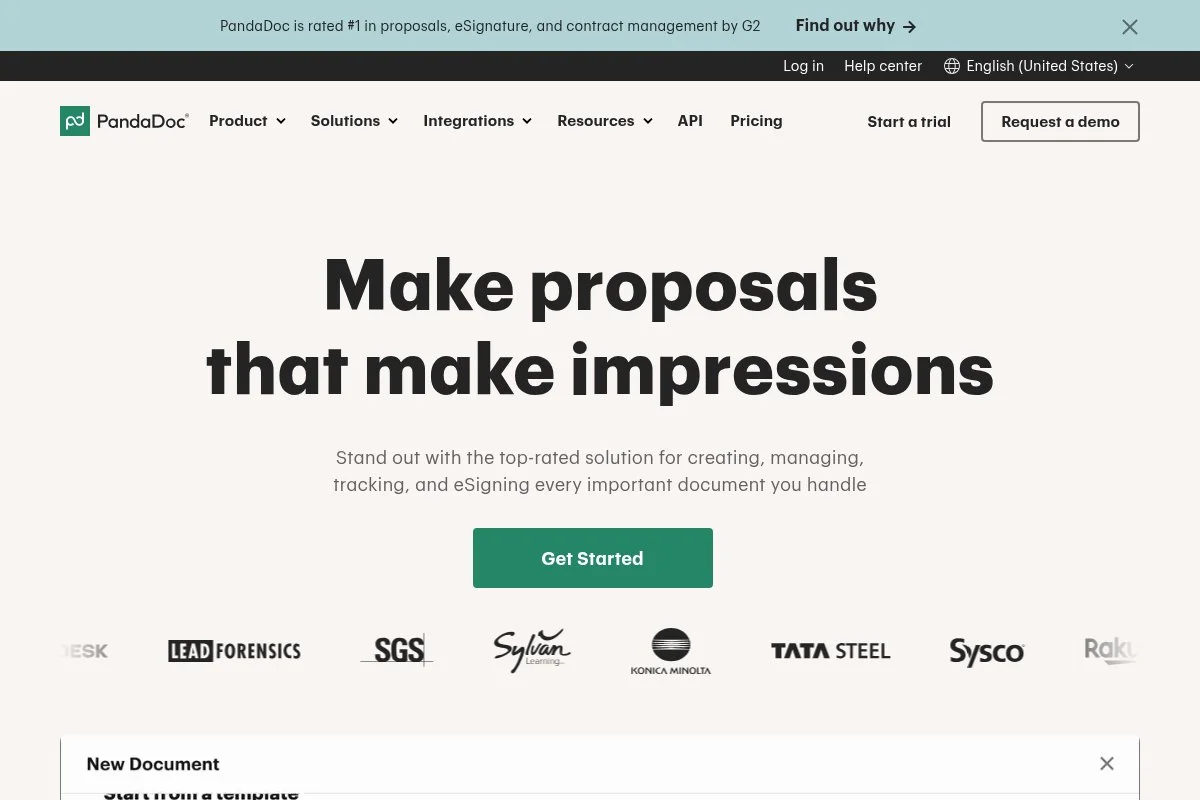
PandaDoc is an all-in-one document workflow platform built for quotes, proposals, and contracts. The company has been around for over a decade and is widely adopted by sales and operations teams.
Getting started is easy with its Free eSign plan. The editor feels familiar, with drag-and-drop fields, variables, and content blocks, and day to day you work with templates, a clause library, and audit trails to keep documents consistent and traceable. Recent updates focused on faster content reuse and better CRM integrations, and the template and content library make scaling repeatable contracts faster, which reduces drafting time for growing teams. On paid tiers you unlock content locking, approval workflows, pricing tables, and deeper CRM connections — the CPQ-style features are helpful for SOWs and sales contracts, and not every competitor includes them at lower tiers.
The free plan covers early needs with a clear upgrade path when you need workflows. Support articles and templates are strong, and we like how easy it is to standardize branding and clauses so every contract feels consistent.
How PandaDoc works and key features
The editor is drag-and-drop, with a WYSIWYG feel. You can build templates with variables, reusable content, and required fields, custom branding and document themes keep everything tidy, and there are many templates for NDAs, MSAs, SOWs, and proposals, all customizable; advanced users can add pricing tables, calculated fields, and CRM-synced variables through integrations.
Analytics show views, completion, and time spent per page, you can automate reminders, expiration dates, and approvals on paid plans, and it also includes forms, a content library, and a clause manager. Support includes help docs, chat on paid plans, and onboarding resources. Overall, PandaDoc balances beginner ease with advanced scaling features better than most.
Who PandaDoc is for
Best for sales teams, agencies, startups, IT services, and operations groups. It shines for proposals, SOWs, and vendor agreements where branding and pricing blocks matter. If you need deep legal clause analysis, a heavier CLM might fit better. No coding required to start.
PandaDoc pricing
PandaDoc uses a freemium model. Pricing scales by features and users, with a generous Free eSign plan for unlimited e-signatures.
- Free eSign: $0/month, unlimited e-signatures, uploads, basic audit trail
- Essentials: $19/user/month, templates and document editor, basic analytics
- Business: $49/user/month, content library, approvals, CRM integrations
- Enterprise: Custom pricing, SSO, advanced permissions, higher limits
Value is strong versus many e-sign tools, especially with unlimited signatures on the free plan. Annual billing usually lowers the monthly rate. If you add many users, costs scale predictably by seat.
PandaDoc pros and cons
- Pros: Free unlimited e-signatures, polished editor, strong templates, solid CRM integrations
- Pros: Clear upgrade path with approvals and content library
- Pros: Good analytics and audit trails for compliance
- Cons: Advanced workflows locked to higher tiers
- Cons: Heavier than simple e-sign if you only send a few docs
If you want one tool to grow with, PandaDoc is a safe pick. If you just need a few signatures a month, a lighter tool might be cheaper.
PandaDoc reviews
G2: 4.7/5 star rating. Capterra: 4.5/5 star rating. Reviews consistently praise ease of use and template features, with some notes on pricing at scale.
2. Concord
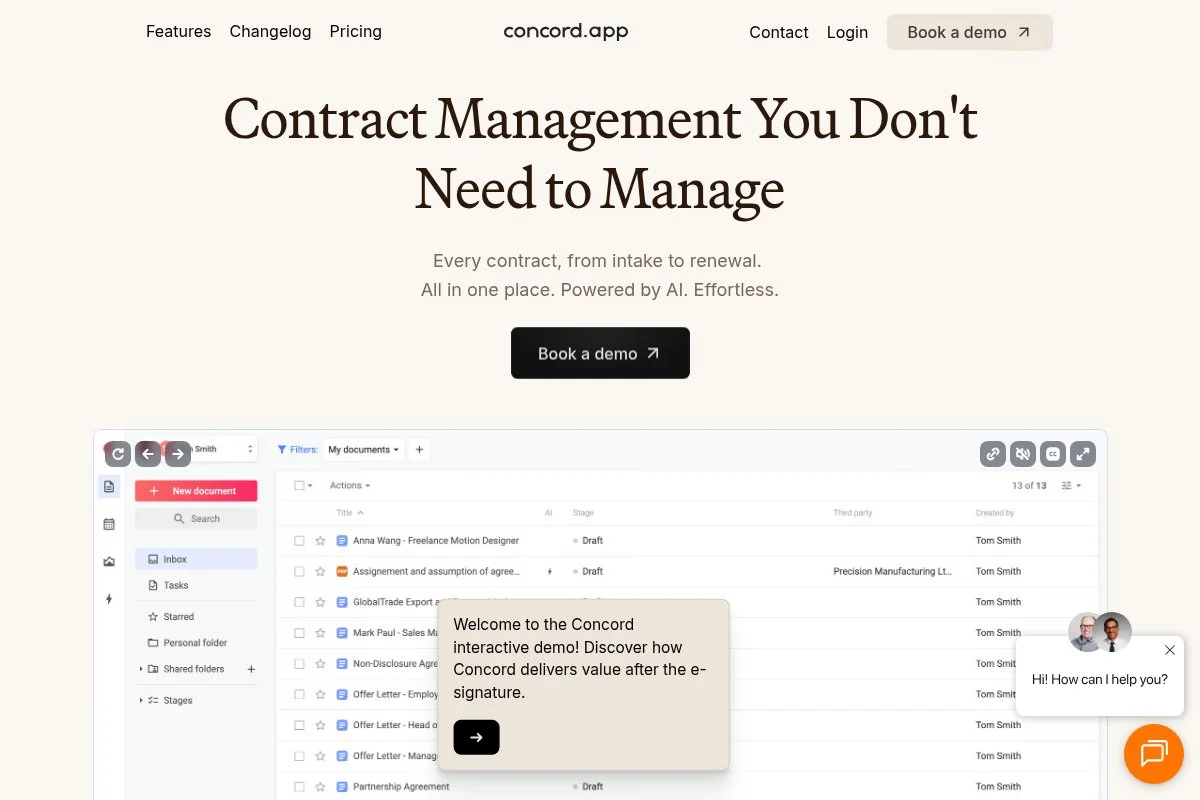
Concord is a contract lifecycle platform focused on drafting, negotiating, signing, and storing in one place. It has served thousands of companies and is known for approachable CLM basics.
You can start on a free plan geared to small teams. The editor handles templates, redlining, and comments, and daily tasks include creating from templates, routing approvals, and tracking versions in a central repository. Recent product work improved search, reminders, and user roles, which makes it easier for non-legal folks to participate without breaking process. Paid tiers add custom approval workflows, advanced permissions, and integrations, and centralized clause control and audit logs help growing teams meet internal policies.
We like Concord for teams that want lifecycle structure without enterprise bloat — it feels like a middle ground between simple e-sign and heavy CLM. The interface is clean, onboarding guides are helpful, and templates and approvals are straightforward for first-time users.
How Concord works and key features
Concord offers a document editor with in-line comments and track changes. Templates and fields speed up repeatable contracts, versioning and a clause library support consistency, and you can upload PDFs or draft natively. Search covers metadata and text, reminders keep renewals and obligations visible, and integrations cover cloud storage and common business apps.
Analytics focus on status, cycle time, and bottlenecks, automations include approval routing and notifications, and support includes guides, email support, and onboarding help on paid plans. For most teams, the experience feels guided and friendly while still covering the basics well.
Who Concord is for
Best for small legal teams, operations, HR, agencies, and SMBs that want native drafting and simple approvals. Great for NDAs, MSAs, and employment docs. If you need deep CPQ or sales quoting, PandaDoc could fit better. Beginner friendly.
Concord pricing
Concord follows a tiered model with a free option for small teams, then per-user pricing for more features and controls.
- Free: $0/month, basic e-sign, templates, repository, reminders
- Essentials: Paid per user/month, advanced templates, comments, approvals
- Business: Paid per user/month, SSO, advanced permissions, integrations
- Enterprise: Custom pricing, custom workflows, API, security controls
The free plan is good for starting out. As you add workflows and integrations, costs rise by seat. Annual billing can offer savings versus monthly.
Concord pros and cons
- Pros: True lifecycle features on top of e-sign
- Pros: Clean interface and easy onboarding
- Pros: Free tier helps small teams get started
- Cons: Pricing details require contact for some tiers
- Cons: Fewer sales-focused features than PandaDoc
If you want approachable CLM with room to grow, Concord is a strong option. If you live in quoting and proposals, consider a sales-first tool.
Concord reviews
G2: 4+/5 star rating. Capterra: 4+/5 star rating. Feedback highlights ease of setup and template control, with requests for more integrations on lower tiers.
3. Jotform Sign
Jotform Sign brings e-signatures into the broader Jotform ecosystem of forms, approvals, and data. Jotform is a long-standing forms platform used by millions of users worldwide.
You can start for free with monthly limits. The builder uses a drag-and-drop approach that mirrors Jotform forms, and daily use includes sending signable PDFs, collecting data, and tracking status in a connected dashboard. Recent updates tightened the link between forms, approvals, and signing, which opens up end-to-end intake-to-contract workflows without manual copy-paste. Paid plans add higher usage limits, advanced approvals, HIPAA options on certain tiers, and more branding control, and the breadth of Jotform integrations is a plus for operations-heavy teams.
We recommend Jotform Sign when your process begins with data capture — it feels natural for procurement requests, HR onboarding, and service agreements. Templates are plentiful, support resources are deep, and the community forum is active and helpful for edge cases.
How Jotform Sign works and key features
The editor is visual and form-like. You can convert existing PDFs or build signable documents with fields, validations, and logic, and templates cover common agreements. Advanced users can connect integrations for storage, CRM, or payments, analytics show completion rates and timing, and automations handle reminders, approvals, and notifications across Jotform tools.
Beyond contracts, you can build landing pages, intake forms, approval flows, and reports. Support includes help docs, email, and priority support on higher tiers. It balances ease and power, especially for teams that already use Jotform forms.
Who Jotform Sign is for
Best for operations, HR, education, healthcare practices, agencies, and nonprofits. Great for intake-to-contract flows, onboarding packets, and recurring renewals. If you need advanced clause libraries, a CLM-first tool is better. Beginner friendly.
Jotform Sign pricing
Jotform Sign is included in Jotform plans with a free tier that has monthly limits. Paid plans raise limits and unlock advanced features.
- Free: $0/month, limited signed documents per month, basic branding
- Bronze: Starts around $39/month, higher limits, branding, support
- Silver: Higher monthly rate, more limits, advanced features
- Enterprise: Custom pricing, SSO, admin controls, advanced security
If you already use Jotform, adding Sign is cost effective. Annual billing offers savings. Check the plan comparison for exact document and storage limits.
Jotform Sign pros and cons
- Pros: Strong form-to-contract workflows
- Pros: Large integration library
- Pros: Free tier to test real processes
- Cons: Limits can hit fast on the free plan
- Cons: Not a deep legal clause manager
If your contract starts as a form, Jotform Sign fits. If you need heavy redlining and clause control, look at Concord or PandaDoc.
Jotform Sign reviews
G2: 4+/5 star rating. Capterra: 4+/5 star rating. Users like the tight link to forms and approvals, with feedback to watch monthly limits.
4. Zoho Sign
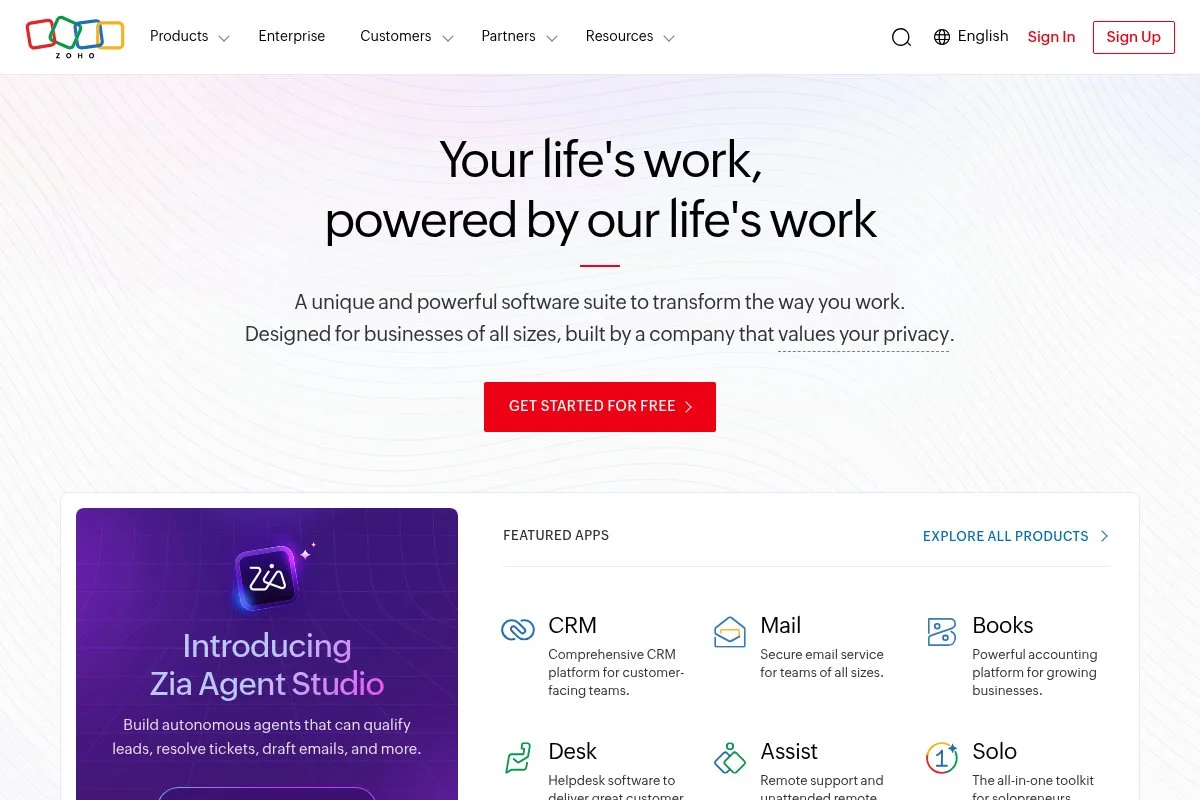
Zoho Sign is Zoho’s e-signature product, built to plug into Zoho CRM, Books, Writer, and more. Zoho has a long track record serving SMBs with a broad app suite.
The free tier is good for light use. Setup is quick, the interface is clean, and daily work includes sending sign requests, using templates, and tracking status inside your Zoho apps. Recent updates improved integrations across the Zoho suite and added more automation options, which helps teams connect sales, finance, and legal in one flow. Paid plans add bulk send, advanced templates, and API access, and if you already live in Zoho, this is the most natural signing path.
We like how Zoho Sign keeps data inside your existing system of record — less context switching means fewer mistakes.
How Zoho Sign works and key features
The interface is straightforward, with drag-and-drop fields and reusable templates. You can upload PDFs or use Zoho Writer templates with merge fields from Zoho apps, advanced users can call the API, build custom workflows, and sync with Zoho CRM deals or Zoho Books invoices, and analytics cover delivery, views, and completion.
Automations include reminders, expirations, and approvals, and beyond signing you can connect to Zoho Forms, CRM, and Desk to round out processes. Support includes help docs and ticketing, with faster help on paid tiers. It is especially strong for teams already using Zoho apps day to day.
Who Zoho Sign is for
Best for Zoho CRM users, finance teams on Zoho Books, SMBs adopting Zoho One, and support teams on Zoho Desk. Great for sales and vendor workflows in Zoho. If you are not in Zoho, other tools may integrate faster. Beginner friendly.
Zoho Sign pricing
Zoho Sign offers a free tier and paid plans that scale by features per user.
- Free: $0/month, limited documents per month, basic templates
- Standard: Around $10/user/month, higher limits, bulk send, branding
- Professional: Around $16/user/month, advanced fields, reminders, integrations
- Enterprise: Around $25/user/month, API, SSO, admin controls
Pricing is competitive, especially if you bundle with Zoho One. Annual billing lowers per-month costs. Check regional pricing and limits before committing.
Zoho Sign pros and cons
- Pros: Tight integration with Zoho apps
- Pros: Free tier to get started
- Pros: API and automation on higher tiers
- Cons: Best value if you already use Zoho
- Cons: Interface feels utilitarian compared with design-led tools
If your stack is Zoho, choose Zoho Sign first. If not, evaluate based on your CRM and billing systems.
Zoho Sign reviews
G2: 4+/5 star rating. Capterra: 4+/5 star rating. Users appreciate the suite integrations and price, with some asking for more polish in the UI.
5. SignWell
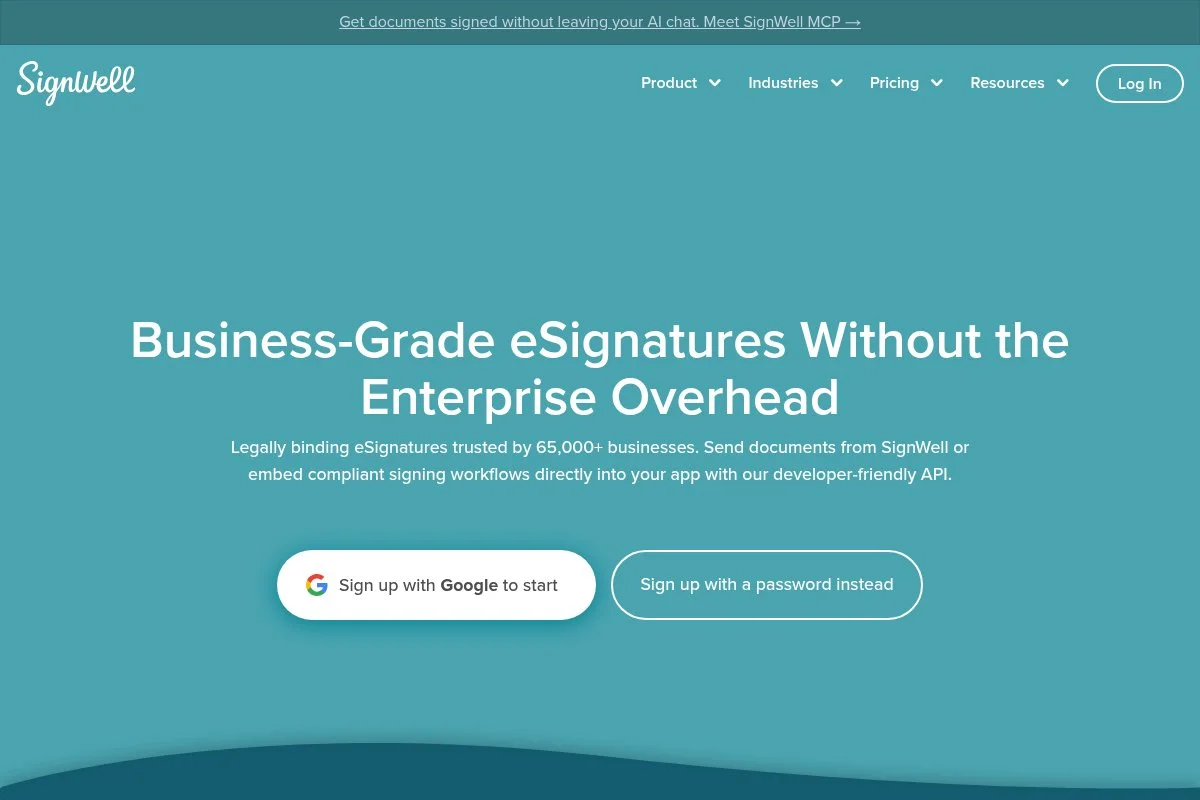
SignWell is a focused e-sign tool designed for speed and simplicity. It is well-liked by freelancers and small teams that just need reliable signatures and audit trails.
You can start free with a limit on documents per month. The interface is clean and fast, and daily use is uploading PDFs, placing fields, and sending tracking emails. Recent improvements targeted templates and team management, which help standardize repeat agreements, and on paid plans you get more documents, templates, branding, and team features — the value is strong if you need straightforward e-sign without extra bells and whistles.
We like SignWell for simple contracts that do not need heavy editing or quoting; it cuts out the noise and gets signatures done.
How SignWell works and key features
The interface is minimal and intuitive: drag fields onto your document, save as a template, and send, with templates and reusable roles speeding up repeat sends. You can add custom messages and set reminders, analytics cover sent, viewed, and completed, and automations handle reminders and notifications.
There are basic integrations for storage and productivity apps, and support content is clear and to the point, with email help on paid tiers. The overall experience favors beginners and busy pros who want to move fast.
Who SignWell is for
Best for freelancers, consultants, agencies, landlords, and small nonprofits. Great for NDAs, proposals, and simple service agreements. If you need deep workflows or CPQ, a fuller platform fits better. Very beginner friendly.
SignWell pricing
SignWell has a free plan with monthly document limits, then tiered pricing by features and usage.
- Free: $0/month, up to 3 documents per month, audit trail
- Personal: $10/month, higher limits, templates, basic branding
- Professional: $30/month, more templates, team features
- Premium: $50/month, advanced features and higher limits
- Enterprise: Custom pricing, SSO, admin controls, API options
Pricing is fair for light to moderate usage. Annual billing reduces monthly cost. If you send a high volume, compare per-user pricing with PandaDoc or Dropbox Sign.
SignWell pros and cons
- Pros: Very simple to use
- Pros: Free plan covers occasional signers
- Pros: Clear audit trails and templates
- Cons: Limited editing and workflow features
- Cons: Fewer integrations than larger vendors
Pick SignWell if you want fast, clean e-signs without complexity. Heavy workflows call for a more feature-rich tool.
SignWell reviews
G2: 4+/5 star rating. Capterra: 4+/5 star rating. Reviews praise ease of use and value, with suggestions for deeper integrations.
6. Dropbox Sign
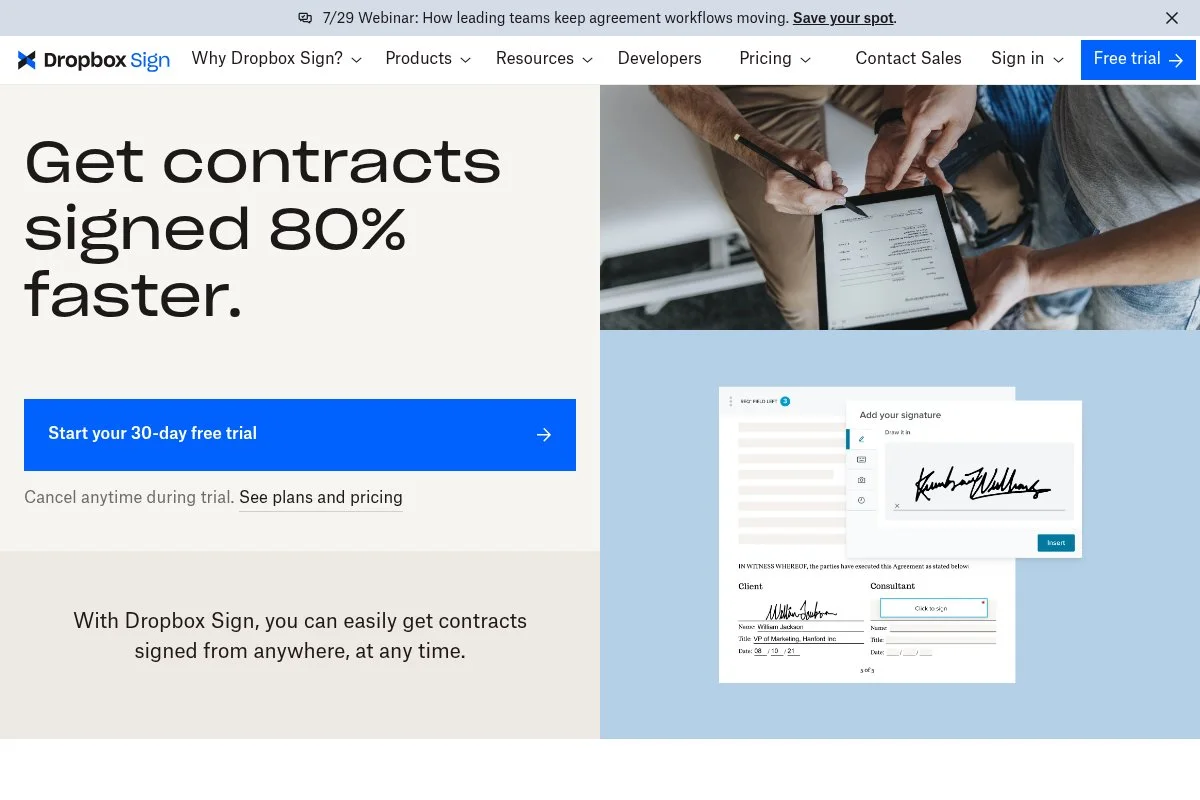
Dropbox Sign, formerly HelloSign, is a well-known e-sign tool under the Dropbox umbrella. It benefits from Dropbox’s scale and trusted brand in file management.
The free plan lets you send a small number of documents per month. Setup is quick, and the signing experience is smooth for recipients on desktop or mobile. Recent work tightened integrations with Dropbox and improved template workflows, which helps teams standardize documents and keep files in one place. Paid tiers add more templates, team features, branding, and API access, and for teams already using Dropbox, the integration is a time saver.
We like Dropbox Sign for individuals and small teams that send occasional contracts and want dependable delivery.
How Dropbox Sign works and key features
The UI is clean and modern: upload a file, drag fields, and send, with templates that make recurring contracts faster and recipients who can sign without account creation. Advanced users can use the API or integrate with Dropbox, Google Drive, and other apps, and analytics show viewed and completed status.
Automations handle reminders and expirations, and support includes help docs and ticketing, with faster support on higher plans. Overall, it is a friendly experience with just enough power for most small teams.
Who Dropbox Sign is for
Best for freelancers, small businesses, legal assistants, and real estate pros. Great for NDAs, contractor agreements, and sales order forms. If you need complex approvals or CPQ, look at PandaDoc. Beginner friendly.
Dropbox Sign pricing
Dropbox Sign has a free plan with a small monthly document limit, then tiered pricing by user and features.
- Free: $0/month, up to 3 documents per month, basic templates
- Essentials: $20/month, higher limits, templates, reminders
- Standard: $25/user/month, team features, branding
- Premium/Enterprise: Custom pricing, SSO, API, admin controls
Pricing is competitive for light to moderate sending. Annual billing provides savings. If you rely heavily on Dropbox storage, this pairing is efficient.
Dropbox Sign pros and cons
- Pros: Trusted brand and reliable delivery
- Pros: Free plan for occasional signers
- Pros: Strong Dropbox integration
- Cons: Free plan limit is low
- Cons: Fewer document automation features than PandaDoc
Choose Dropbox Sign if you want a familiar, dependable e-sign tool. Heavy automation needs point to a different pick.
Dropbox Sign reviews
G2: 4+/5 star rating. Capterra: 4+/5 star rating. Users like simplicity and Dropbox tie-ins, with notes on limits at lower tiers.
7. Airtable
Airtable is not a traditional CLM. It is a flexible database with views, forms, and automations, and many teams build a DIY contract tracker that fits their exact process.
You can start for free. The interface feels like a spreadsheet that gained power features, and day to day you manage contract records, link vendors, track dates, and trigger reminders. Recent changes improved interfaces, permissions, and automation reliability, which makes it more viable as a shared contract hub for cross-functional teams. Paid plans unlock higher record limits, advanced automations, and granular permissions, and with integrations you can connect e-sign tools and cloud storage for a full workflow.
We like Airtable when your process is unique and off-the-shelf CLM feels rigid or costly.
How Airtable works and key features
The primary interface is a table with grid, calendar, Kanban, and timeline views. Templates help you start with vendor and contract bases, custom fields track values, terms, and renewal dates, and advanced users can use scripts, automations, and interfaces to build mini-apps; integrations connect to Slack, email, cloud storage, and e-sign tools.
Analytics come from views and rollups, automations send reminders and route approvals, and support includes docs, community forums, and priority help on paid plans. It is a powerful DIY path that suits both beginners and tinkerers.
Who Airtable is for
Best for operations leads, procurement, startups, and agencies with custom workflows. Great for tracking obligations, renewals, and linking documents. If you need native redlining or signing, pair it with an e-sign tool. Beginner friendly.
Airtable pricing
Airtable uses per-seat pricing with a free plan and higher limits on paid tiers.
- Free: $0/month, small bases, essential views, basic automations
- Plus: $10/seat/month, higher records, more automations
- Business: $20/seat/month, advanced features, interfaces, permissions
- Enterprise: Custom pricing, SSO, admin controls, at scale
For contract tracking, Plus or Business often hits the sweet spot. Annual billing offers savings. If your base grows large, budget for higher tiers.
Airtable pros and cons
- Pros: Highly flexible for custom workflows
- Pros: Free plan and fair per-seat pricing
- Pros: Strong automations and integrations
- Cons: Not a native CLM, no built-in redlining
- Cons: Requires design time to set up well
If you want a tailor-made tracker, Airtable is great. If you want out-of-the-box CLM, choose a dedicated tool.
Airtable reviews
G2: 4.5+/5 star rating. Capterra: 4.5+/5 star rating. Reviews praise flexibility and speed, with notes on limits in very large bases.
What is the best contract management software right now?
The short version: PandaDoc for most teams, Concord if you want approachable CLM structure, and Airtable if you prefer a custom DIY tracker paired with e-sign.
PandaDoc is our top pick. On value, its free plan covers unlimited signatures, which beats many tools that cap at a few per month, and when you grow, Essentials and Business add approvals and content reuse without a big learning curve, whereas competing CLM tools often start higher and require more admin time.
Concord is a close second. If your team wants native drafting, redlining, approvals, and a simple repository in one place, it fits nicely, and recent improvements to reminders and roles make it friendly for non-legal teammates, which keeps deals moving. Its strength is lifecycle structure — it keeps templates, versions, and approvals tidy — and for legal-first workflows it may be the better pick.
For a third option, Airtable makes sense if you need flexibility and have a unique process: start free, build your contract tracker, and plug in any e-sign tool you like — a smart path if off-the-shelf CLM feels heavy. Tools can be combined, for example tracking renewals in Airtable and sending signatures through PandaDoc. Choosing between these is not easy, but PandaDoc comes out ahead for balancing speed, templates, and a generous free tier.
Frequently Asked Questions
Q: What is the difference between e-sign tools and full CLM?
E-sign tools focus on sending documents for signature. CLM adds drafting, templates, approvals, clause control, search, and reminders. If you only send a few docs, e-sign is enough. If you manage templates and renewals, consider CLM.
Q: Are free plans secure enough for legal documents?
Yes, reputable tools provide audit trails, encryption, and compliant e-signatures on free tiers. Check their security page and compliance badges. If you need SSO or advanced controls, you will likely need a paid plan.
Q: Which free plan is best for startups?
We point startups to PandaDoc’s free eSign for unlimited signatures. If your process starts with data intake, Jotform Sign is strong. For custom tracking and reminders, pair Airtable with any e-sign tool.
Q: How do I avoid missed renewals?
Use a central repository and set renewal reminders at 90, 60, and 30 days out. Track owners, values, and terms in fields. Even a simple Airtable base with alerts can save you from auto-renew surprises.