A home bakery needs a way to take orders, collect payment, and keep recipes and costs organized, without paying for a restaurant system. This guide compares five options — Square, GloriaFood, Odoo Community, Wave, and Notion — covering what each does well, who it suits, what the free plan includes, and where it falls short.
How we put this list together: we went through each tool’s official website, pricing page, and documentation, and checked what the free plan actually includes and where the paid tiers begin. Prices and plan limits change often, so confirm the details on the vendor’s site before you commit.
My take
After comparing these options, my take is that a home bakery does not need bakery software. It needs three simple things done well: a way to take orders with pickup times, a way to get paid up front, and a place to keep recipes and costs. Separate free tools handle each of those better than any all-in-one system at this price.
Square is the anchor for me because getting paid at the time of order is the single best protection against no-shows and wasted batches. GloriaFood is worth adding once you start doing pre-order drops or holiday menus.
The piece I think most home bakers skip is costing. Knowing what a dozen cookies actually costs you, including packaging, is what makes pricing decisions easy. That is why Notion makes the list. It is not glamorous, but a simple recipe and cost database is where good pricing starts. Odoo is capable too, but it is more system than most home bakers need.
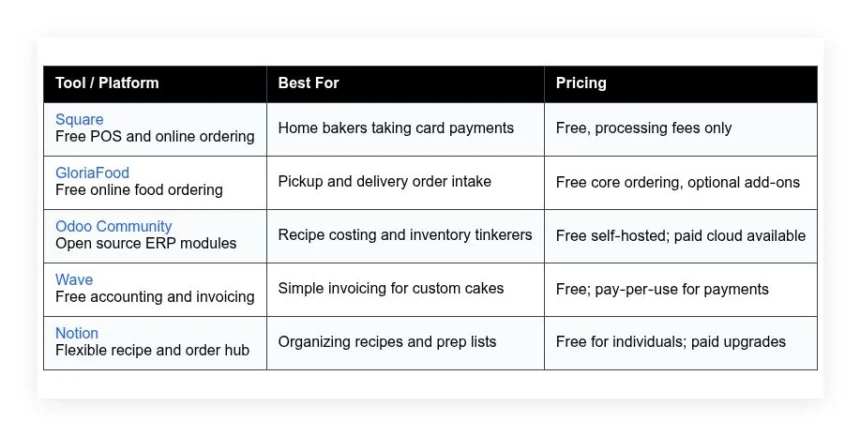
Comparison of 5 best home bakery software in 2026 with pricing and recommended use cases
Below is a closer look at each tool, followed by our overall recommendations.
What is a home bakery software?
Home bakery software is a set of tools that help solo bakers and cottage food businesses manage orders, recipes, pricing, payments, and schedules from one place, with the goal of fewer mistakes and faster fulfillment. For a baker, that means tracking costs per batch, knowing margins, and planning prep — the payoff is confidence and control over each sale.
The difference in outcomes is the whole point: posting a cake photo might bring 20 likes, but a clear order form plus simple checkout can bring 5 paid orders from the same audience, because the second path removes friction. At its core, home bakery software lets bakers capture orders, store recipes and costs, accept money, schedule pickup or delivery, and report profits — inputs come from customers, your pantry, and your calendar, and the output is reliable, repeatable sales.
Many bakers pair this with simple marketing tools like Instagram, a link-in-bio page, and email lists, and add labels, menu design, and lightweight inventory as volume grows. Not every option fits every kitchen, so choosing the right setup matters.
How to choose the best home bakery software
Picking tools can feel overwhelming — there are restaurant suites, e-commerce sites, and DIY organizers, all saying they are perfect for you, when the truth is your needs might be simpler than their demos. We wrote this to help you match tools to your actual workload: if you sell ten orders a week, you should not feel pushed into a full restaurant system on day one.
A few questions worth asking:
- How generous is the free tier, and what locks behind upgrades?
- Can you create a menu, take an order, and confirm pickup in minutes?
- Will this scale to more products, rush days, and seasonal menus?
- How does the cost grow with more orders, users, or features?
- Does it cover your must-haves like recipe costing, taxes, and notes?
- Are analytics clear on sales, items, and repeat customers?
- If you switch later, can you export your data without pain?
- Is uptime solid, and is there real support when things break?
- Does it handle local pickup windows, delivery zones, or dietary tags?
Our ranked picks below answer these questions with the real tradeoffs noted so you can choose with confidence.
5 best home bakery software in 2026
Here are our top picks for the best home bakery software:
- Square
- GloriaFood
- Odoo Community
- Wave
- Notion
1. Square

Square is an all-in-one payments and point-of-sale platform designed for small businesses, including food sellers. It has a long track record with millions of sellers and is well known for quick setup and transparent fees — pedigree that matters when your Saturday market line gets long.
You can start on the free plan and accept in-person cards with a reader or tap-to-pay on supported phones. The Square Dashboard makes item setup simple, and daily tasks include adding menu items, opening checkout, sending invoices, and marking orders ready for pickup. Square’s online store has improved, with better pickup scheduling and tipping, and the link ordering flows are cleaner now, which makes it easier to add a menu link to Instagram — fewer DMs to chase and more confirmed orders. On paid tiers Square adds advanced staff controls, kitchen display options, and deeper reporting; the restaurant-focused features go further, but for a home bakery the free plan often covers the core tasks without friction.
Square is good for pop-up bakes and test batches because setup is quick, and it handles refunds cleanly, which matters if you need to reschedule a pickup. We also like Square’s steady support content: the help center articles are short, current, and easy to skim between bakes.
How Square works and key features
Square’s interface centers on a clean POS screen and a web dashboard. You build items with prices, variants, and photos, and the online ordering page pulls from the same catalog, so changes sync across in-person and online sales. Templates are not needed for POS, but the online store provides simple themes you can customize with colors, sections, and pickup details, and advanced users can connect Square to tools like Zapier and delivery services in supported regions.
Reports show sales by item, time, and channel, plus basic customer insights, and automations include digital receipts, invoice reminders, and low-stock alerts if you track inventory; you can also create quick landing pages and simple forms for special orders. Support includes a knowledge base, community forum, and phone support during business hours in many regions. Overall, it is beginner friendly yet scales into busier weekends without drama.
Who Square is for
Best for home bakers, cottage food sellers, farmer’s market stands, micro-cafes, bake sale organizers, and hobby bakers ready to take cards. It shines at quick checkout, online pickup orders, and clean tipping. If you need deep production planning or custom ERP features, another tool may fit better. No advanced tech skill required.
Square pricing
Square’s model is simple: $0 monthly for core POS and online store, with per-transaction processing fees. Optional software subscriptions add features as you grow.
- Free: $0/month, core POS and online ordering, invoices, basic reports.
- Paid add-ons: monthly subscriptions for advanced POS features, team management, and marketing tools.
- Hardware: optional readers and stands available at one-time prices.
Value is strong since you can run fully on the free tier and only pay processing. Annual savings do not apply to the free plan, but software add-ons may offer discounts with yearly billing. If your volume spikes, processing fees dominate costs, so price your items with that in mind.
Pros and cons of Square
- Pros: True free POS and online ordering, fast setup, clean mobile checkout, solid reports for items and tips.
- Pros: Works great for pop-ups and markets, strong support docs, wide hardware options.
- Pros: No monthly fee required to start taking payments.
- Cons: Processing fees add up at high volume, some features sit behind paid tiers.
- Cons: Not a recipe costing tool, limited deep production planning.
- Cons: Advanced delivery and KDS tools may be overkill for tiny kitchens.
If you want to sell this weekend with zero subscription cost, pick Square. If you need tight recipe costing inside the same app, look at Odoo or pair Square with Notion.
Square reviews
G2: 4+/5 star rating (thousands+ reviews). Capterra: 4+/5 star rating (thousands+ reviews). Ratings are consistently high for ease of use and quick setup.
2. GloriaFood
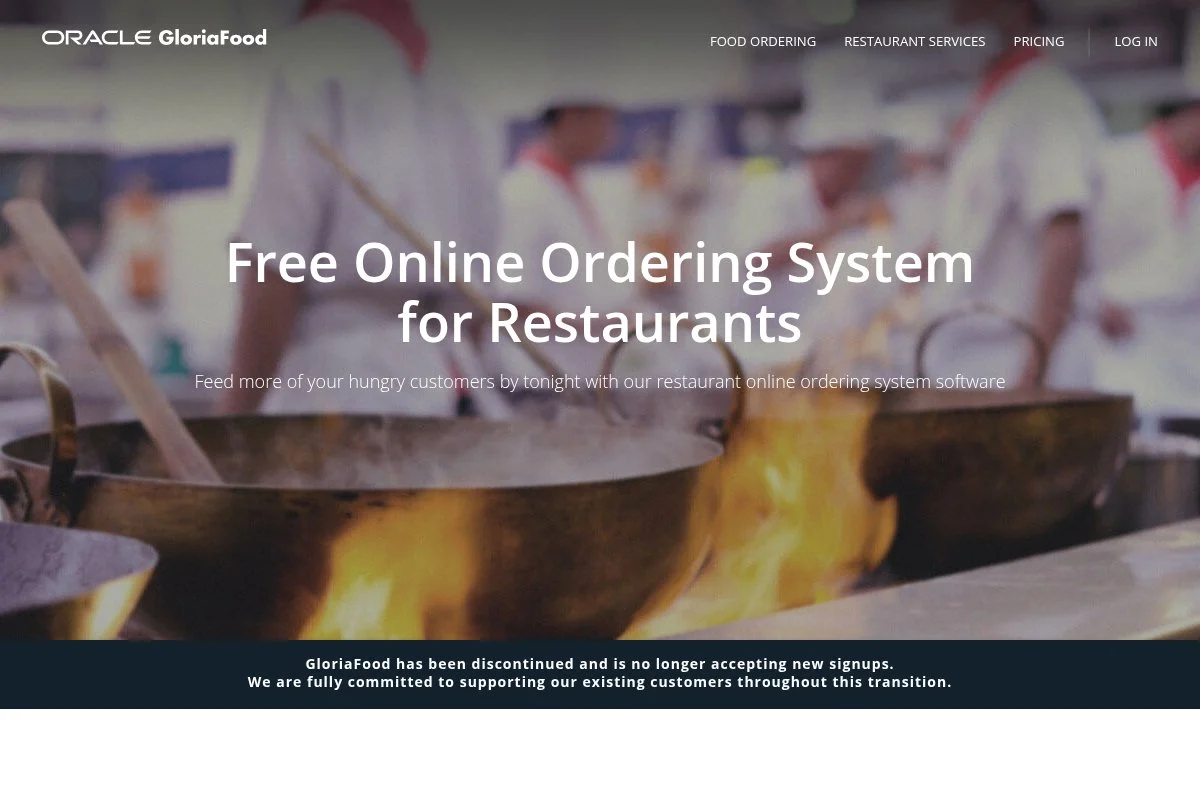
GloriaFood is focused on online food ordering for small restaurants and food makers. It gained attention for a truly free core ordering system with a simple widget you embed on your site or Facebook page — for a home bakery, that means you can accept pickup or delivery orders without a monthly fee.
Getting started is quick: create your menu, set pickup windows, and turn on order notifications. The customer flow is clear — browse items, add to cart, pick a time, place the order — and you approve orders from the dashboard or a mobile app. Recent updates improved menu design, lead time controls, and delivery zone settings, which helps if you run weekend delivery runs by neighborhood, and it supports promo codes for pre-order launches. Paid add-ons expand into online payments, branded mobile apps, and advanced promotions, though many home bakers stay on the free core and pair it with separate payments or cash on pickup to keep costs predictable.
The platform also provides helpful setup wizards, and the step-by-step menu builder reduces mistakes with item options and notes like gluten-free or nut warnings.
How GloriaFood works and key features
You work inside a web dashboard with a structured menu editor. Items can have sizes, extras, and dietary tags, and the customer interface is a tidy ordering page or embedded widget you can drop into an existing site. Customization focuses on menu layout, hours, and pickup or delivery rules; you can integrate with payment gateways when using paid add-ons, and reports cover order counts, revenue, and item popularity, which is enough for small menus.
Automation includes order confirmations and notifications to your phone, and beyond ordering you get promo code tools and basic landing pages to collect orders without a separate website. Support includes a help center and email, with guided wizards during setup. It is beginner friendly and purpose built.
Who GloriaFood is for
Great for home bakeries offering weekly menus, seasonal boxes, holiday pre-orders, cottage food sellers, and pop-up kitchens. It shines for simple online ordering and scheduled pickups. If you need deep accounting or production planning, pair it with Wave or Notion. No coding required.
GloriaFood pricing
GloriaFood’s core online ordering is free. Optional paid modules add advanced capabilities like online card payments and branded apps.
- Free: $0/month, menu builder, pickup and delivery ordering, order notifications.
- Add-ons: monthly upgrades for online payments, advanced promotions, and mobile app branding.
For home bakers, the free tier covers the basics well. You can layer payments through supported gateways once orders grow. Costs stay under control because you choose only the add-ons you need.
Pros and cons of GloriaFood
- Pros: Free core ordering, fast setup, clean menu flow, pickup scheduling.
- Pros: Good for Instagram link-in-bio ordering and pre-order drops.
- Pros: Add-ons let you scale without switching tools.
- Cons: Deeper analytics and payments require add-ons.
- Cons: Not a full accounting or POS system.
- Cons: Branding controls are lighter than a full website builder.
If you want a free, food-first order flow and can live without full POS, this is an easy win.
GloriaFood reviews
G2: 4+/5 star rating (hundreds+ reviews). Trustpilot: Mixed to positive (varied by region). Feedback favors ease of setup and free pricing.
3. Odoo Community
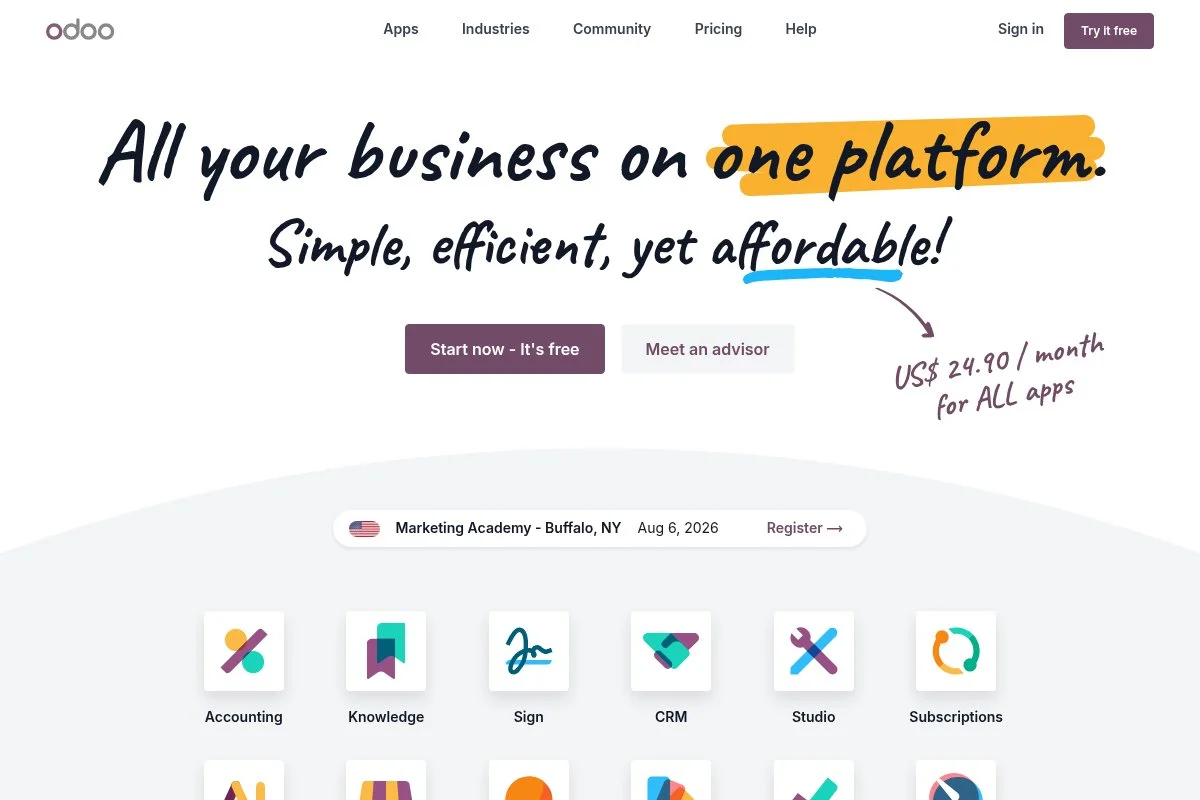
Odoo Community is an open source suite of business apps with modules for inventory, sales, POS, and manufacturing. For home bakeries, it can handle recipe costing as bills of materials and track ingredients down to grams.
You can use it free if you self-host. Setup is more technical than a typical POS, but once running you get a powerful dashboard, and daily tasks include creating products, defining recipes, issuing sales orders, and updating stock when you bake. Odoo keeps improving its UI and documentation — recent builds feel faster, and the community maintains many food-friendly modules that open possibilities like batch production, yield tracking, and purchase planning. Premium cloud plans add official hosting, support, and more features, which is helpful when your kitchen grows into a licensed bakery and you want less technical overhead.
Odoo is the pick when you need exact costs at scale — it can price a sourdough box down to packaging and fuel so the margin is clear. The community is active, with forums and third-party modules, and that culture helps when you hit a roadblock.
How Odoo Community works and key features
Odoo uses a modular interface. You install apps like Inventory, Sales, POS, and Manufacturing, and the editor is form-based with structured fields, which keeps data tidy for reporting — you can define bills of materials for recipes and track final goods and byproducts. Templates exist as product variants and attributes, advanced users can extend with custom code, connectors, and APIs, reports include stock levels, lead times, sales by product, and cost breakdowns, and automations can trigger reorders or mark finished goods after a batch run.
It also includes website, forms, and basic CRM modules if you want more in one place. Support for Community comes from docs and forums, while paid editions add official support channels. The overall feel is powerful but technical — beginners may need setup help, while advanced users get full control.
Who Odoo Community is for
Best for detail-oriented bakers, cottage businesses with complex menus, meal prep sellers, and anyone who loves precise costing. Great for recipe bills of materials and inventory tracking. If you dislike technical setup, pick Square or Notion. Some learning required.
Odoo Community pricing
Odoo Community is free to use when self-hosted. Odoo’s paid cloud plans provide hosting, support, and access to additional features and apps if you prefer not to manage servers.
- Community: $0/month, self-hosted, core open source apps, community support.
- Paid cloud: monthly per-user pricing, hosted by Odoo with official support and upgrades.
Value is high if you can self-host because you get enterprise-style tools for free. Cloud plans introduce predictable subscription costs in exchange for convenience. Choose based on your comfort with servers and backups.
Pros and cons of Odoo Community
- Pros: Free self-hosted ERP, deep recipe and inventory control, flexible modules.
- Pros: Strong community and extensibility, detailed reporting.
- Cons: Technical setup, steeper learning curve, overkill for very small menus.
- Cons: Official support requires paid plans.
Pick Odoo if costing accuracy and inventory are your bottlenecks. If speed and simplicity matter more, go with Square plus a lightweight tracker.
Odoo Community reviews
G2: 4+/5 star rating (thousands+ reviews). Capterra: 4+/5 star rating (thousands+ reviews). Reviews praise breadth of features, with notes on setup effort.
4. Wave
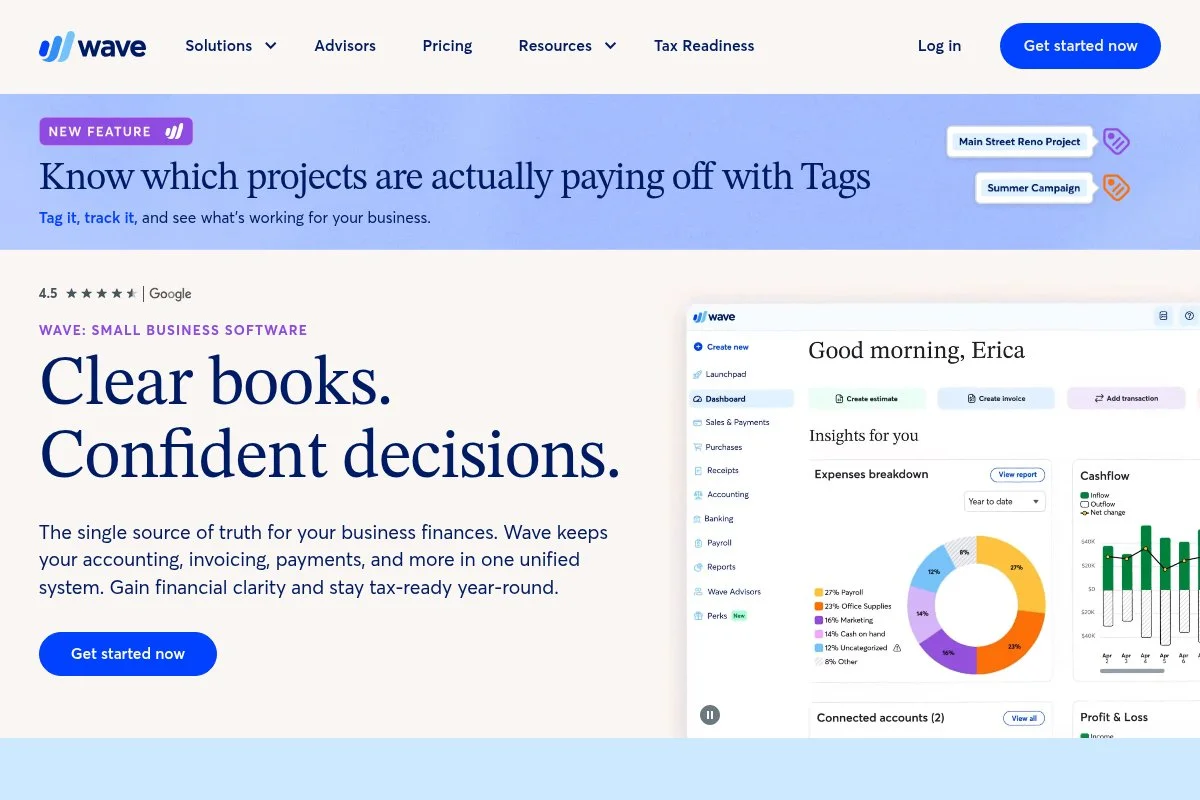
Wave is a free accounting and invoicing tool for small businesses in the U.S. and Canada. It covers income, expenses, and simple quotes without a monthly fee, and for custom cakes and deposits it keeps billing clean and traceable.
You can sign up free and send your first invoice in minutes. The interface focuses on invoices, estimates, and basic reporting, and day to day you will create quotes, capture deposits, mark paid, and categorize expenses. Recent updates improved invoice themes and payment options, payout timelines and notifications are clearer now, which helps plan supply runs, and it connects to bank feeds for expense tracking. Paid services include online payments and payroll, but you can run free forever if you accept cash or external card payments and record them in Wave for tracking.
We recommend Wave for any baker selling custom or made-to-order items — it keeps deposits and balances tidy without pushing you into full accounting complexity. Their help center covers most common tasks with short guides, hitting the right level for non-accountants.
How Wave works and key features
Wave’s interface is straightforward: create customers, send estimates, convert to invoices, and record payments. You can customize templates with your logo and terms and set automatic reminders for overdue invoices, bank connections help categorize expenses, and reports include profit and loss, sales by customer, and tax summaries. Automations cover recurring invoices and payment receipts, and beyond invoicing you can track expenses and basic cash flow in one place.
Support includes a knowledge base and community, with paid services adding chat support. Overall, it is beginner friendly and ideal for simple billing with light accounting.
Who Wave is for
Best for custom cake decorators, wedding cake studios, cookie artists, and any baker who takes deposits and balances. Great for quotes, invoices, and tracking expenses. If you need deep inventory or recipe costing, pair it with Notion or Odoo. No accounting background required.
Wave pricing
Wave’s core accounting and invoicing are free. Optional services add payment processing and payroll on a pay-as-you-go basis or monthly fees where offered.
- Accounting & Invoicing: $0/month, unlimited invoices and estimates, basic reports.
- Payments: pay-per-transaction for card and bank payments, no monthly fee required.
- Payroll: paid monthly where available, with tax filings in supported regions.
Compared to full accounting suites, Wave is generous for micro businesses. You can stay free if you take offline payments, then log them. If you enable online payments, build fees into your pricing.
Pros and cons of Wave
- Pros: Truly free invoicing, easy estimates and deposits, clear reports.
- Pros: Bank feeds and receipt capture save time.
- Pros: Simple enough for non-accountants.
- Cons: Available features vary by country.
- Cons: Not a POS or online menu tool.
- Cons: Deeper inventory and costing require another app.
Choose Wave if billing is your main pain point. Pair it with Square or GloriaFood for ordering.
Wave reviews
G2: 4+/5 star rating (thousands+ reviews). Capterra: 4+/5 star rating (thousands+ reviews). Users like free pricing and simple invoicing.
5. Notion
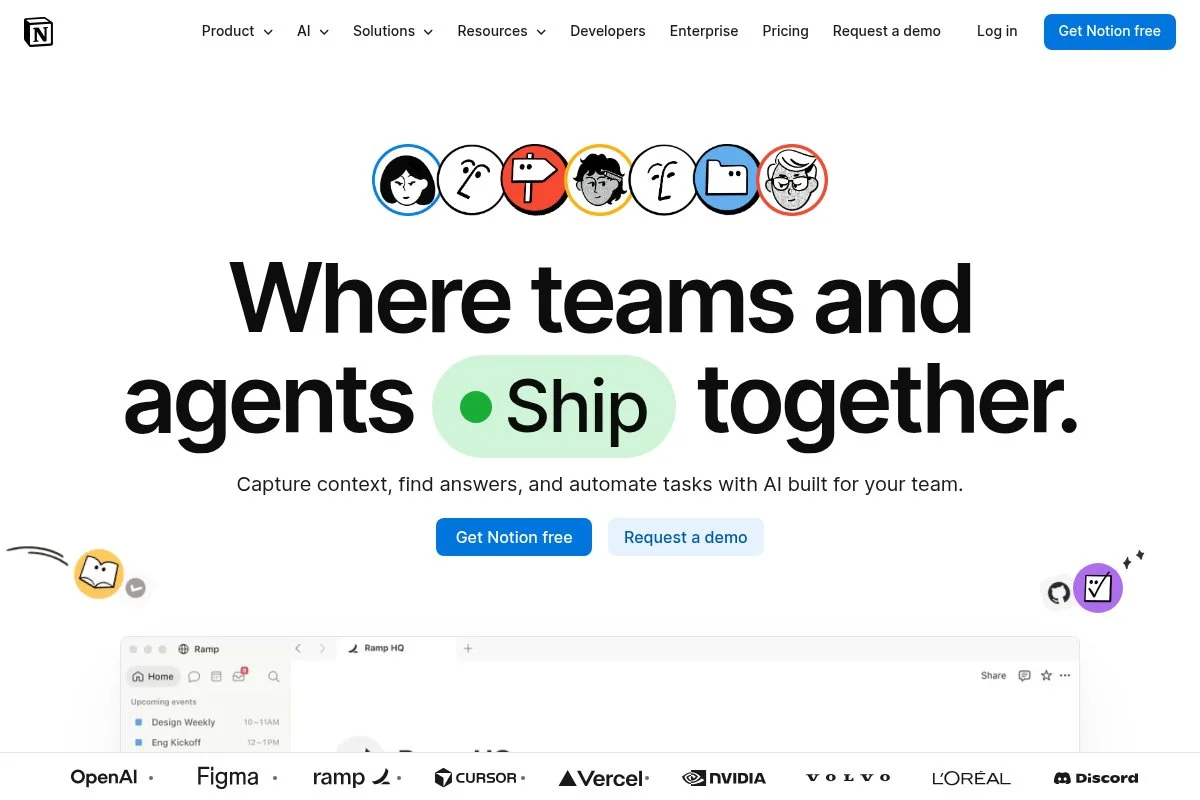
Notion is a flexible workspace that blends notes, databases, and lightweight project management. It is not bakery-specific, but it is perfect for recipes, prep lists, allergy tags, and order pipelines — it can act as the brain of a home bakery.
You can start on the free plan and build a simple system in an hour: use a database for recipes with fields for yield, cost per batch, and bake time, then create an orders database with status, pickup time, and notes. Recent updates improved templates, database views, and collaboration, sync across phone and desktop is smooth, which helps when shopping or prepping, and the checklists help with baking-day timing. Paid tiers add more file uploads, advanced permissions, and automation hooks, but you may not need them at first — keep it lean until your volume grows.
Notion can centralize recipes and label wording as one source of truth. The design is calm and flexible, which reduces stress in hectic weeks.
How Notion works and key features
Notion’s editor is a WYSIWYG block system. You mix text, images, and databases on one page, build recipe templates with fields for ingredients, units, and yield, then link them to cost tables if you want. Templates are plentiful, and you can customize views like Kanban for orders, Calendar for pickups, and Table for inventory lists; advanced users can connect to external tools through integrations, and analytics are light inside Notion, but you can track basic counts and statuses.
Automations work via reminders and third-party connectors, and beyond planning you can draft menus, label text, and schedule prep. Support comes from docs, templates, and a very active community. Balanced for beginners, with depth if you build it.
Who Notion is for
Best for recipe collectors, custom bakers juggling notes, pop-ups planning menus, and anyone who wants an organized kitchen brain. Great for prep lists, order tracking, and labeling. If you need payments or POS, pair it with Square or Wave. No coding needed.
Notion pricing
Notion’s free plan works well for solo bakers. Paid tiers add collaboration and higher limits for teams and files.
- Free: $0/month, basic pages and databases, sharing, mobile and desktop apps.
- Plus: paid per user monthly, higher limits, version history.
- Business/Enterprise: paid per user monthly, advanced permissions, security, SSO.
For a home bakery, the free tier is usually enough. If you grow into a team or need more uploads, upgrades are straightforward and priced per user. It is good value if you rely on it daily.
Pros and cons of Notion
- Pros: Free for individuals, flexible recipe and order tracking, great templates.
- Pros: Works on phone and desktop, clean design reduces chaos.
- Cons: No built-in payments or POS.
- Cons: Analytics are basic, you build structure yourself.
Use Notion if you want an organized, living playbook. Pair it with Square or Wave to cover sales and invoicing.
Notion reviews
G2: 4.7/5 star rating (thousands+ reviews). Product Hunt: 4.8/5 rating (thousands+ reviews). High marks for flexibility and design.
What is the best home bakery software right now?
The short version: Square as the best overall starter for taking money fast with no monthly fee, GloriaFood as the best free online ordering flow for pickup and delivery, and Notion as the best organizer to keep recipes, prep, and orders in one calm place.
Square is our top pick. On value, Square lets you launch with $0 monthly software cost, which keeps risk low: alternatives with monthly fees can pinch when sales are light, whereas with Square you price to cover processing and move on, and if your average ticket is healthy the math works out well.
GloriaFood is a close second if you mainly need a food-first online order flow. It shines for pre-orders, holiday menus, and simple delivery zones, and recent polish in scheduling and promo codes makes it even more attractive for weekend drops and seasonal boxes. Its unique strength is focus — it does one job well, converting browsers into pickup or delivery orders without extra clutter — and for a weekly rotating menu with limited slots, it may be the better first choice.
For a third pick, we like Notion as the control center: free for individuals, no coding, and adaptable to how you think, so if you do not need built-in payments it is a low-stress way to run recipes, prep, and order notes with zero monthly spend. A practical trio: Notion for recipes and prep, Square for payments and pickup, and Wave for invoices on custom cakes. Choosing between Square and GloriaFood is hard: Square wins if you sell both in person and online and want one catalog, while GloriaFood is excellent if you only take pre-orders for pickup windows.
Frequently Asked Questions
Q: What free tools do I actually need to start a home bakery?
Start with three: a free POS or ordering tool to take money, a place to track recipes and costs, and simple invoicing for custom work. Square, Notion, and Wave cover those bases without monthly fees.
Q: How do I handle deposits for custom cakes without paying monthly fees?
Use Wave to send an estimate that converts to an invoice, or send a Square invoice. Set terms for non-refundable deposits and due dates. Record payments and keep notes on flavors and allergen warnings in your order system.
Q: Can I track ingredient costs and margins with free software?
Yes. Use Notion or Google Sheets for recipes with yield and cost fields. If you need deeper control, Odoo Community can model bills of materials and update inventory as you bake.
Q: What about local pickup windows and delivery zones?
Square Online and GloriaFood both let you set pickup times and delivery rules. Keep windows tight during peak baking days. That reduces wait times and keeps orders on schedule.